
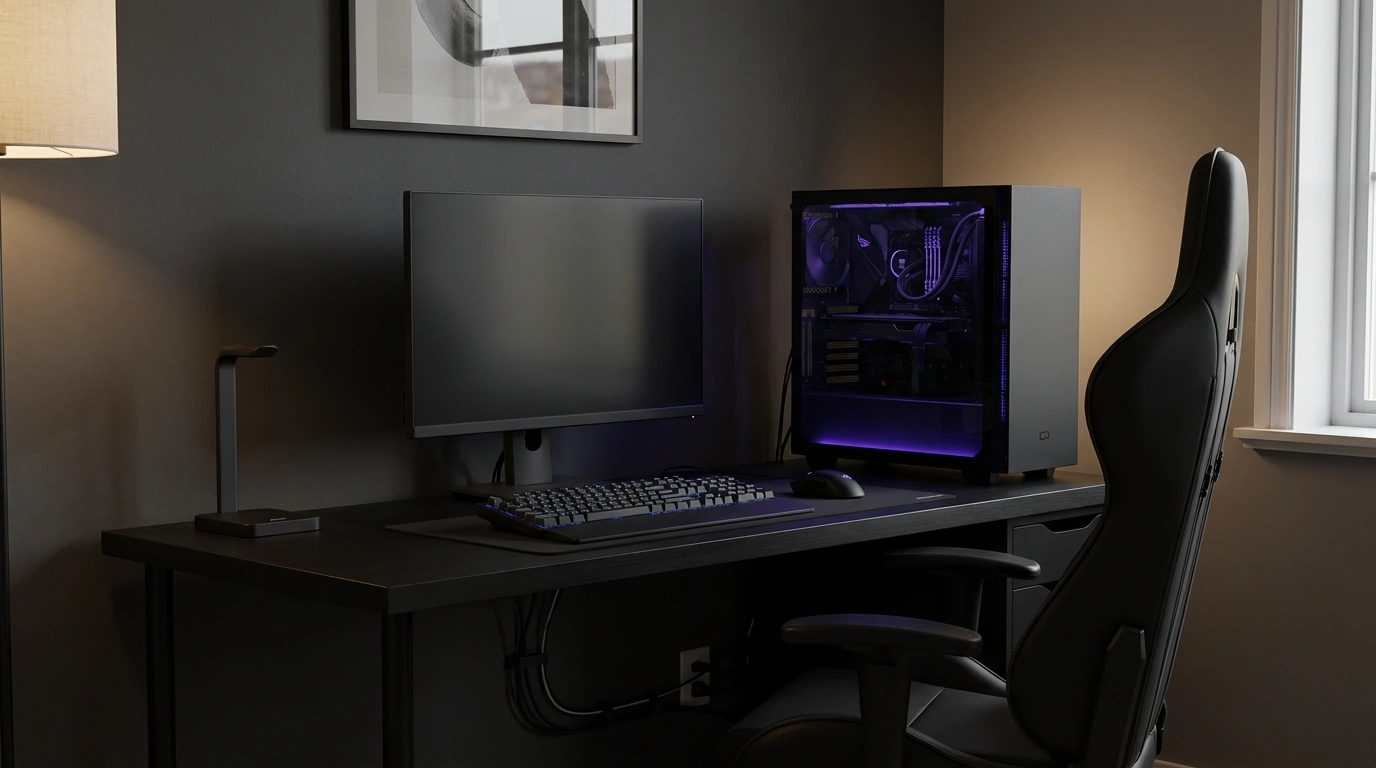
A black gaming setup can look like a sleek command center or a desk that swallowed every cable in the house. The difference isn’t necessarily the graphics card, the monitor, or how much money went into the PC. It’s how the desk, walls, lighting, storage, and surrounding room work together.
Black gaming setups look strongest when there’s contrast and a clear focal point. A matte-black desk against warm walnut feels completely different from a charcoal room with magenta lighting.
A small bedroom corner needs a different approach from a dedicated gaming studio, and a console lounge has little in common with a racing simulator.
Black Gaming Setup Ideas
NOT A LIGHTING EMERGENCY.
Good gaming design has contrast, breathing room, and lighting that knows when to calm down. If every single thing is glowing, nothing is the main character.
Matte Black Command Center
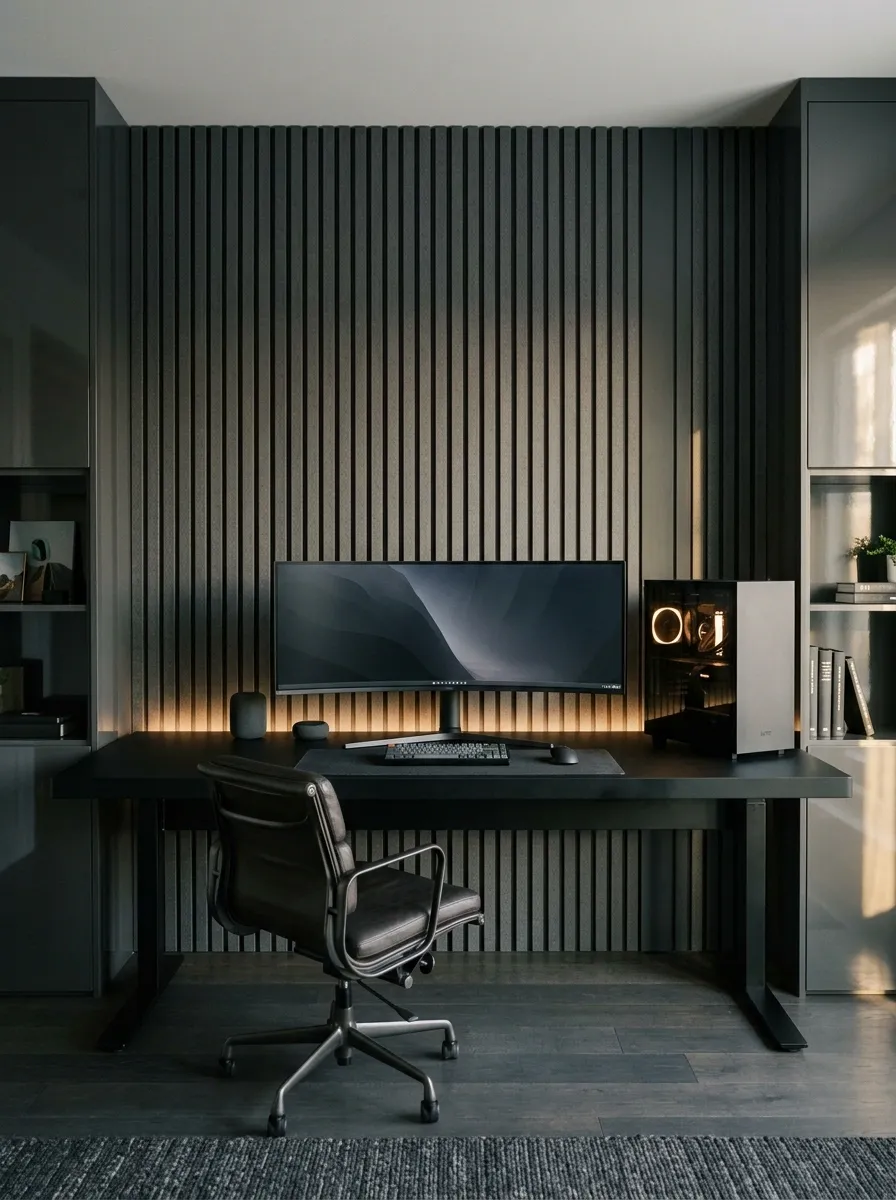
This is the classic black gaming room, done with enough restraint to look expensive rather than exhausting. A wide matte-black desk sits against charcoal wall panels, with an ultrawide monitor, a neatly positioned PC tower, matching storage, and a supportive dark chair. Low-level illumination separates the desk from the darker background.
The secret is the difference between the finishes. Matte surfaces absorb attention, while a few subtly reflective details give the room depth. Keep the desktop mostly clear, too. A carefully arranged battlestation looks intentional. A desk covered in unopened packaging and tangled wires looks like customer support has stopped answering.
The finish mix
Keep the largest surfaces quiet. Let the monitor and PC provide the technical detail.
Compact Black Gaming Corner in a Bedroom
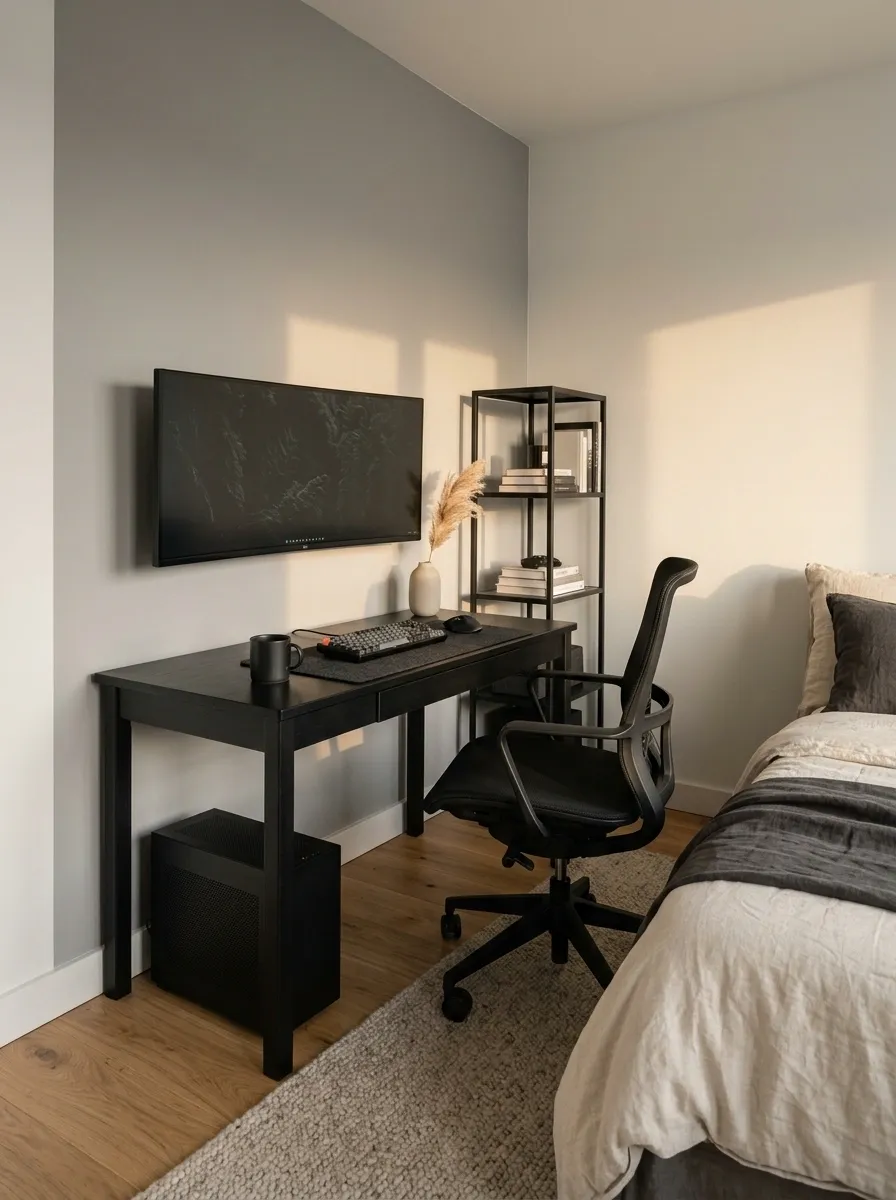
A bedroom gaming setup has to share the room with a rather important object: the bed. The smartest arrangement places a compact black desk against a clear wall, with a wall-mounted monitor, one slim storage unit, and a chair that can tuck underneath when not in use. Neutral bedding and soft gray walls prevent the equipment from taking over the entire room visually.
Leave a comfortable route between the desk and bed, and check that drawers and doors can open before settling on the layout. A smaller desk with usable space beats a giant tabletop that turns getting out of bed into an obstacle course. The bedroom still needs to function as a bedroom, controversial concept though that may be online.
Space planning that earns its place
Industrial Black Gaming Loft With Concrete and Steel
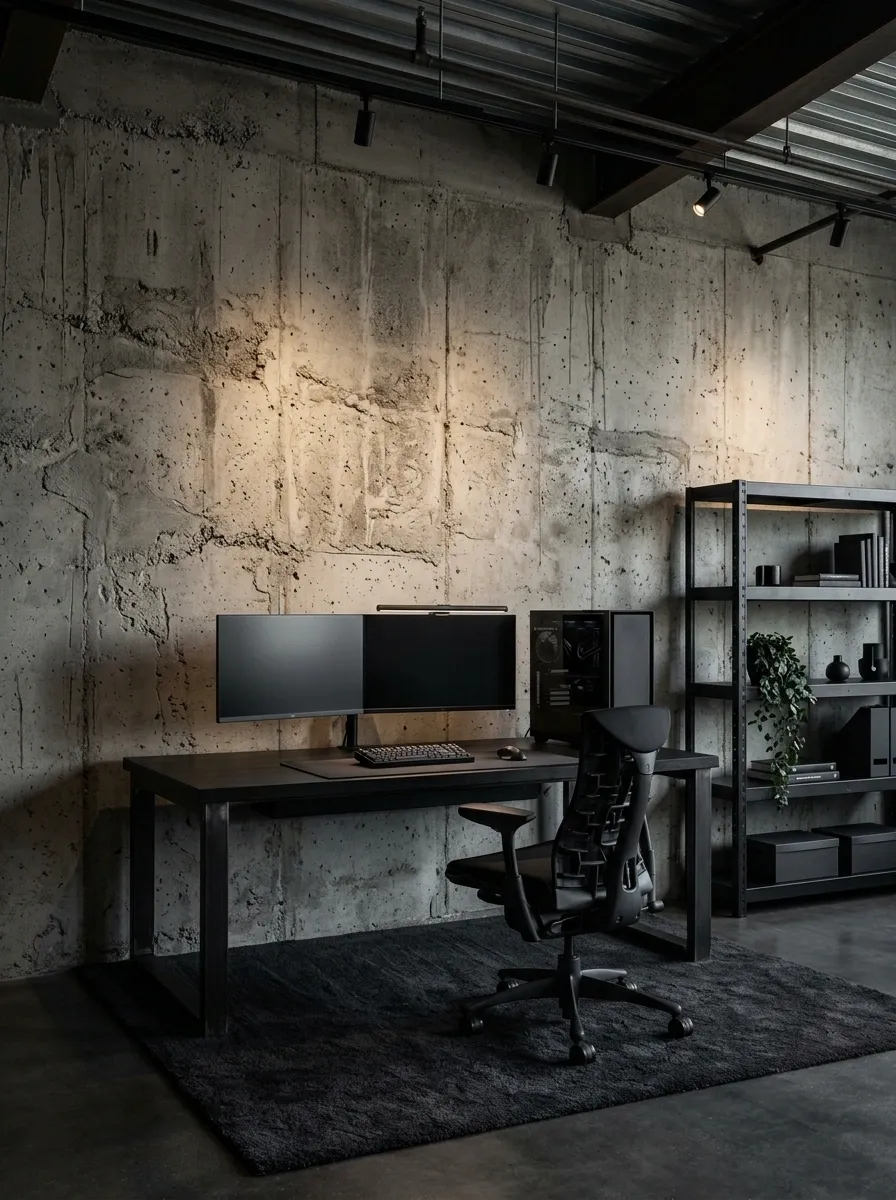
Exposed concrete, black steel, metal shelving, and a streamlined workstation give this room a more architectural character. The rough wall provides texture behind the smooth monitor and desktop, while directional ceiling lights pick out the desk and keep the space from sinking into a gray blur.
The important balance is between hard surfaces and usable comfort. A mesh ergonomic chair, a rug beneath the desk, and a few practical storage pieces stop the room from feeling like an abandoned factory with excellent internet. Keep the metal finishes related and the shelf styling selective. Random pipes, fake warning signs, and industrial props are not required to prove that the room enjoys concrete.
The texture hierarchy
PRECISE SETUP.
Industrial rooms look better when materials have distinct jobs instead of competing for attention.
Bright Monochrome Gaming Room
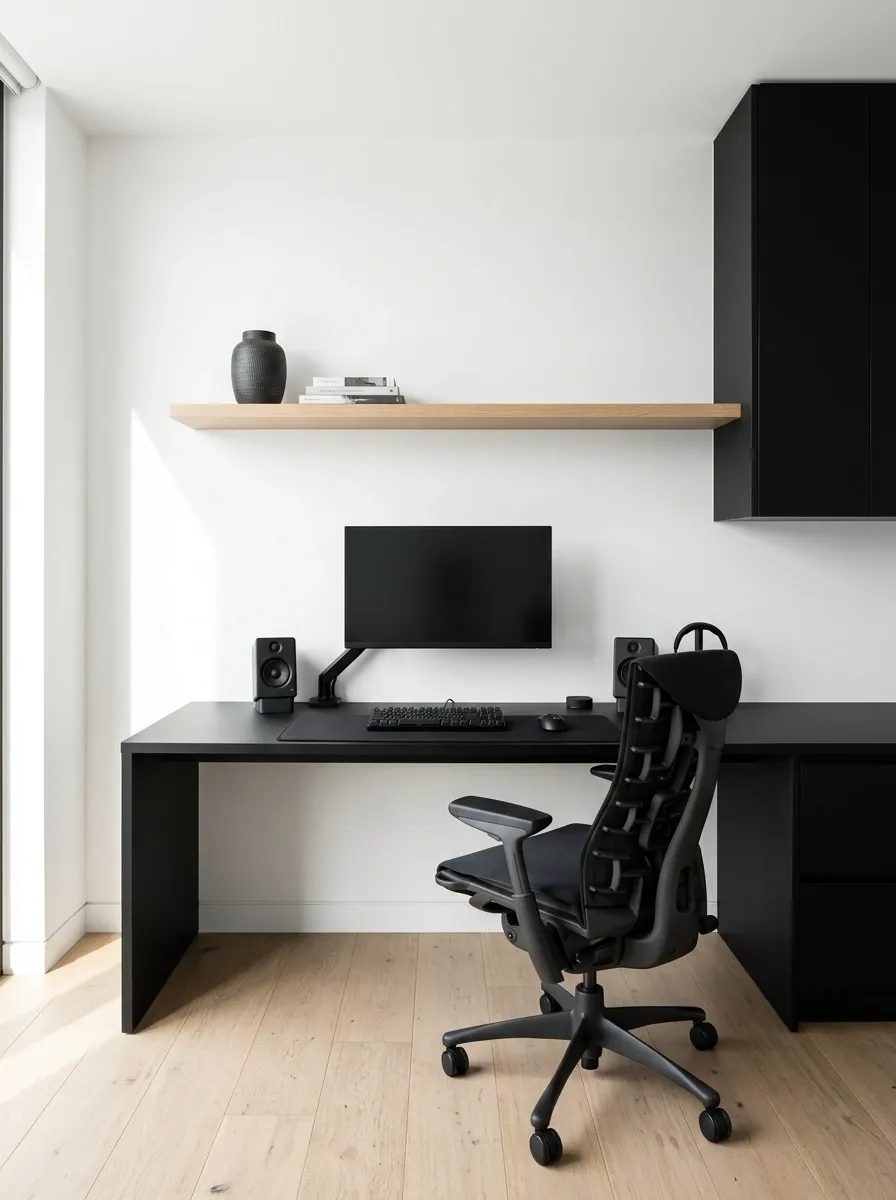
Not every black gaming setup needs dark walls. This version uses the equipment as the main contrast against white walls, a pale ceiling, and light oak flooring. A black desk and monitor stand out clearly, while a dark chair and carefully chosen storage tie the workstation together without making the whole room feel heavy.
Natural light is especially useful here, provided the monitor doesn’t face direct window glare. Keep wall decor minimal and let the difference between black and white carry the composition. The result feels open and contemporary, with a clear gaming area that doesn’t need a neon sign screaming GAMER LIVES HERE.
The tonal balance
DO THE TALKING.
Cyberpunk Black Gaming Room With Magenta and Cyan Lighting
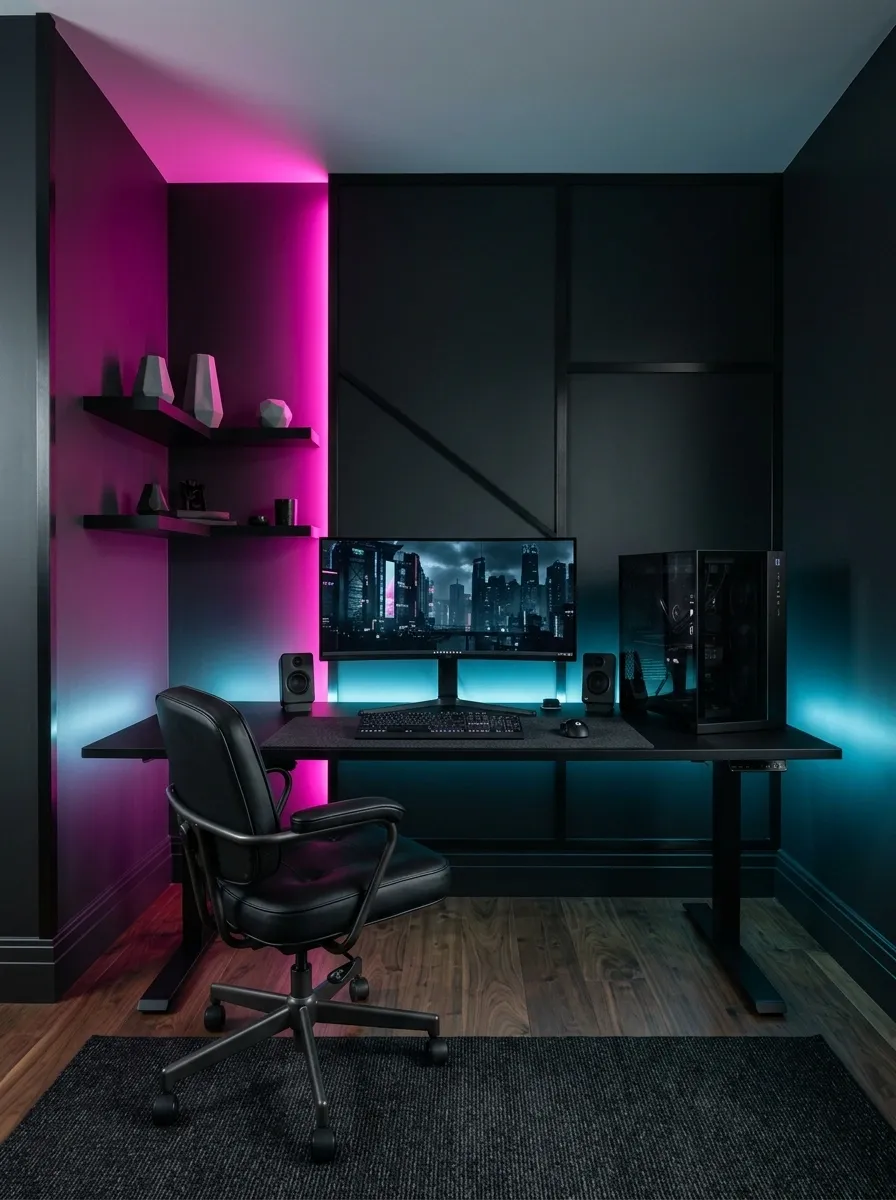
Magenta and cyan turn an ordinary black gaming room into something straight out of a futuristic city apartment. The desk and PC sit against deep charcoal walls, while two distinct colors of light define the space. One illuminates the monitor wall, and the other creates depth along a side wall or behind the desk.
The trick is keeping the colors in separate, intentional zones. When every strip, shelf, keyboard, and ceiling corner glows at maximum brightness, the setup stops looking futuristic and starts looking like a nightclub arguing with a computer store. Dark surfaces between the light sources give the eyes somewhere to rest.
The lighting hierarchy
Keep the strongest colored light behind or beside the workstation. The monitor should still be the star, not a background so bright it starts competing with the actual game.
Black and Forest Green Gaming Den
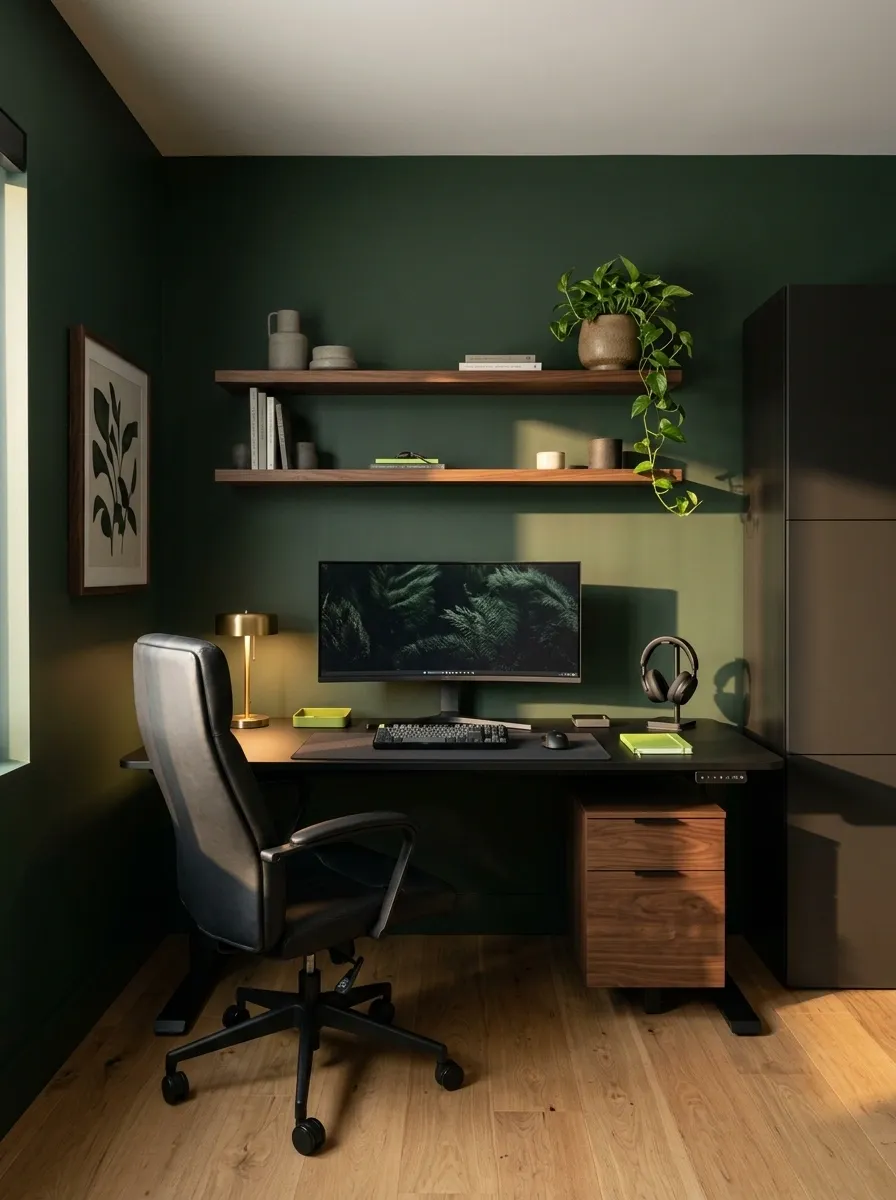
Forest green gives a black gaming setup a richer, more residential feel. Deep green walls sit behind a matte-black desk, dark storage, and a comfortable black chair. Walnut details and a little natural greenery keep the palette from becoming too severe, while warm lighting makes the corner feel like a private den rather than a high-energy esports room.
The green should act as a backdrop, not an excuse to buy seventeen matching accessories. One plant, a restrained piece of wall art, and a few coordinated wood finishes are enough to support the room’s character. This direction works particularly well in a bedroom or a dedicated gaming room that needs to feel comfortable when the PC is switched off.
A palette with actual personality
The green and walnut do the softening. The equipment stays black. Nobody needs a matching green mouse cable to understand the assignment.
Warm Black Gaming Setup With Amber Lighting
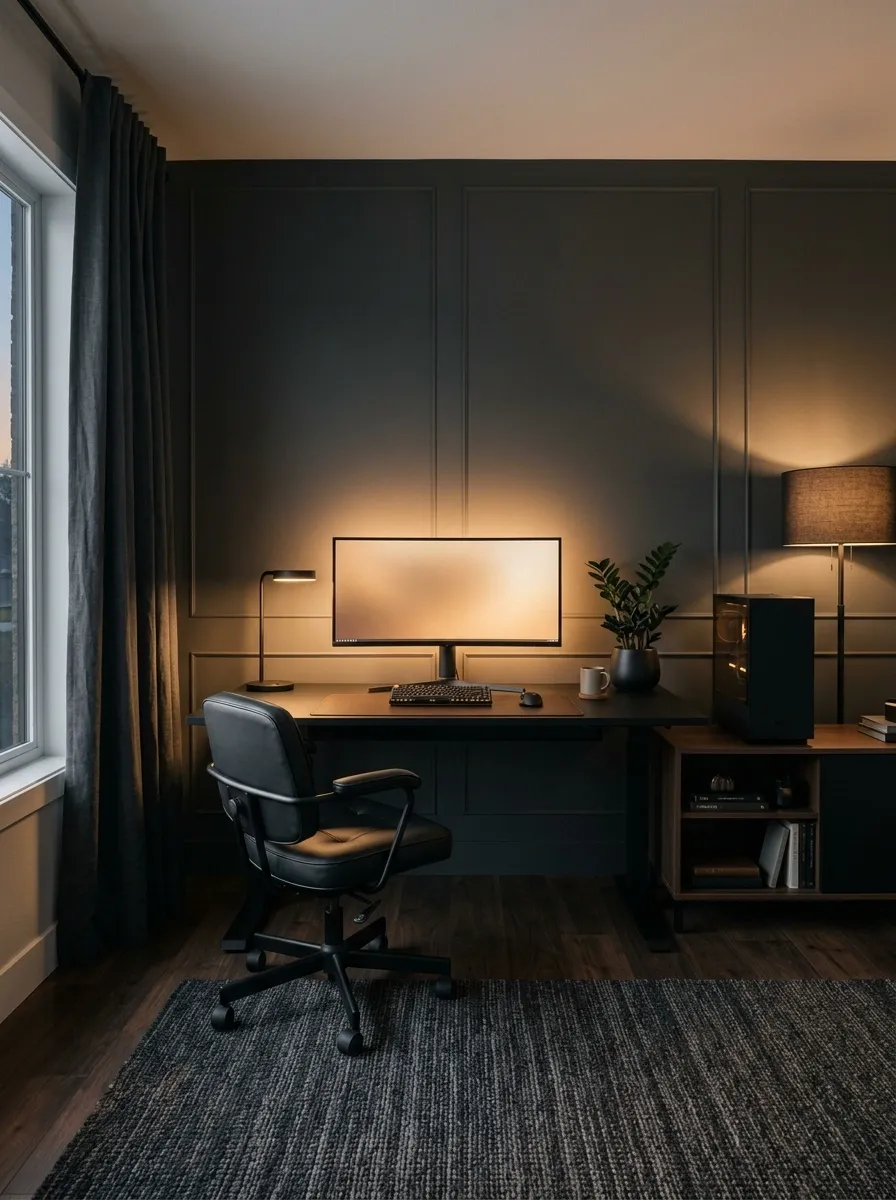
Amber lighting changes the mood of black furniture without requiring another accent color. A charcoal wall, dark desk, and black chair provide the foundation, while a warm glow behind the monitor and a shaded floor lamp soften the room’s edges. Dark wood flooring adds depth, and the light remains warm rather than turning the setup orange.
This is the more mature alternative to constant color cycling. It suits late-night gaming, a mixed-use office, or a bedroom where a bright RGB glow would be annoying. Layer the light sources so the desk remains usable, and avoid placing bare LED strips directly in the line of sight. Exposed dots along every edge are not a premium design feature, no matter what the product listing says.
Three layers of light
NOT JUST THE KEYBOARD.
Warm lighting should make the equipment easier to appreciate, not make the entire room look like a screenshot taken during a power outage.
Black and Red Competitive Gaming Room
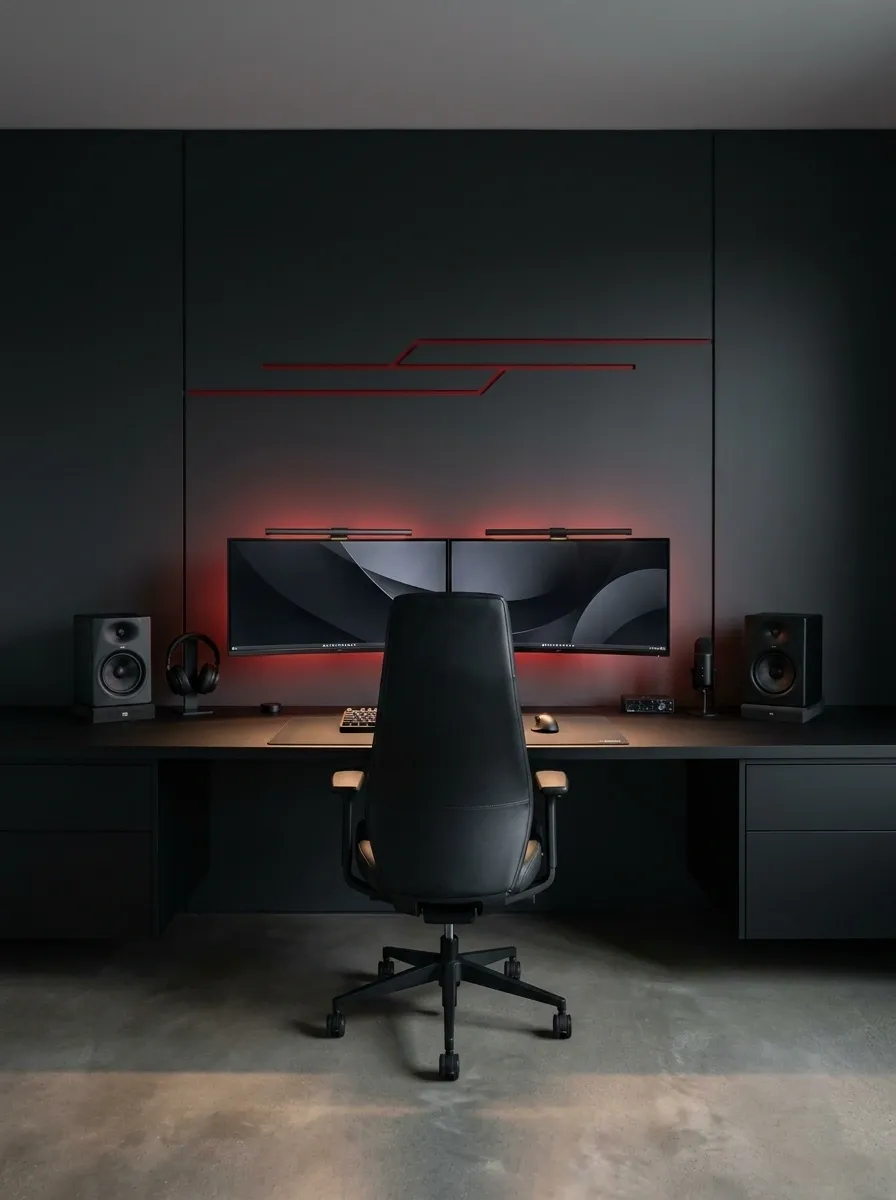
Black and red give a gaming room instant intensity, but the strongest designs use red as an accent rather than the room’s entire personality. A broad black desktop, dual monitors, a streamlined chair, and a dark feature wall establish the visual structure. Select red illumination adds energy around the screens, while neutral flooring and uncluttered storage stop the rest of the room from shouting.
This setup leans competitive and technical, so the arrangement should feel precise. Keep peripherals aligned, leave practical space around the keyboard, and hide the cable mess. A red glow can’t improve a bad layout. It can, however, make every single bad decision significantly easier to notice.
The red-accent rule
Choose one or two related spots, such as a backlight and a small wall detail. Repeating the accent selectively feels deliberate. Painting every surface red is a different design decision, and not the subtle one.
Black Gaming Desk Beside a Large Window
A black gaming desk beside a large window creates a different mood from the usual dark, sealed-off gaming cave. Daylight illuminates the desk and chair, while gray walls and pale flooring prevent the black equipment from dominating every corner. Sheer curtains soften the window, and a discreet lamp keeps the workstation useful after sunset.
Monitor placement matters more here than another decorative light strip. Position the screen to reduce direct reflections, and leave enough room for curtains to move without catching on the desk. A black setup can look sharp in natural light, too. Shocking news for anyone convinced gaming rooms must remain permanently stuck at midnight.
The window-to-monitor relationship
L-Shaped Black Battlestation With Separate Work Zones
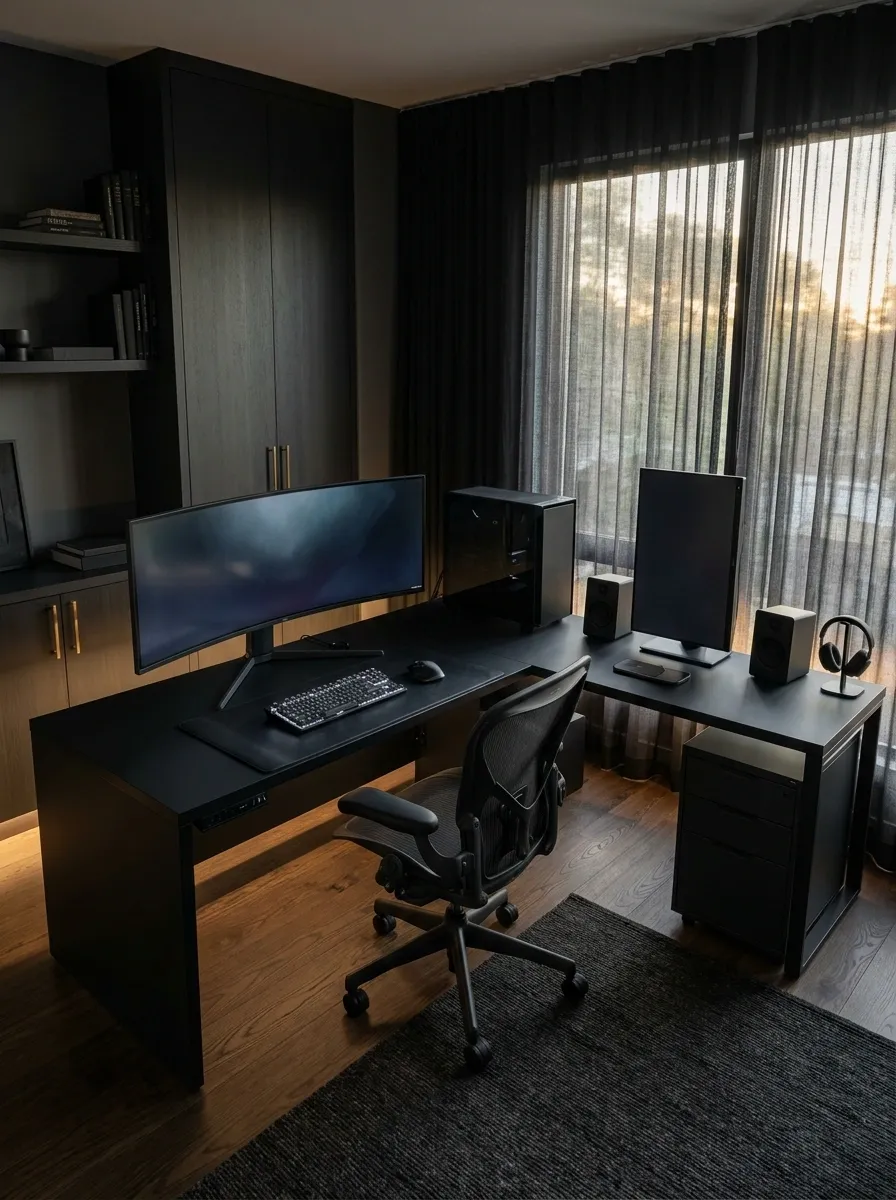
An L-shaped black desk gives a serious gaming setup room to breathe, especially when gaming, browsing, editing, and other computer tasks share the same space. The main monitor sits along the primary desk run, while the return section holds secondary screens, charging equipment, or other peripherals. Matching drawers keep smaller items off the surface.
The layout works best when each side has a clear job. Otherwise, the extra desktop becomes a repository for cups, spare cables, and accessories that mysteriously stopped being useful three months ago. Keep the chair centered on the main display and preserve clearance around the corner so the return section doesn’t trap the seating area.
Give each desk run a purpose
Measure the chair’s turning space before ordering the desk. The corner should connect two work zones, not create a very expensive elbow trap.
Ultra-Wide Minimalist Black Gaming Setup
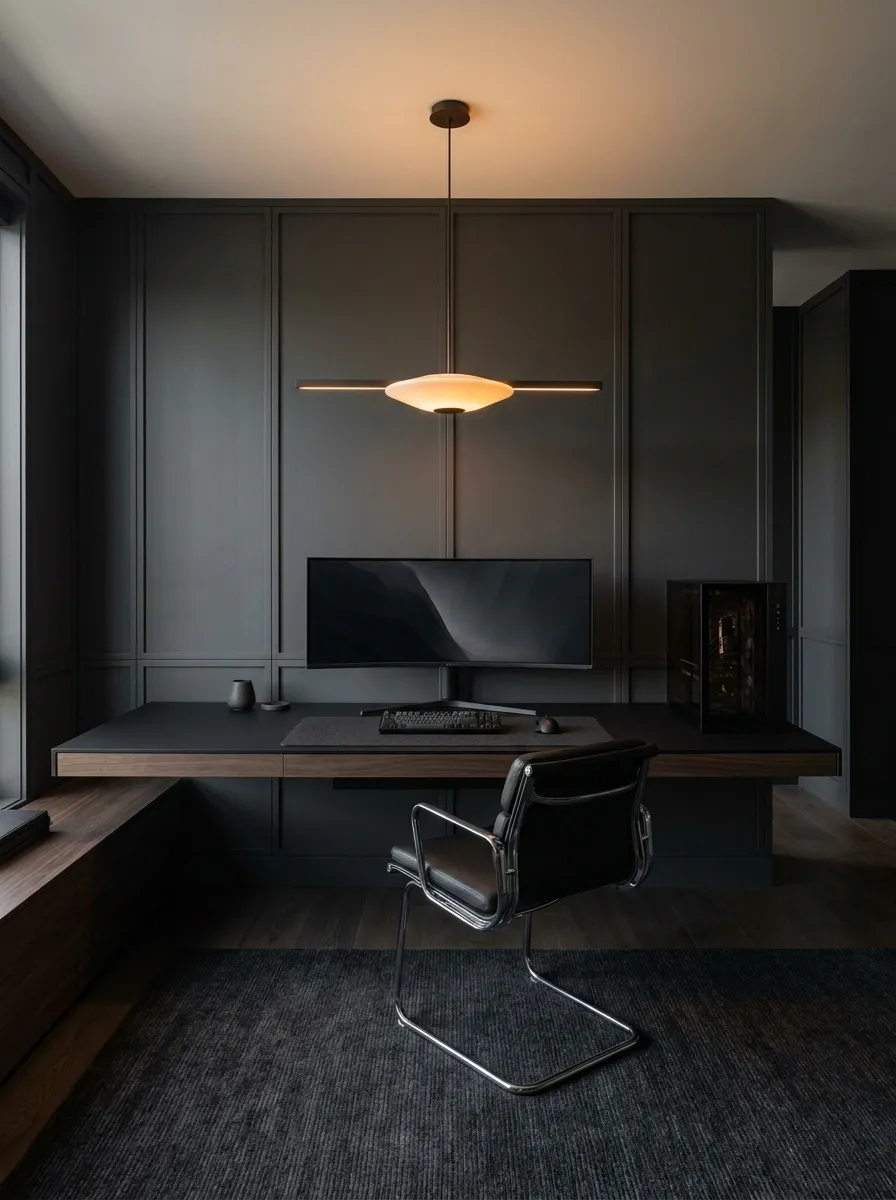
This setup depends on restraint. A single ultrawide monitor spans the black desk, the PC sits neatly to one side, and almost everything else disappears into a charcoal background. A slim chair, one subtle wall detail, and soft overhead illumination provide enough context to make the room feel finished without interrupting the clean horizontal lines.
The empty space is deliberate. It gives the screen room to stand out and makes the desktop easier to use. Keep the monitor at a comfortable viewing distance and leave adequate room for the keyboard and mouse. Minimalism is not the art of owning exactly three objects. It is the art of not needing to move twelve objects every time the game starts.
The negative-space principle
Clear mouse space, a comfortable screen position, and discreet storage.
Unrelated desk ornaments and accessories that serve no purpose.
Dual Black Gaming Stations for Two Players
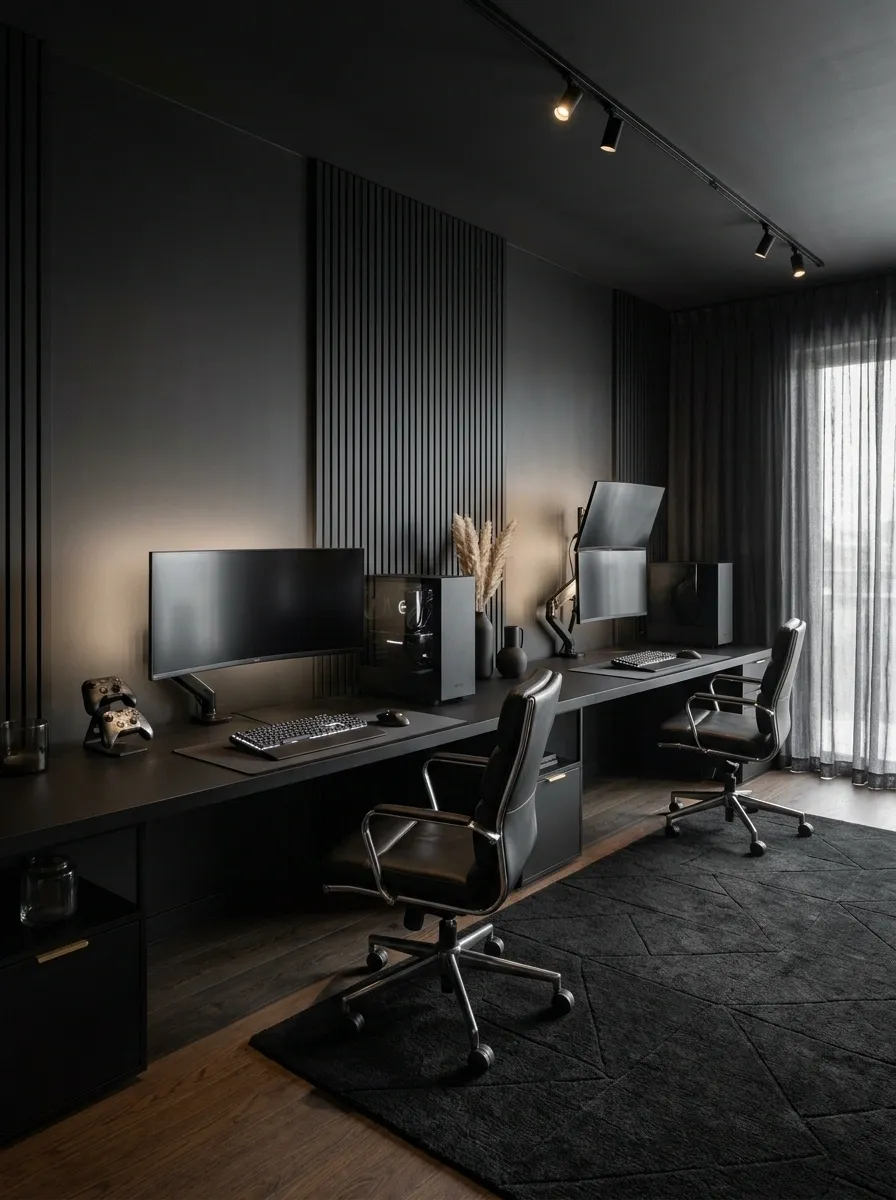
Two gaming stations can share one room without looking like a mirror image of a computer shop. A long black desktop supports two separate monitor and peripheral arrangements, with matching chairs, individual lighting, and distinct areas for each player. The room feels unified because the furniture and finishes match, while each station has its own usable space.
The middle of the desk deserves extra attention. Keep cables separated, allow enough elbow room, and give each player access to their own peripherals without crossing into the other setup. Matching equipment looks satisfying, but identical everything is not a personality requirement. One player can have a controller collection while the other keeps the desk nearly empty.
Two players, two clear zones
The shared desk should connect the stations visually. It should not force both players to negotiate for the same ten centimeters of mouse space.
Black Streamer Studio With a Camera-Ready Background
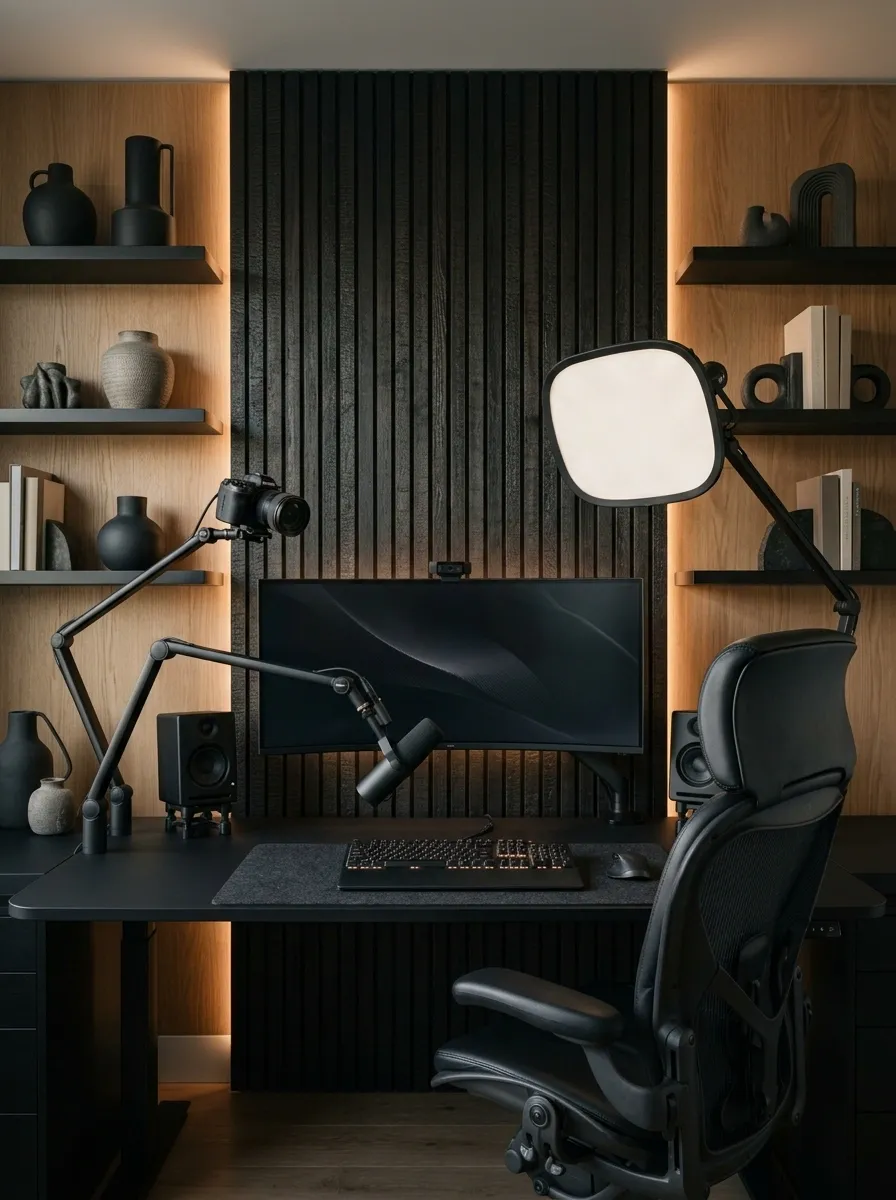
A streamer setup needs to work from two angles: the player’s view and the camera’s view. The desk and monitor sit in the foreground, while a considered background of dark acoustic panels, selective shelving, and a few well-placed objects adds depth behind the chair. A camera and soft key light complete the working arrangement without turning the whole room into a production warehouse.
The background needs breathing room just as much as the desk does. Keep collectibles grouped rather than scattered across every shelf, and make sure lighting separates the player from the dark wall behind them. The camera doesn’t need to witness every purchase made since 2019. A few intentional details create a stronger frame than an entire retail aisle of merchandise.
Plan the room from the camera’s point of view
Check the camera preview before styling the background. The actual frame matters more than what a shelf looks like from across the room.
Scandinavian Gaming Room With Black and Pale Oak
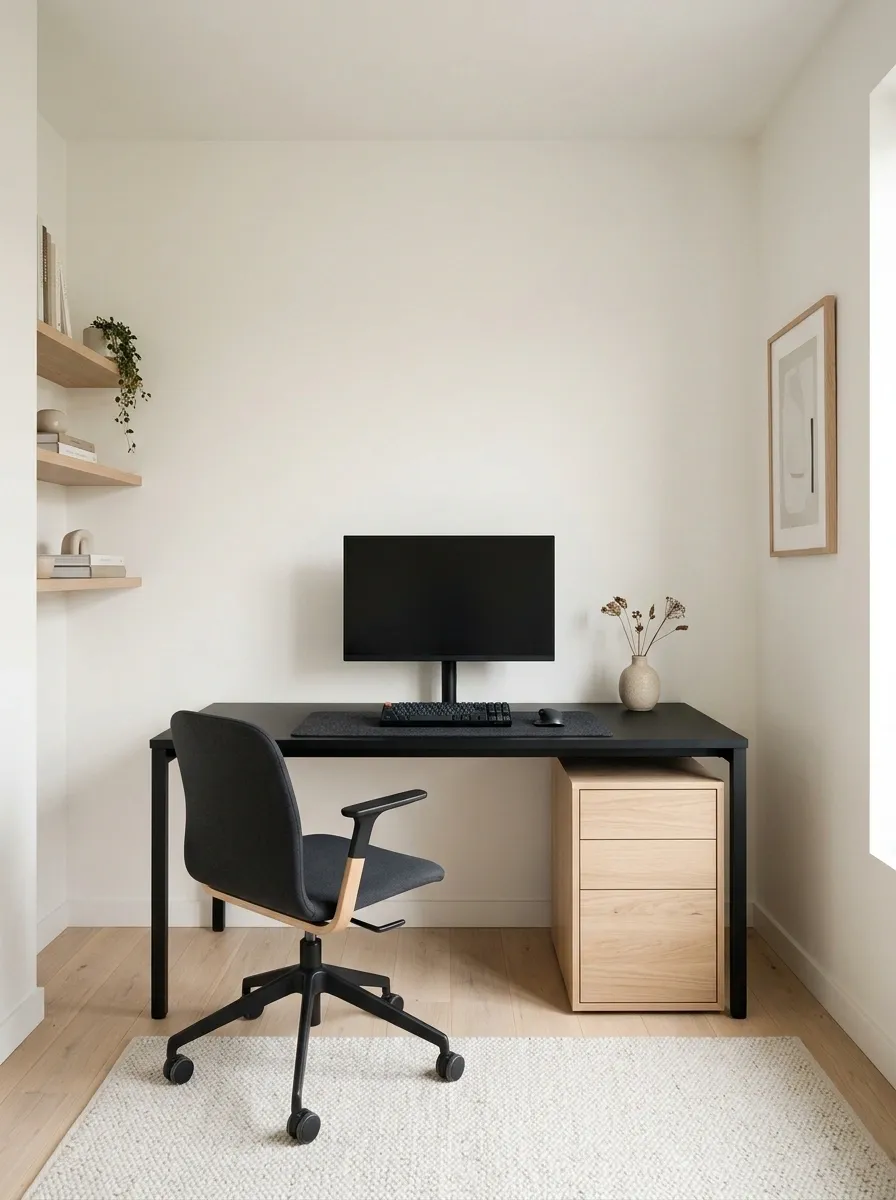
Pale oak, warm white walls, and black gaming equipment create a room that feels calm without looking unfinished. The black desk anchors the space, while oak flooring and a matching drawer unit bring enough warmth to soften the technology. A simple chair, discreet storage, and gentle daylight complete the arrangement.
This is a strong direction for a bedroom or home office that doubles as a gaming space. Keep the furniture light in visual weight and resist filling every empty shelf with collectibles. Scandinavian design isn’t a beige room with a plant placed nearby for legal reasons. It’s a balance of useful furniture, honest materials, and space to breathe.
The material balance
Warmth underfoot and in storage.
A clear visual anchor for equipment.
Keeps walls light and spacious.
Let the finishes carry the style. Matching every accessory to the desk is not a personality test.
Attic Gaming Setup Beneath a Sloped Ceiling
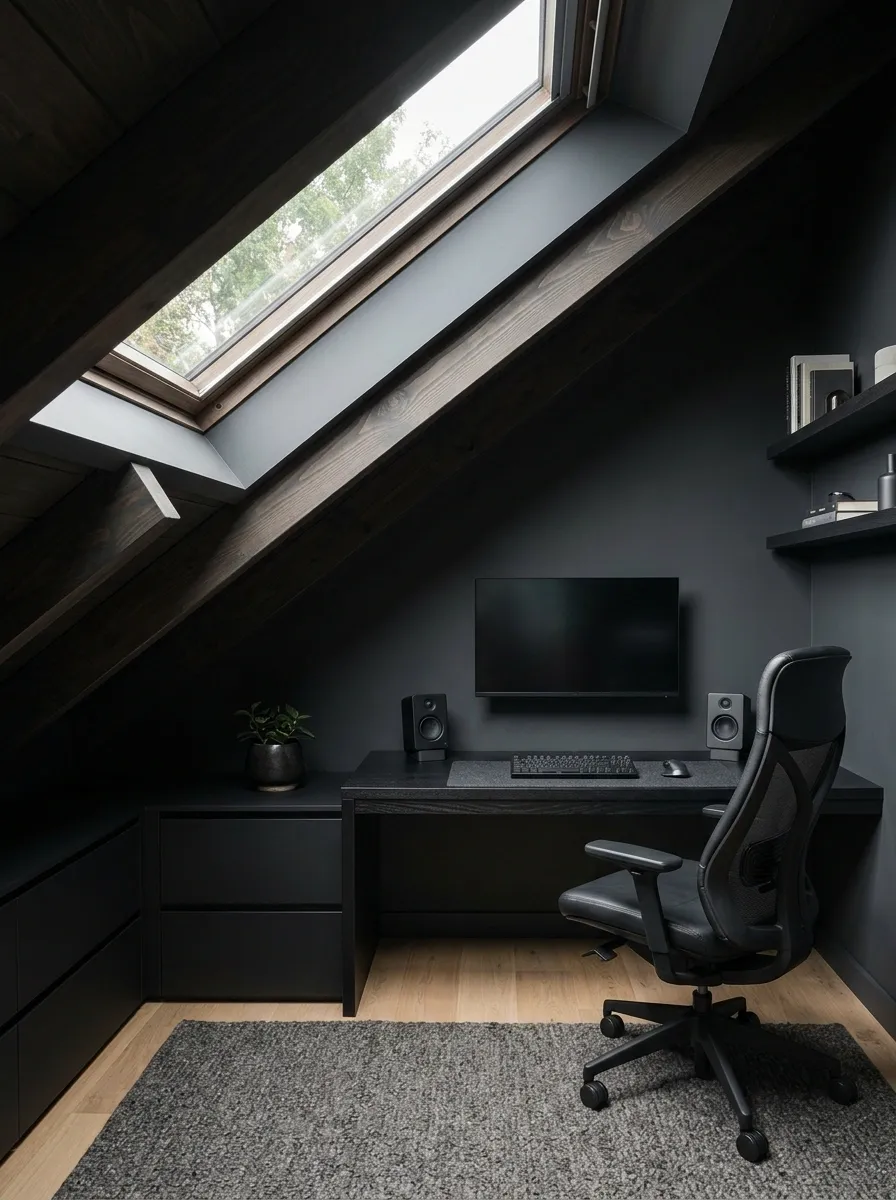
A sloped ceiling can make furniture placement frustrating, but it also gives a gaming room a shape that a standard box bedroom doesn’t have. A low black desk follows the more usable part of the roofline, while the monitor sits on the tallest available wall. Low drawers fit under the slope, leaving the central area more open.
The key is to plan around seated headroom, screen position, and access to the chair before buying furniture. A roof window adds daylight and makes the room feel less enclosed. Avoid forcing a tall shelving unit into the lowest corner just because the measurements technically allow it. Technically fitting something is not the same as making it look good.
Use the room’s height intelligently
Measure the actual headroom where the chair will be used. The roof may look charming in a photograph, but nobody wants to stand up into it.
Built-In Black Gaming Nook With Concealed Storage
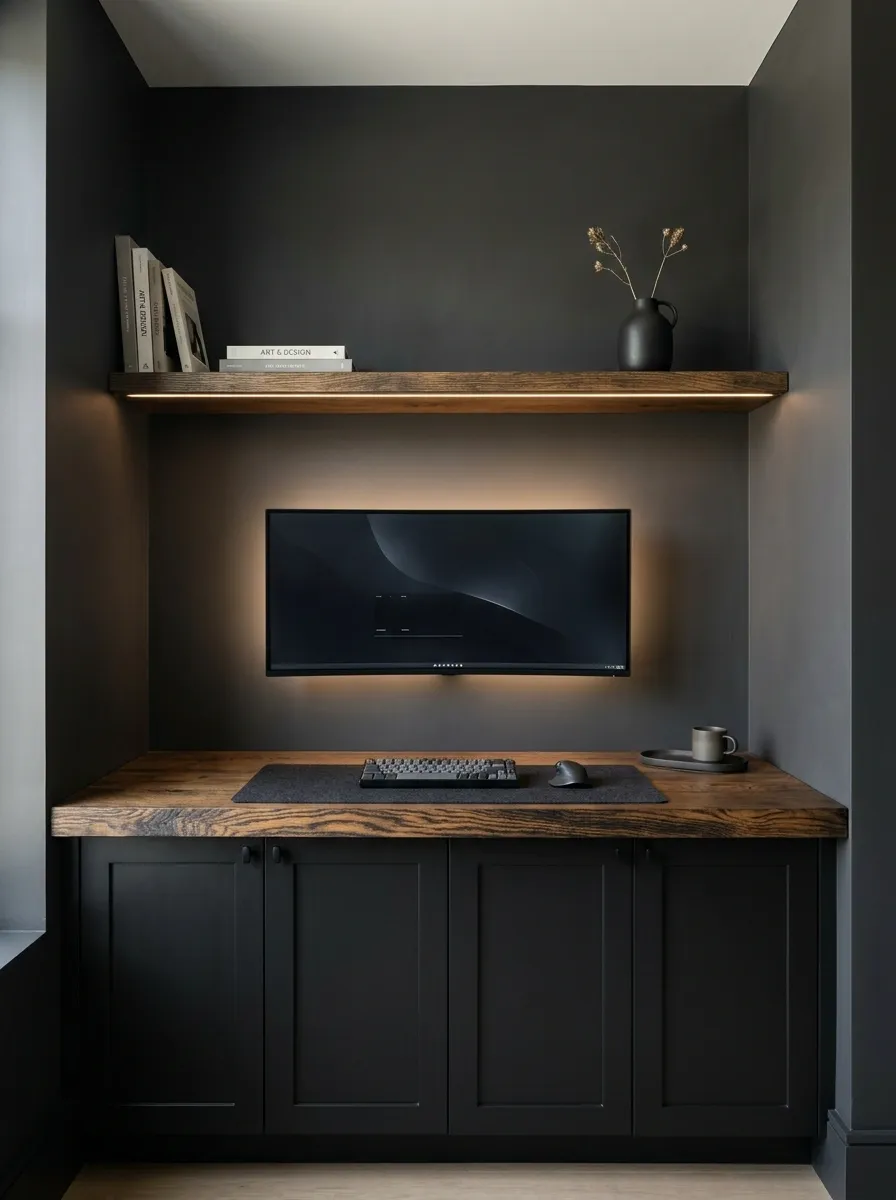
A built-in gaming nook makes the workstation feel like part of the architecture. Fitted black cabinetry runs between the side walls, with a wall-mounted display, a clean desktop, and closed lower cupboards for controllers, cables, and spare equipment. A slim shelf gives the wall some depth without taking attention away from the monitor.
The clean appearance depends on the practical details behind the doors. Allow enough room for cable access, ventilation around the PC, and the equipment that actually needs to live there. Completely sealed cabinets might photograph beautifully right up until heat becomes an issue. Leave the right clearances, and the finished nook feels intentional instead of improvised.
The built-in relationship
Built-in looks still need service access and airflow. Hidden equipment is a design win, not an invitation to suffocate a graphics card.
Black Gaming Room With Acoustic Felt Panels
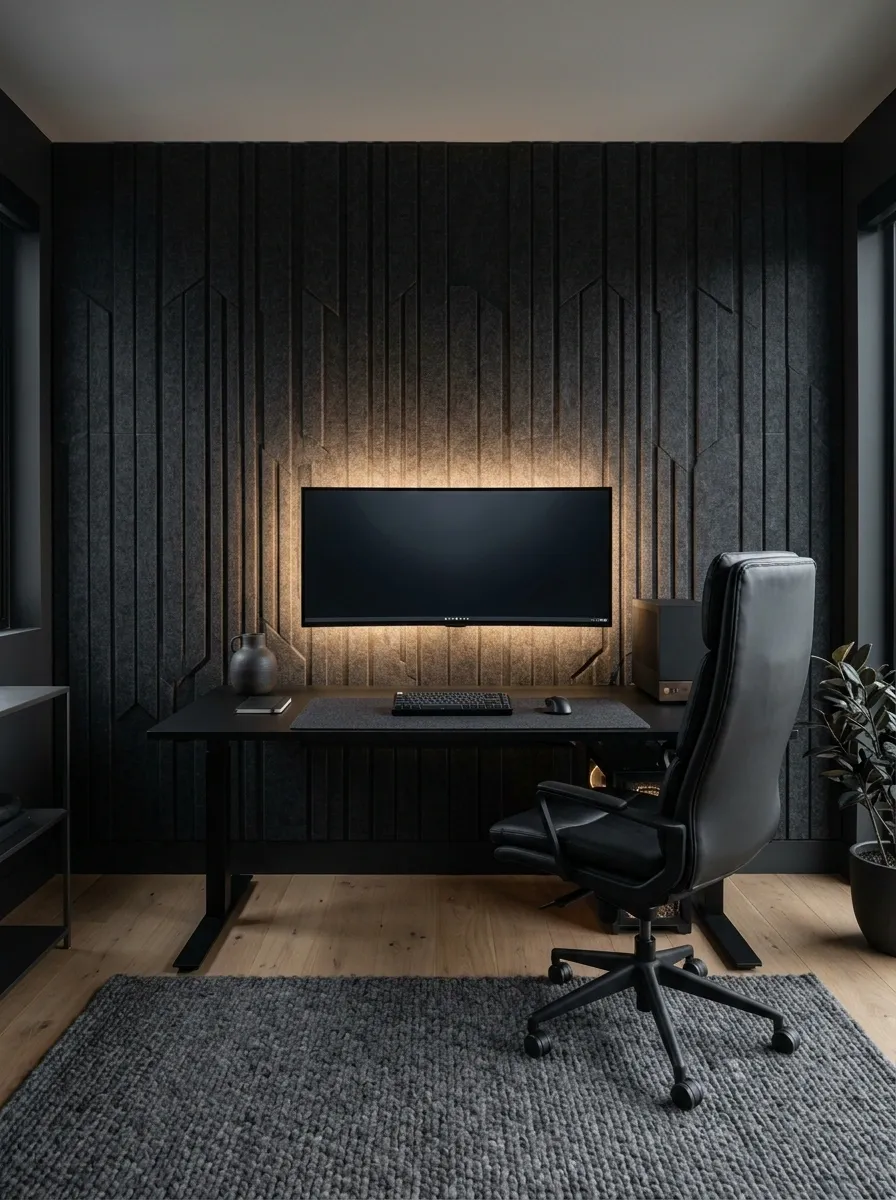
Textured acoustic panels give a black gaming room something that flat paint alone can’t provide: visible depth. Charcoal felt panels form a considered pattern behind the monitor, while the black desk, dark rug, and upholstered chair keep the palette connected. Soft lighting grazes the panel surfaces, revealing their texture without flooding the wall with color.
The room also benefits from softer materials around the workstation. A rug and fabric surfaces can help reduce some sound reflections, although the result depends on the room and the materials used. Decorative foam tiles scattered across every available wall are not a substitute for a plan. The goal is a finished gaming room, not a recording studio assembled during a midnight online shopping spiral.
Texture is doing the decorating
TEXTURED BLACK IS BETTER.
Different surfaces create depth without requiring brighter lights or extra decor.
Retro-Futurist Black Gaming Setup
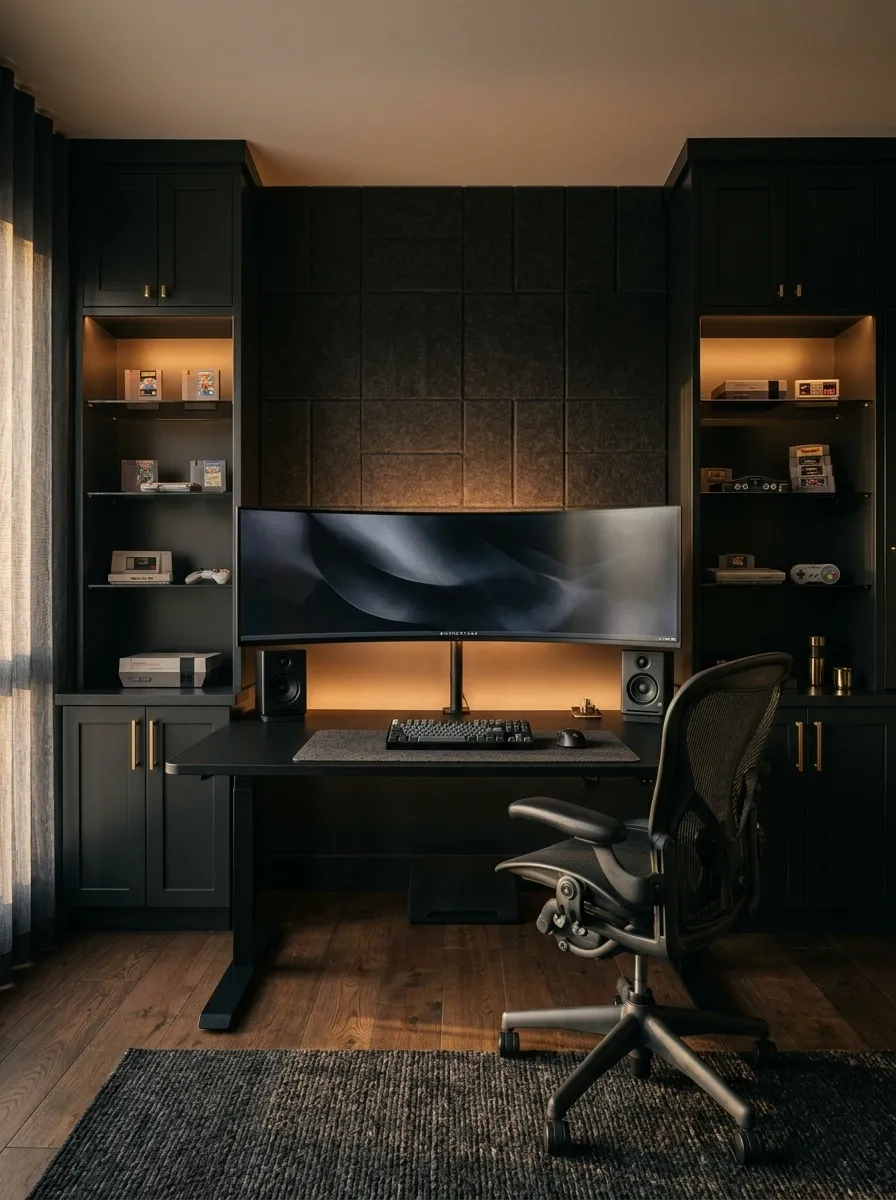
This design mixes modern gaming hardware with retro console references, smoked glass, dark wood, and warm amber lighting. The workstation stays current, while vintage-inspired artwork and a small, organized display of older consoles give the room character. Black cabinetry ties everything together, so the nostalgic details feel connected rather than randomly collected.
Keep the older equipment on one considered display area and give the main monitor enough space to remain the focal point. A few recognizable pieces can tell a story. Every console, controller, cartridge, and collectible ever manufactured does not need to be on display simultaneously. At some point, nostalgia becomes inventory management with better lighting.
Give the collection a visual boundary
A small, grouped collection against a quiet background.
Japanese-Inspired Black Gaming Room
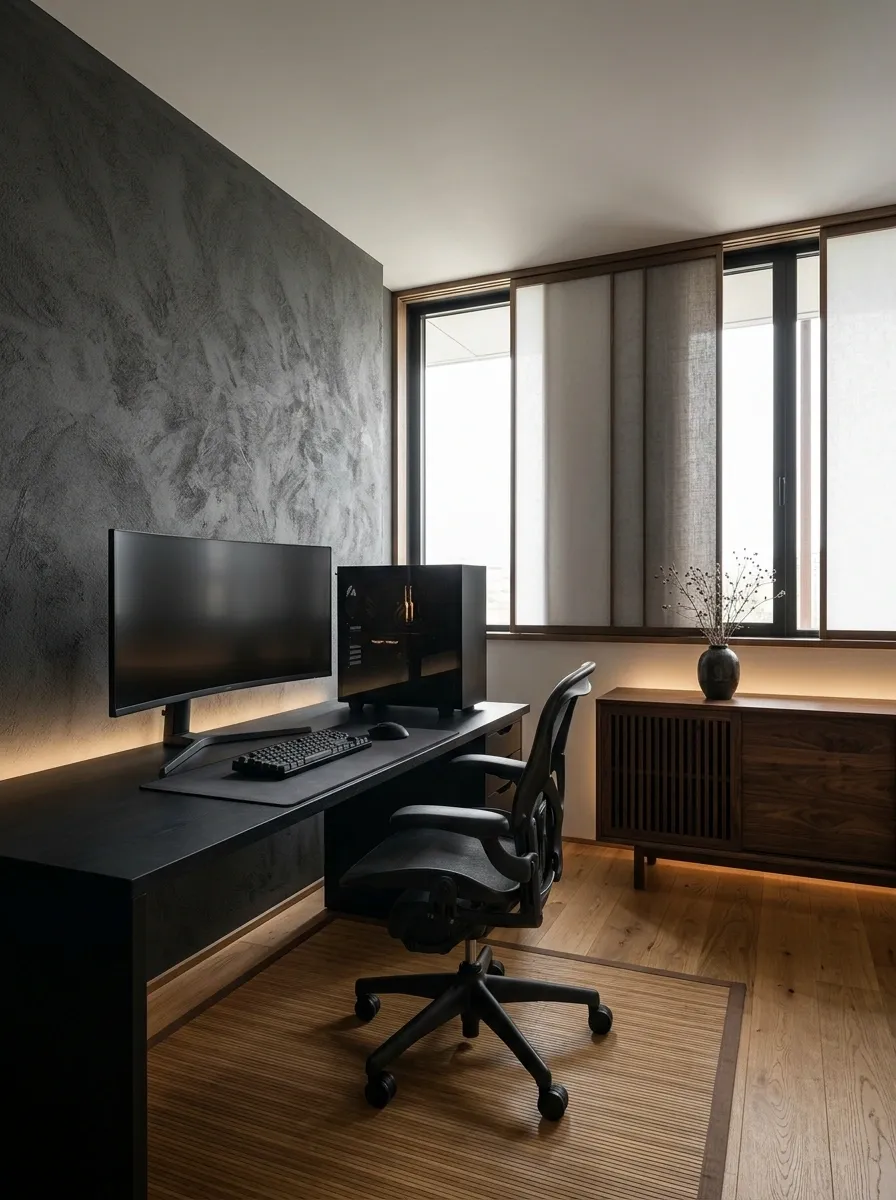
This room uses low visual clutter, simple lines, dark wood, and diffused lighting to make the gaming equipment feel integrated into a calm interior. A black workstation sits against a charcoal wall, while low cabinetry and natural wood introduce warmth. Sparse decoration gives the architecture room to speak.
The important feature is restraint, not adding a decorative screen and suddenly declaring the room Japanese-inspired. Keep the desk surface useful, choose a few materials that relate naturally, and use soft lighting to bring out their texture. The PC can be powerful without the room needing to announce it with twelve glowing accessories and a keyboard that looks ready for liftoff.
The composition at a glance
Keep the silhouette simple and let materials do the work. Minimalism has no obligation to become an expensive collection of empty shelves.
Black Racing Simulator Room With a Dedicated Cockpit
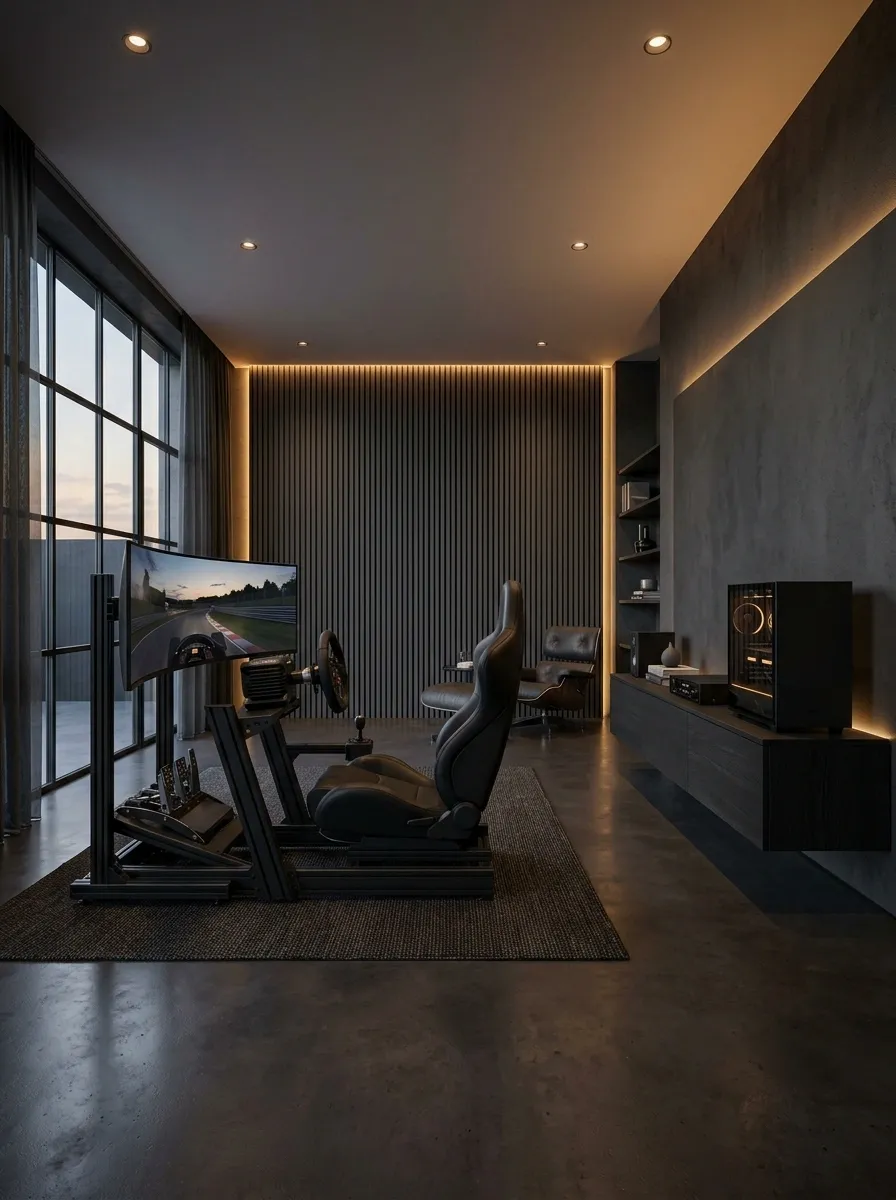
A racing simulator deserves its own layout because a cockpit needs considerably more space than an ordinary desk setup. The black racing seat, steering wheel, pedals, and wide display form the center of the room, with the PC and supporting equipment positioned close enough to connect everything without trailing cables across the floor.
The room looks most convincing when the simulator feels anchored rather than squeezed between unrelated furniture. Preserve space to enter and exit the cockpit, keep the pedal assembly aligned with the seating position, and arrange the display around a comfortable viewing angle. The steering wheel is the main character here. A collection of random gaming posters does not need to apply for the role.
The cockpit footprint
Measure the complete rig, including the seat and pedal platform. The empty space needed around it counts as part of the layout.
Black Console Gaming Lounge With a Wall-Mounted TV
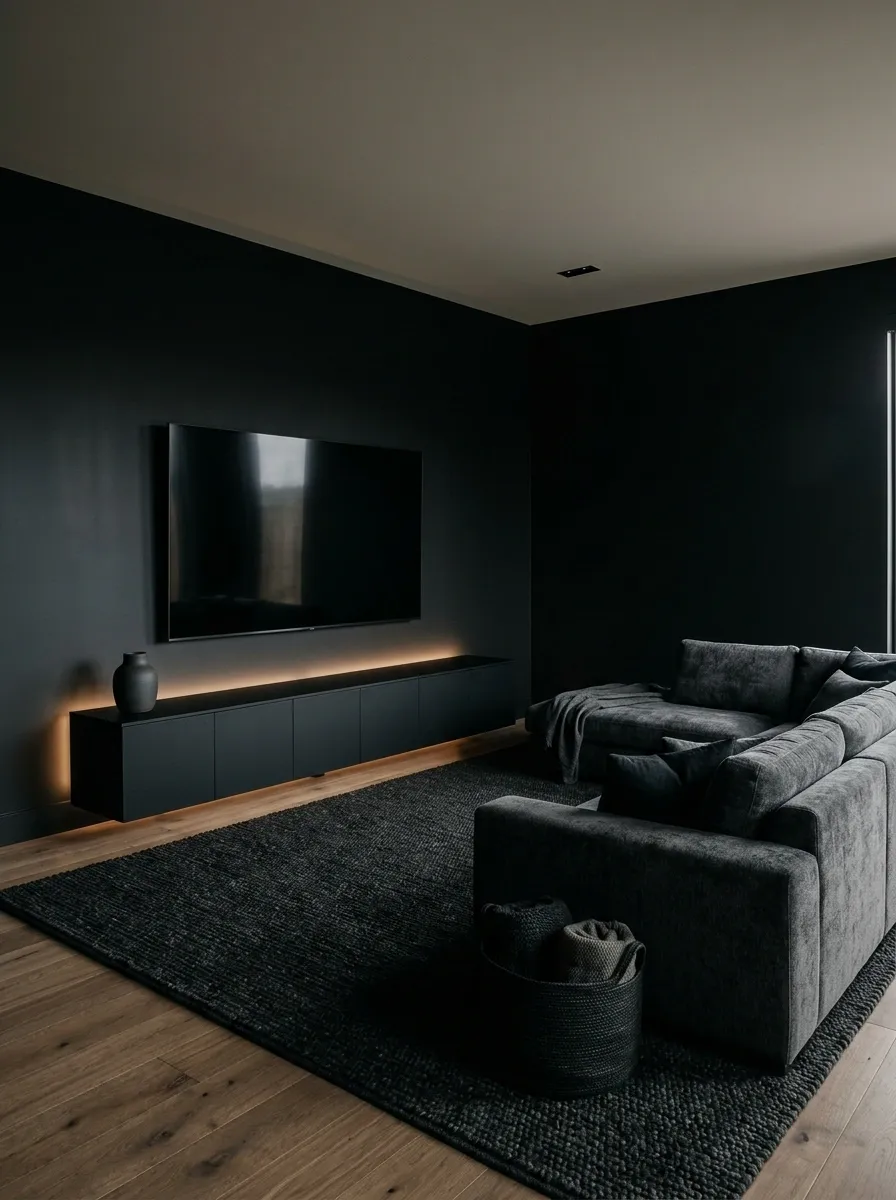
Not every gaming room needs a desk, a towering PC, and enough RGB lighting to be visible from space. A console gaming lounge centers on a wall-mounted television, a low black media unit, a comfortable sectional, and a textured rug that brings the seating area together. Closed storage keeps controllers, cables, and games accessible without putting every accessory on display.
The wall-mounted screen creates a clear focal point, while the low cabinet makes the room feel grounded. Choose a viewing distance that suits the screen and arrange seating so nobody has to twist sideways to see the action. The sofa should be comfortable enough for an actual gaming session, not merely photogenic enough to appear in a furniture advertisement.
The screen wall and seating relationship
Leave equipment enough ventilation space inside the cabinet. Consoles are meant to run games, not participate in a thermal endurance challenge.
Black Gaming Room That Doubles as a Home Cinema
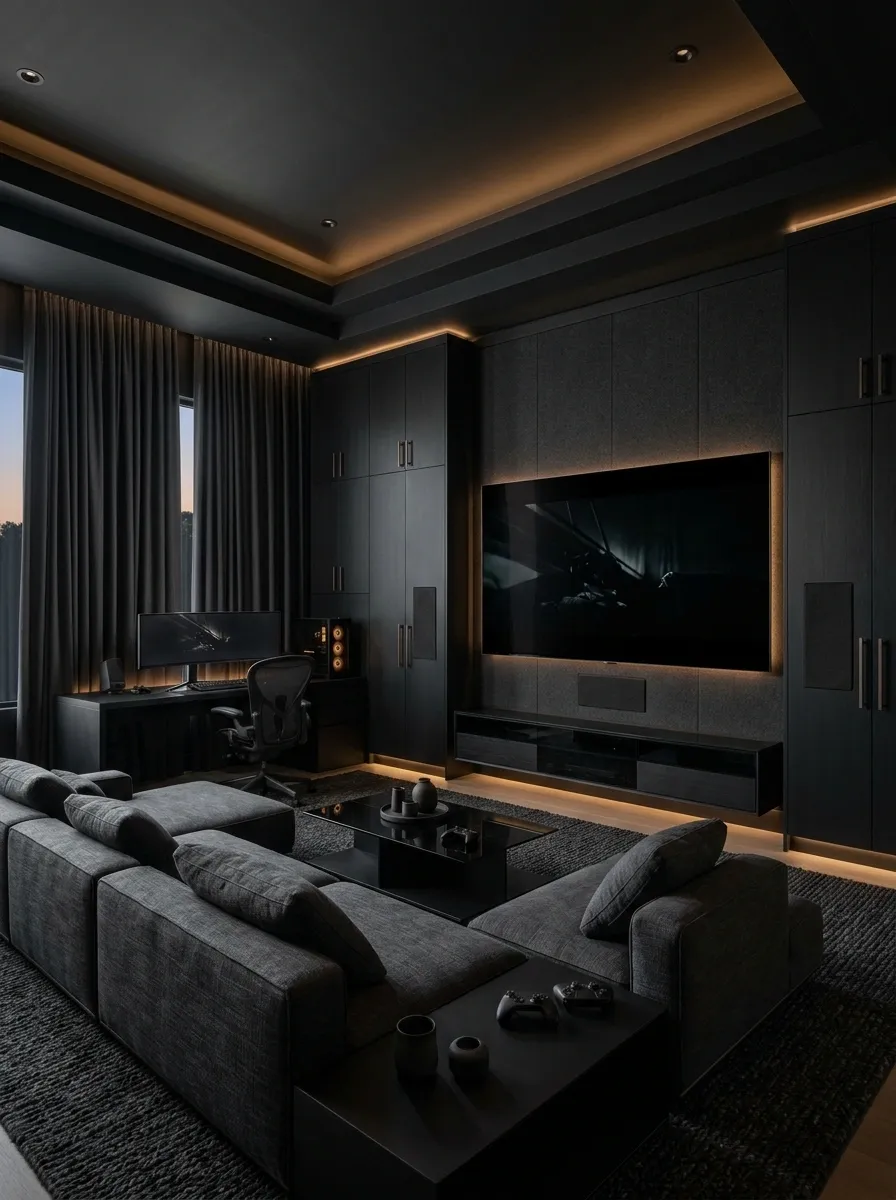
This room combines gaming equipment with the relaxed arrangement of a home cinema. A large screen commands one wall, while low charcoal seating, dark cabinetry, and concealed equipment keep the space visually calm. Dimmable lighting adds depth without leaving bright reflections around the screen, and closed storage hides the everyday clutter that tends to accumulate around entertainment equipment.
The most useful feature is flexibility. Lighting can be brighter during setup and navigation, then lowered for gaming and movies. Keep the screen wall simple, and plan access to the console and other equipment before concealing everything behind cabinetry. Hidden cables are excellent. Hidden cables that can only be reached by dismantling half the furniture are a plot twist nobody requested.
Two lighting moods, one room
Enough room light to find controls, organize equipment, and move safely.
Low indirect illumination with minimal screen reflections.
Separate, dimmable light sources make the room more adaptable than a single ceiling light with two settings: interrogation and off.
Black Gaming Setup With an Art-Led Feature Wall
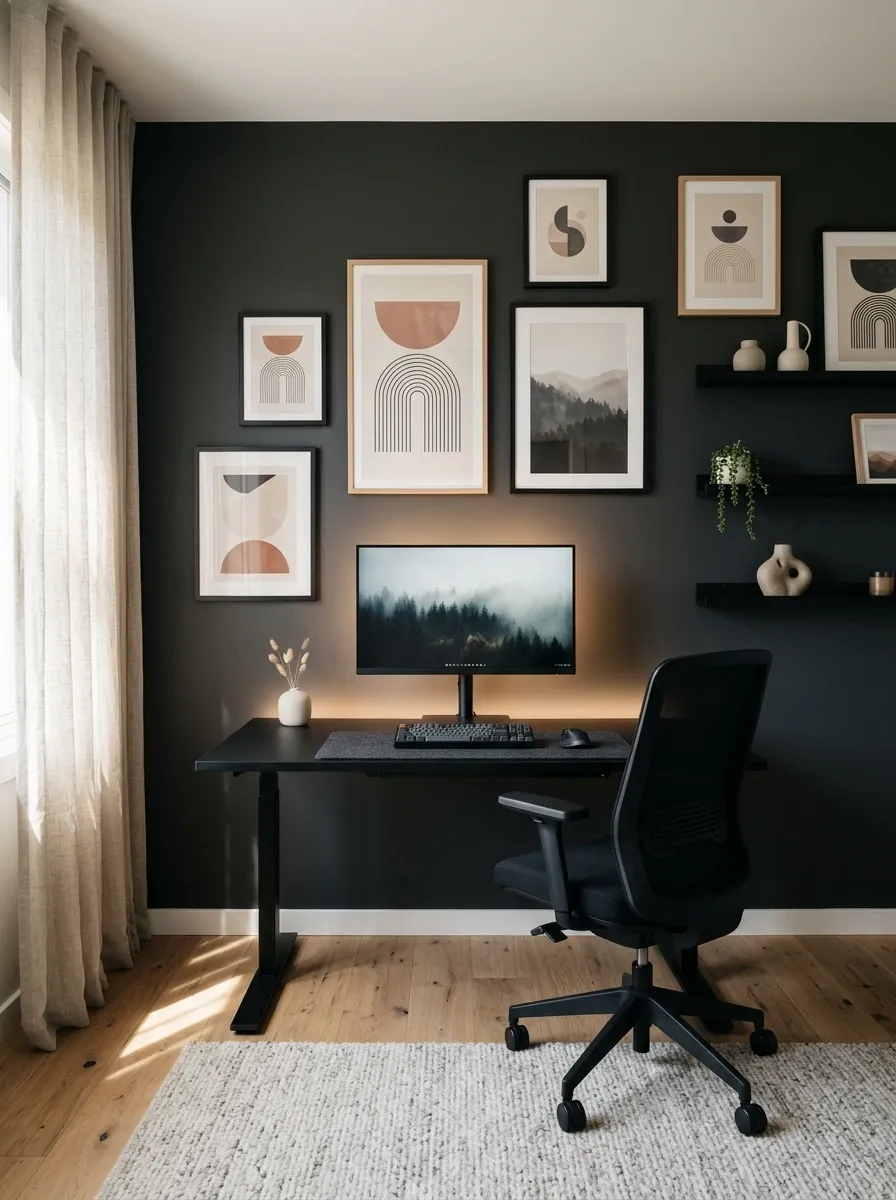
A black gaming desk can sit beneath an art wall that gives the room personality without adding more equipment. A small group of framed prints, a restrained palette, and simple black shelving provide a backdrop for the monitor. The artwork introduces lighter tones and a little color, keeping the dark workstation connected to the rest of the room.
The arrangement works best when the frames relate in size, spacing, or color rather than appearing randomly scattered. Keep the most visually important artwork away from the monitor’s immediate outline so the wall and screen do not compete. A considered art display says something about the person who uses the room. Thirty unrelated posters say someone discovered free shipping.
Build a wall composition, not a sticker collection
A few coordinated frames create a stronger composition than covering every spare patch of wall.
Rental-Friendly Black Gaming Setup Without Permanent Changes
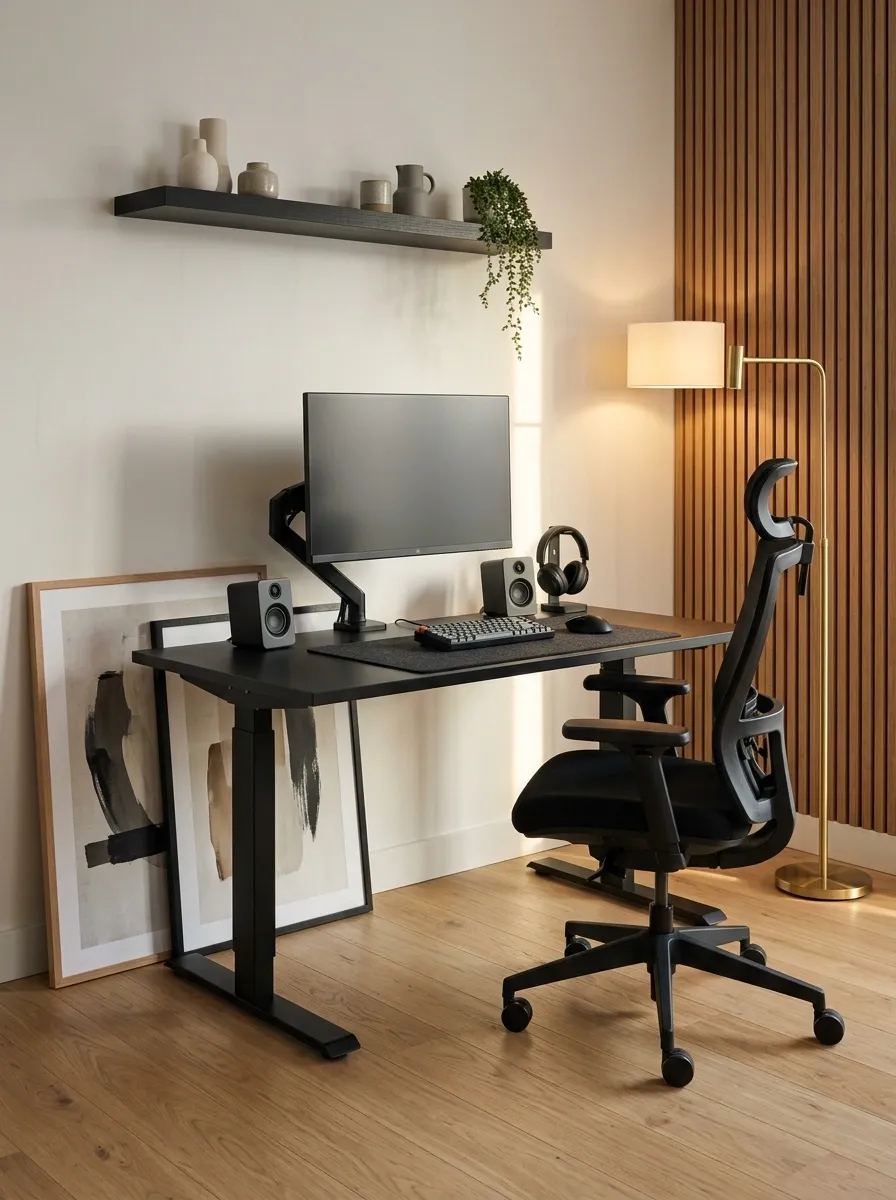
A rental-friendly gaming setup can feel deliberate without permanent wall treatments or built-in furniture. A freestanding black desk anchors the workstation, a narrow shelf handles accessories, and framed artwork or removable wall panels add depth without requiring a renovation. A floor lamp and tidy cable covers finish the arrangement while keeping the room easy to restore later.
Measure the desk and shelving against the available wall before buying anything, and choose cable solutions that suit the landlord’s rules and the wall finish. Keep heavy equipment on stable furniture and avoid blocking outlets or access routes. The goal is a complete gaming corner that can move to another home without requiring a contractor, a repair bill, and a long apology email.
Portable pieces with a purpose
Check removal instructions before using adhesive products. “Damage-free” on the packaging is not a legally binding promise to your landlord.
Graphic Black-and-White Gaming Studio
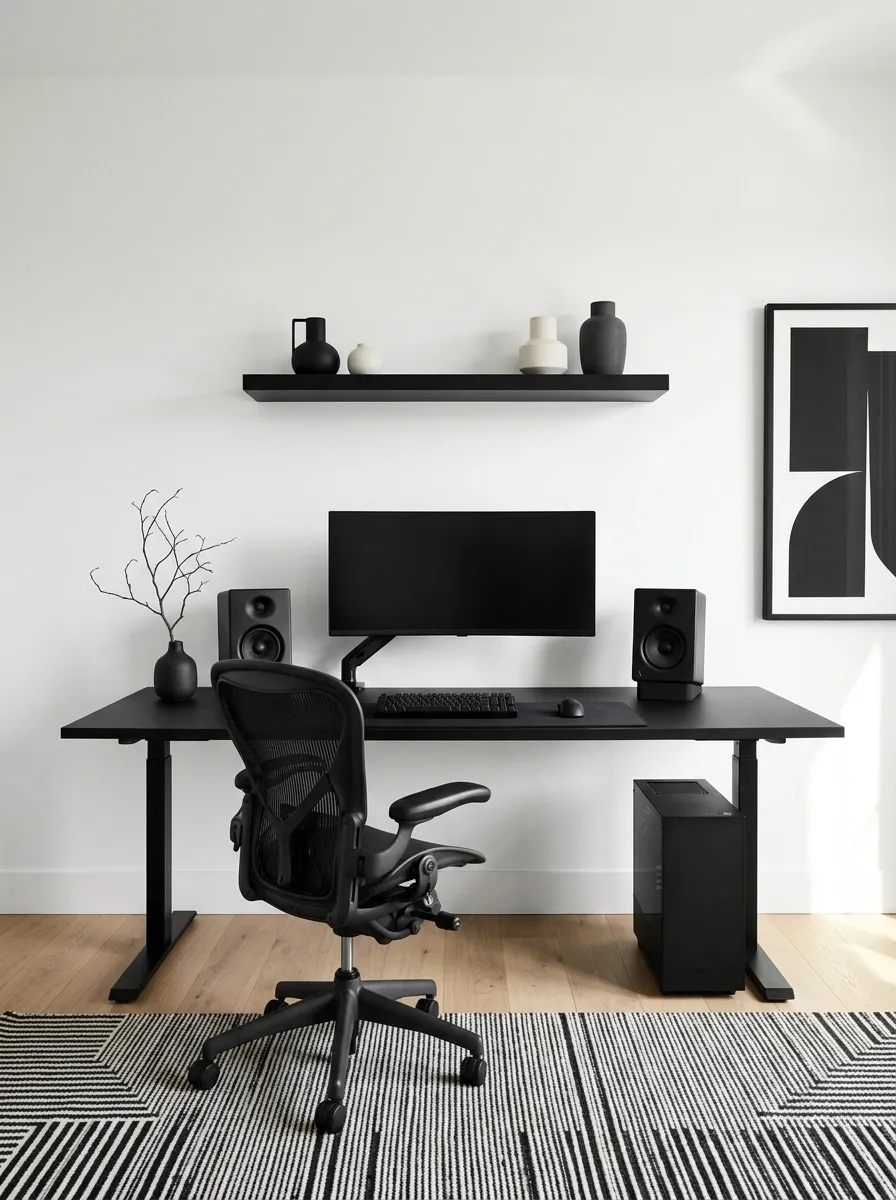
This setup uses black equipment against white walls, with graphic artwork and a bold monochrome rug connecting the two. The desk and monitor anchor the darker side of the composition, while pale surfaces keep the rest of the room open. Black shelving ties the wall to the workstation without adding more furniture to the floor.
The floor pattern should remain the main graphic statement. Pair it with simpler artwork and plain wall finishes so the room doesn’t become a visual CAPTCHA. The beauty of this design is its clarity: every major element either reinforces the black-and-white palette or gives the eye a place to rest.
The contrast strategy
Choose a graphic rug or a strong artwork arrangement, then let the rest of the room stay relatively quiet. Every surface does not need a dramatic backstory.
Luxury Black Gaming Room With Bronze Details
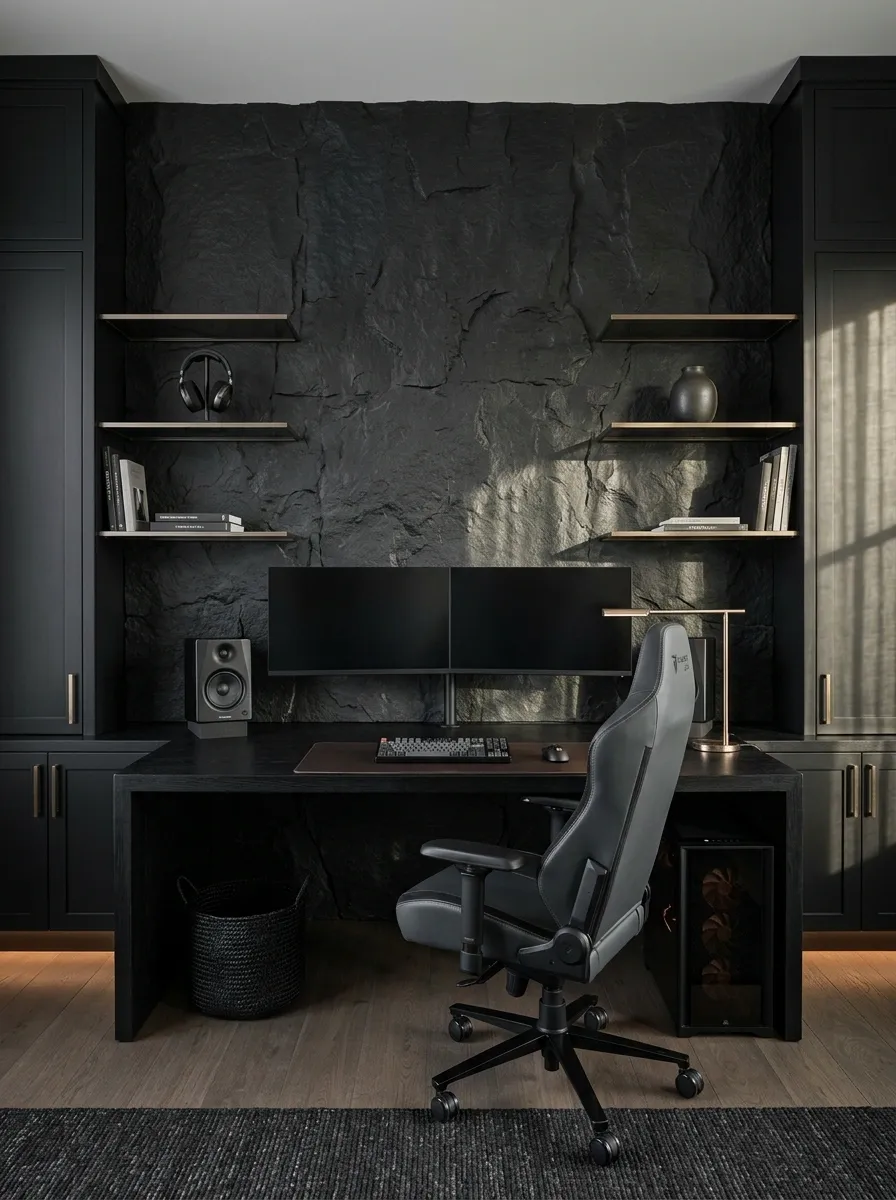
This room uses material quality instead of bright lighting to create its impact. Matte-black cabinetry, a dark stone feature wall, smoked glass, and small brushed-bronze details give the workstation a tailored appearance. Warm lighting reveals the different finishes, while the equipment stays neatly arranged against the darker background.
Bronze works best as a supporting detail, perhaps on a lamp, a shelf edge, or a small piece of hardware. Too much metallic trim can push the room toward hotel-lobby territory. Keep the major surfaces understated and let the stone, wood, and metal provide variation. Expensive-looking design is often about knowing when to stop adding things.
A restrained material palette
Repeat the bronze finish in only a few places. The point is subtle contrast, not making every object look like it came with a luxury tax.
Open-Plan Living Room With a Discreet Black Gaming Setup
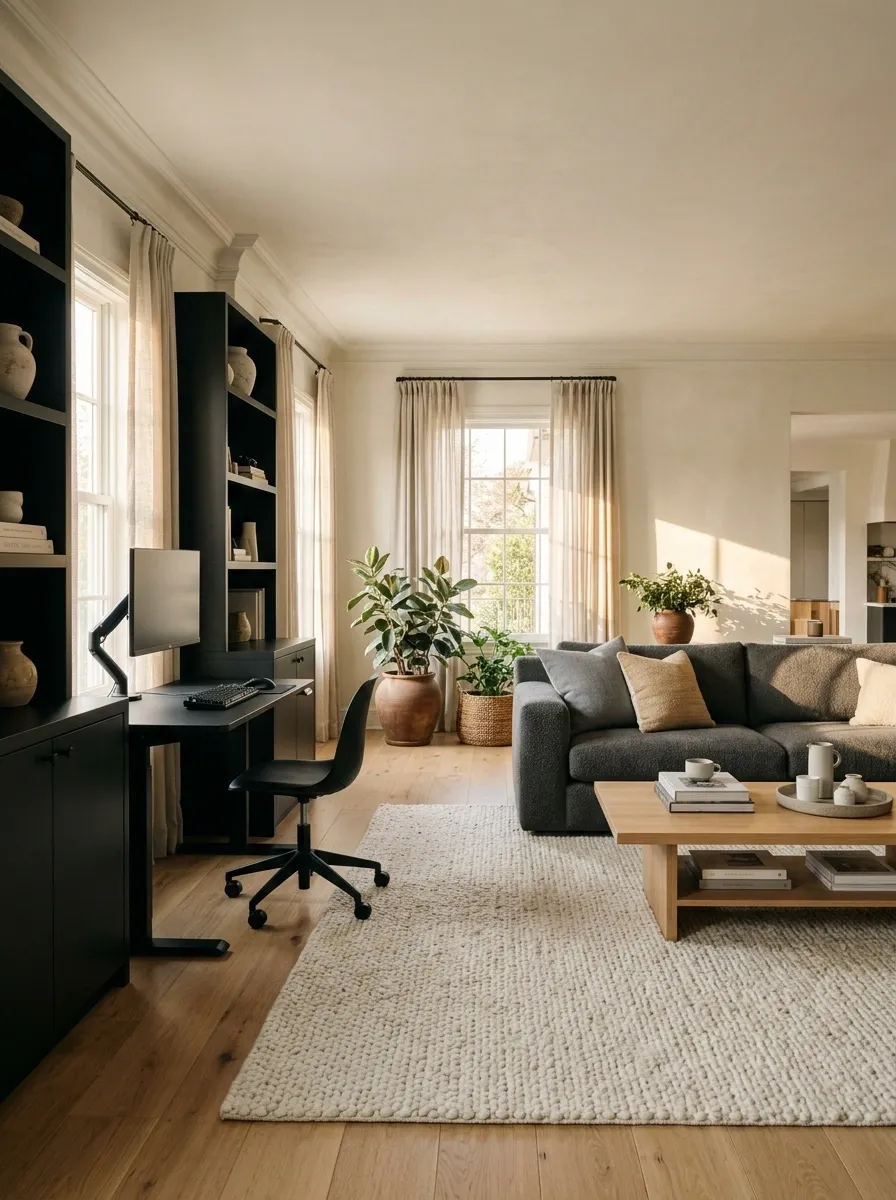
This design integrates a black gaming workstation into a living room without letting the equipment dominate the entire space. A compact desk sits beside coordinated storage, while the charcoal sofa, warm flooring, and textured rug connect the gaming zone to the rest of the room. Matching finishes make the workstation look intentional rather than temporarily abandoned there.
Position the desk so the monitor doesn’t become the main focal point from every seat in the room. Closed storage keeps accessories out of sight, and a tidy cable route makes the area easier to maintain. The trick is making the setup coexist with everyday life. A living room doesn’t need to look like an esports tournament just because someone owns a decent graphics card.
Define the gaming area without building a wall
Use furniture placement and coordinated finishes to establish the boundary. A partition isn’t always necessary, especially when the room already has a sensible layout.
Black Gaming Room With a Dedicated VR Play Zone
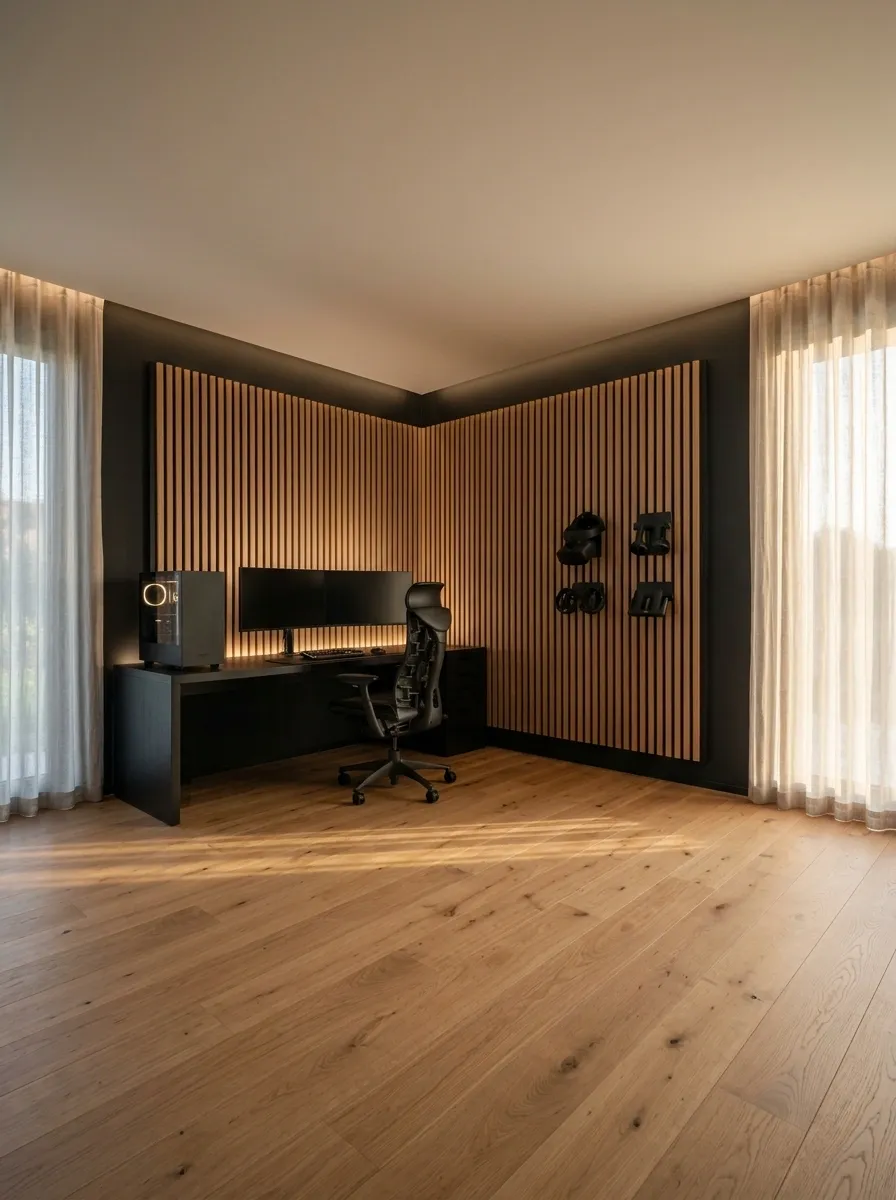
A VR-focused gaming room has a different priority from a standard battlestation: the middle of the room must remain usable. The black desk and PC sit against one wall, with the chair tucked away when the setup isn’t being used. Wall-mounted headset storage keeps the equipment accessible, while a generous clear floor area supports movement during VR sessions.
This design rewards careful furniture placement more than decorative extras. Keep hard-edged tables, loose cables, lamps, and fragile collectibles outside the intended play zone. Follow the headset manufacturer’s room-scale guidance and boundary settings. A spectacular room is considerably less impressive when the first gaming session ends with a collision involving a side table.
Treat the open floor as part of the setup
Plan around the actual tracking and play-space requirements of the headset. The furniture layout should support safe movement, not dictate it.
Black Gaming and Music Production Studio
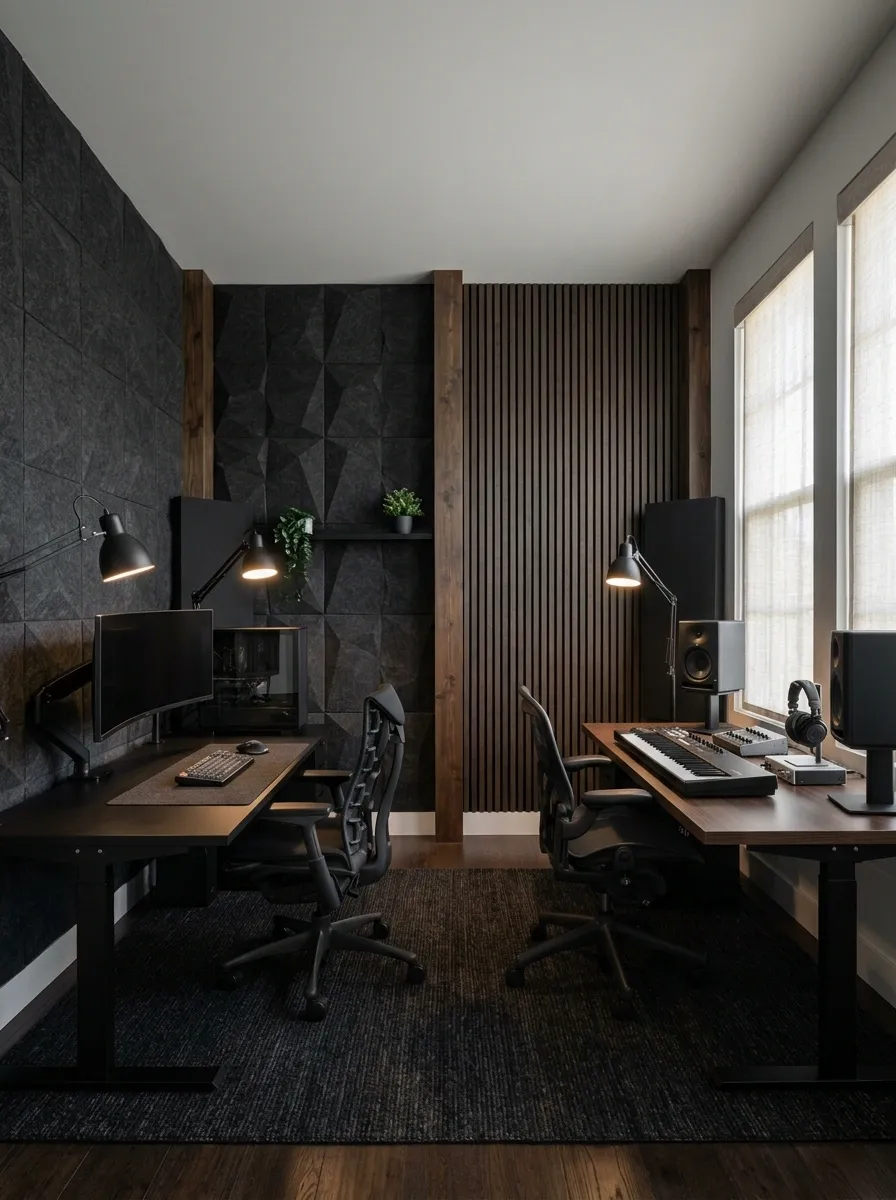
This room combines a black gaming setup with a dedicated music production area. The gaming workstation has its own display and PC, while a separate surface holds a MIDI keyboard, audio interface, and studio monitors. Charcoal acoustic panels, dark wood accents, and coordinated equipment finishes make both areas feel like parts of one creative studio.
Give each workstation enough space to function independently. Studio monitors need sensible placement, and audio equipment shouldn’t be crowded against the gaming peripherals. Keep the chair positions and cable routes in mind before choosing the desks. The room has two serious hobbies to accommodate, so the answer isn’t to stack everything on one tabletop and hope the laws of ergonomics take the evening off.
Two workstations, one visual language
Repeat black furniture, related task lighting and coordinated cable management. Let each workstation retain the layout it needs.
Making a Black Gaming Setup Work in Real Life
The best black gaming setups have something in common: the room looks considered even when every LED is switched off. Matte finishes, contrasting materials, sensible furniture placement, and controlled lighting do more for the overall design than an endless supply of glowing accessories.
Before buying anything, save a few complete designs that match the available space, then compare their materials, layouts, and lighting. Measure the desk area, consider chair clearance, and plan cable routes before bringing home more equipment.
Black doesn’t need to mean dark, and a gaming room doesn’t need to mean cluttered. The strongest setup is one that looks good, works comfortably, and still feels like a real room when the game is over.