
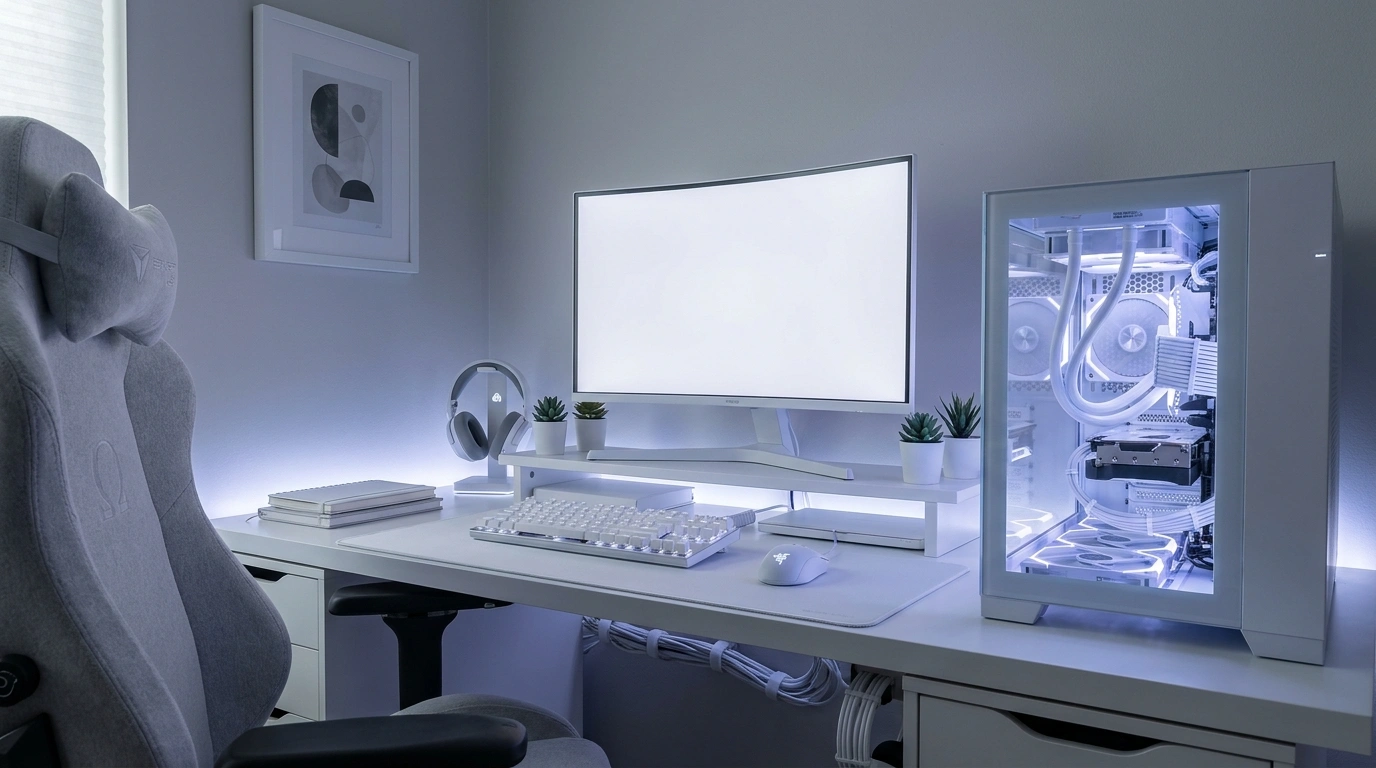
A white gaming setup can look ridiculously good, right up until the matching accessories start making the entire room look like a computer showroom. The desk is white. The PC is white. The chair is white. Even the headset has joined the cult. Yet something still feels unfinished, and another shopping spree probably isn’t going to fix it.
What makes a gaming space look genuinely put together is the relationship between the furniture, equipment, lighting, and room around it. A warm oak desktop can soften an otherwise stark workstation.
A charcoal wall can make white hardware stand out. Soft pink lighting can create a completely different mood from an icy blue glow, even when the desk and PC remain exactly the same.
The trick is knowing when to add something and when to leave the setup alone. Not every empty corner needs another shelf, and not every surface needs an LED strip with seventeen lighting modes.
A tiny reality check
WHITE GAMING SETUPS HAVE ONE ENEMY. LOOKING LIKE A HOSPITAL WAITING ROOM.
A white desk, a white chair, a white PC, and absolutely zero personality. Congratulations, the equipment matches. Now let’s give the room a pulse.
TEXTURE
Wood, fabric, and matte finishes. White plastic doesn’t need to run the entire government.
LIGHTING
Pick a lighting mood. Every LED strip screaming a different color is not a personality.
CONTRAST
A little black, oak, or muted color stops the whole setup from becoming one giant blank screen.
White Gaming Setup Ideas
Pure White Dual-Monitor Battlestation
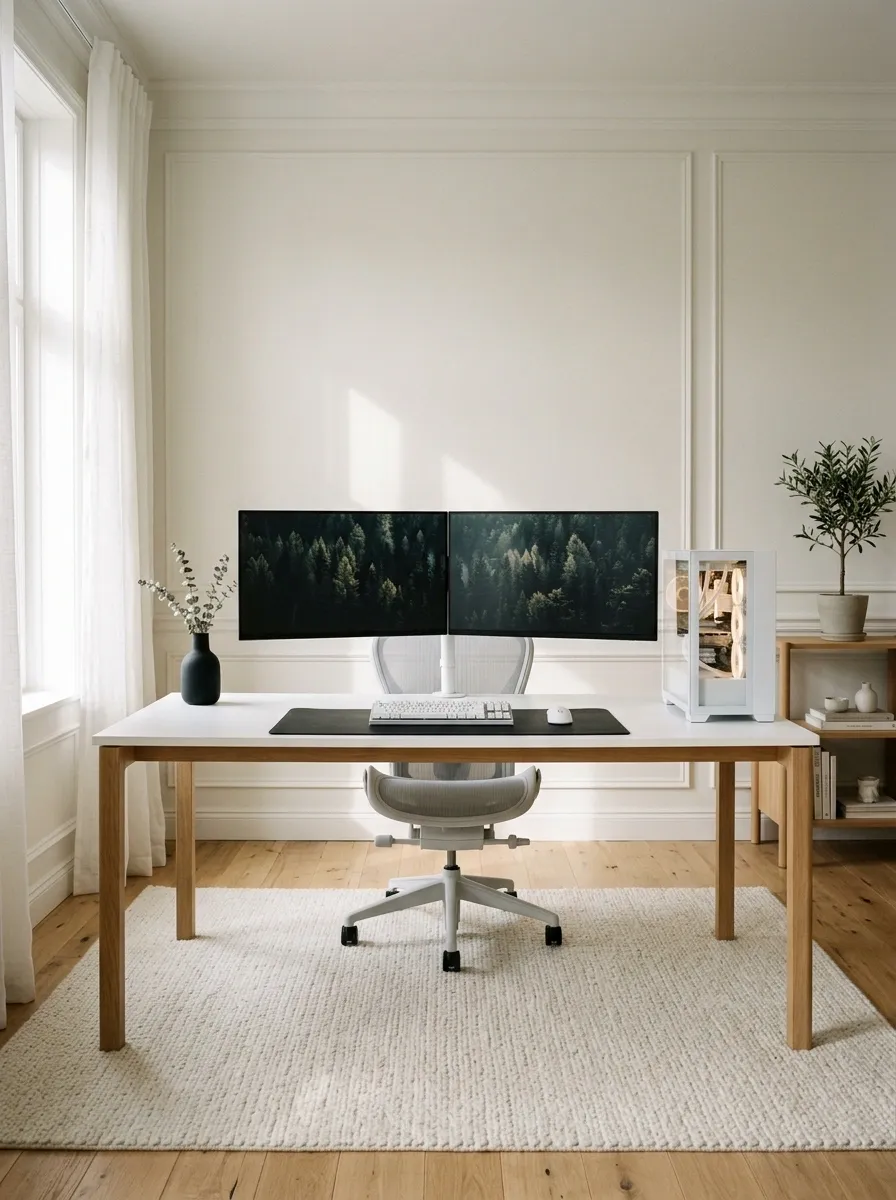
There is something satisfying about a dual-monitor setup where every component looks like it belongs in the same photograph. A broad white desk, two aligned monitors, a white PC tower, and a pale ergonomic chair establish a clean foundation. Keep the keyboard and mouse white, then use a dark screen background or a subtle black desk mat to stop everything from blending into one giant marshmallow.
The secret weapon here is restraint. Hide the power strips, route the cables behind the desk, and leave some empty desktop space. The monitors should command attention without turning the workstation into an equipment storage facility. Matching accessories help, but matching accessories with no cable management are still a public relations disaster.
The desktop blueprint
Two screens. One calm composition.
Keep the primary display centered on the chair, then place the secondary screen within a comfortable viewing angle. Symmetry helps, but ergonomics still gets the final vote.
Scandinavian White and Natural Oak Setup
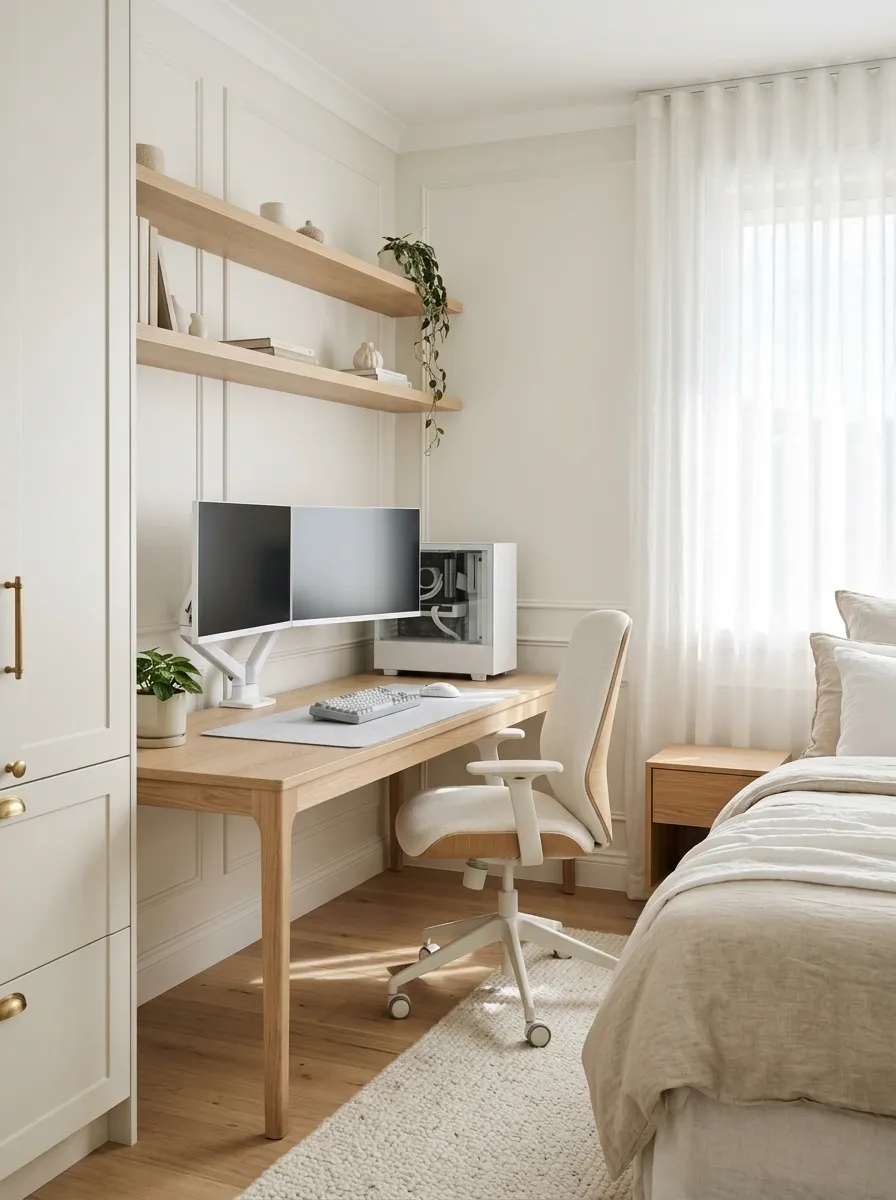
Pure white furniture can feel a little sterile when the entire room follows the same finish. Natural oak fixes that problem without turning the setup into a rainbow of random accessories. A pale oak desktop, white PC case, matching monitor stands, light wood shelving, and an off-white chair create a workspace that feels connected to the rest of the home.
Soft daylight and simple window treatments complete the composition. Keep the accessories restrained, perhaps with a muted gray keyboard and a small plant positioned safely away from electronics. The wood should remain a noticeable part of the design, not a tiny coaster desperately trying to save the room.
This direction works especially well in bedrooms and multipurpose home offices where gaming equipment shouldn’t look as though it landed from another planet.
Material study
Warm wood. Quiet whites.
MATERIAL
Natural oak
SURFACE
Soft white
ACCENT
Mist gray
Let oak occupy a meaningful surface, use white for the main furniture, and keep cool gray in smaller accessories. Three related finishes beat twelve competing ones.
Pastel Pink and Cyan RGB Gaming Room
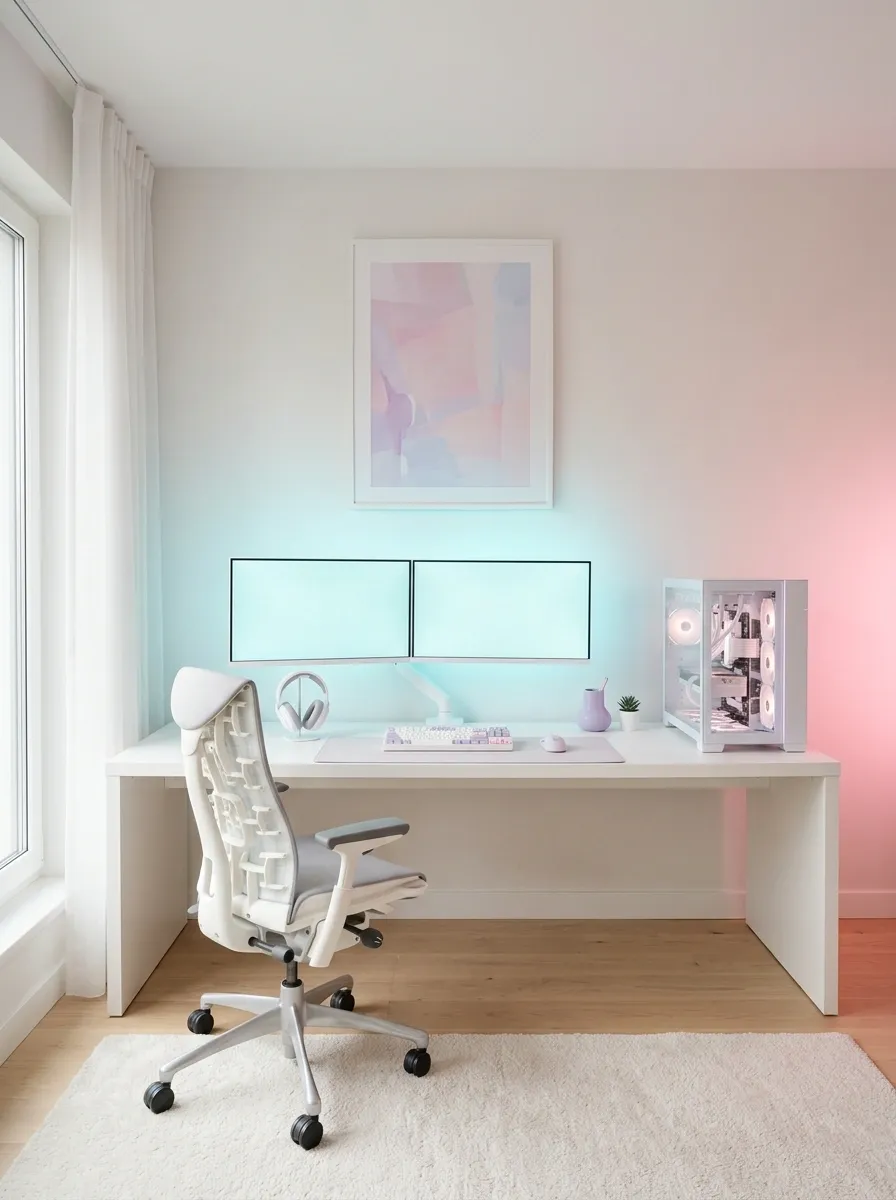
Pink and cyan lighting can make a white gaming setup look playful without covering every surface in neon. Start with white furniture, a glass-sided PC, and pale peripherals. Add pink light behind one side of the desk and cyan illumination behind the monitors. A pastel print or a small lavender accessory can connect the colors to the rest of the room.
The key is to keep the actual furniture relatively neutral. When the lights are switched off, the setup should still look finished. That tiny detail separates a thoughtfully designed room from a gaming carnival that accidentally discovered electricity.
Soft lighting also works better when it washes across a wall instead of pointing directly into the eyes. The goal is atmosphere, not an unplanned eye exam.
Lighting composition
A little pink. A little cyan. Please calm down.
PINK
Side glow
Adds warmth to the wall beside the desk.
CYAN
Screen halo
Separates the monitor from a pale wall.
The rule that saves the room
Let one color lead and the other support it. Keep direct light out of the player’s line of sight, and leave the desktop itself mostly neutral.
White and Black Competitive Gaming Station
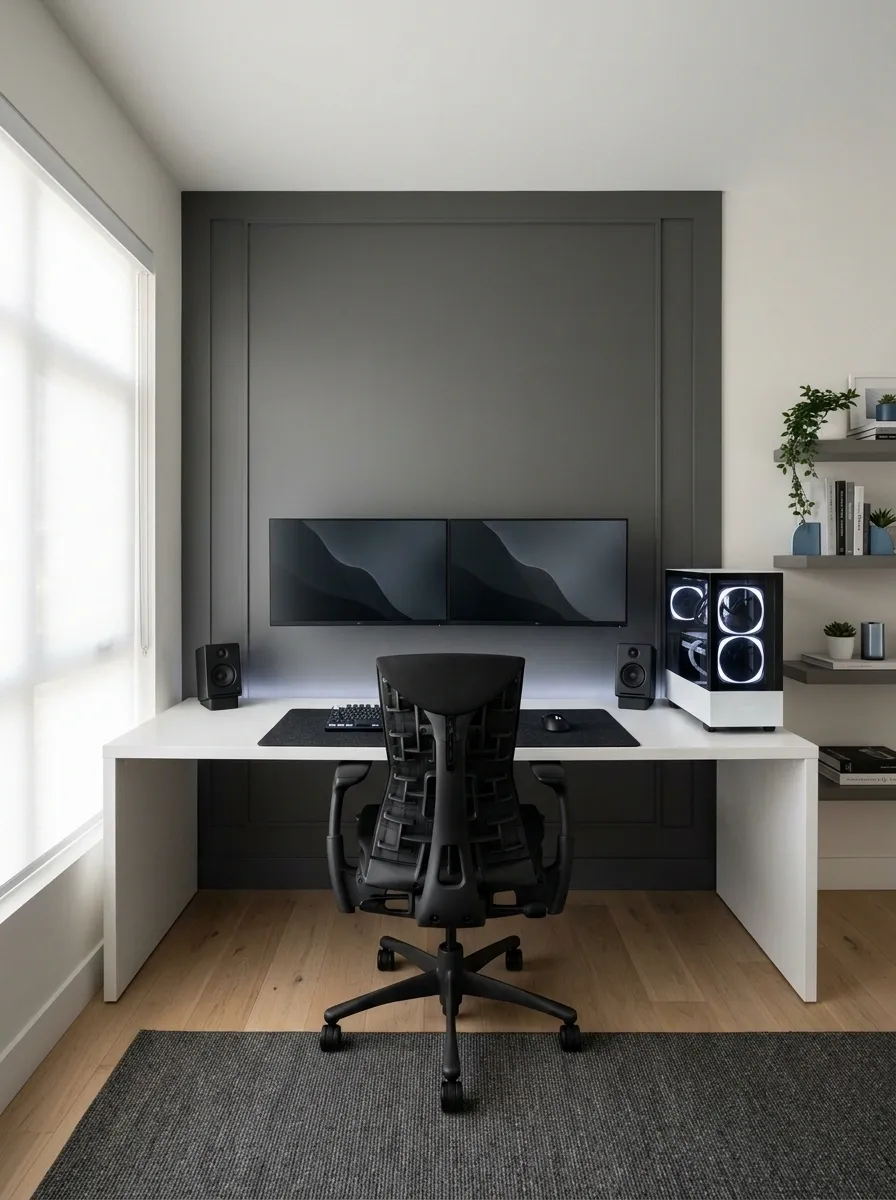
A white gaming setup doesn’t have to look soft or delicate. Pair a white desktop and white PC case with black monitors, a black desk mat, dark peripherals, and a black ergonomic chair. The contrast makes the equipment look sharper while giving the overall arrangement a more competitive character.
Keep the wall behind the monitors light or use a restrained charcoal accent to frame the workstation. Avoid adding several unrelated accent colors because the monochrome contrast already provides enough visual interest. A tidy cable route and a clear central play zone keep the room focused on gaming rather than desk clutter.
It’s also a sensible direction for anyone who likes white hardware but doesn’t particularly want their entire room to look like a giant marshmallow.
Contrast in practice
Light furniture. Dark focal point.
Give white the largest surfaces, black the visual weight, and muted color the supporting role. The desk stays bright while the screens become the natural focal point.
Soft Cream Gaming Nook With Textured Furnishings
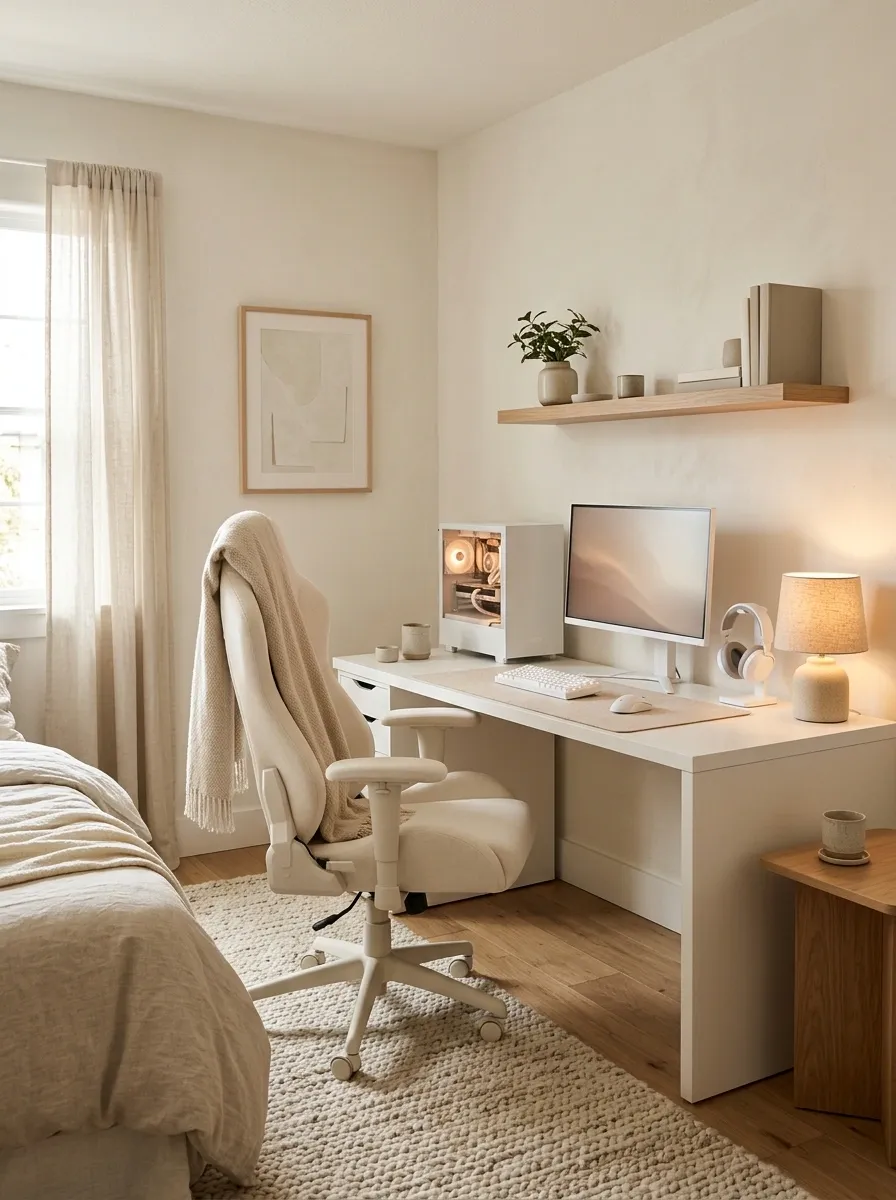
An all-white setup can feel harsh in a bedroom, especially under bright overhead lighting. A cream desk, ivory chair upholstery, warm walls, and a textured rug soften the workstation without sacrificing the clean look of white gaming equipment. A small table lamp nearby adds warmth when the main lights are off, while a compact white PC keeps the setup visually consistent.
The trick is to mix finishes instead of buying everything in exactly the same shade. Smooth laminate, woven fabric, matte plastic, and a little natural wood provide enough variation to make the room feel considered. Keep the desk accessories simple and the walkway clear.
Because apparently, the ultimate gaming upgrade is discovering that a room can look good without being lit like an operating theatre.
Texture, not clutter
Same quiet palette. Different surfaces.
Matte white desk
The clean, smooth foundation.
Woven neutral rug
Adds texture below the chair.
Warm wood accent
Keeps the palette from feeling flat.
Ivory upholstery
Softens the chair’s visual weight.
Compact White Gaming Desk Beside a Window
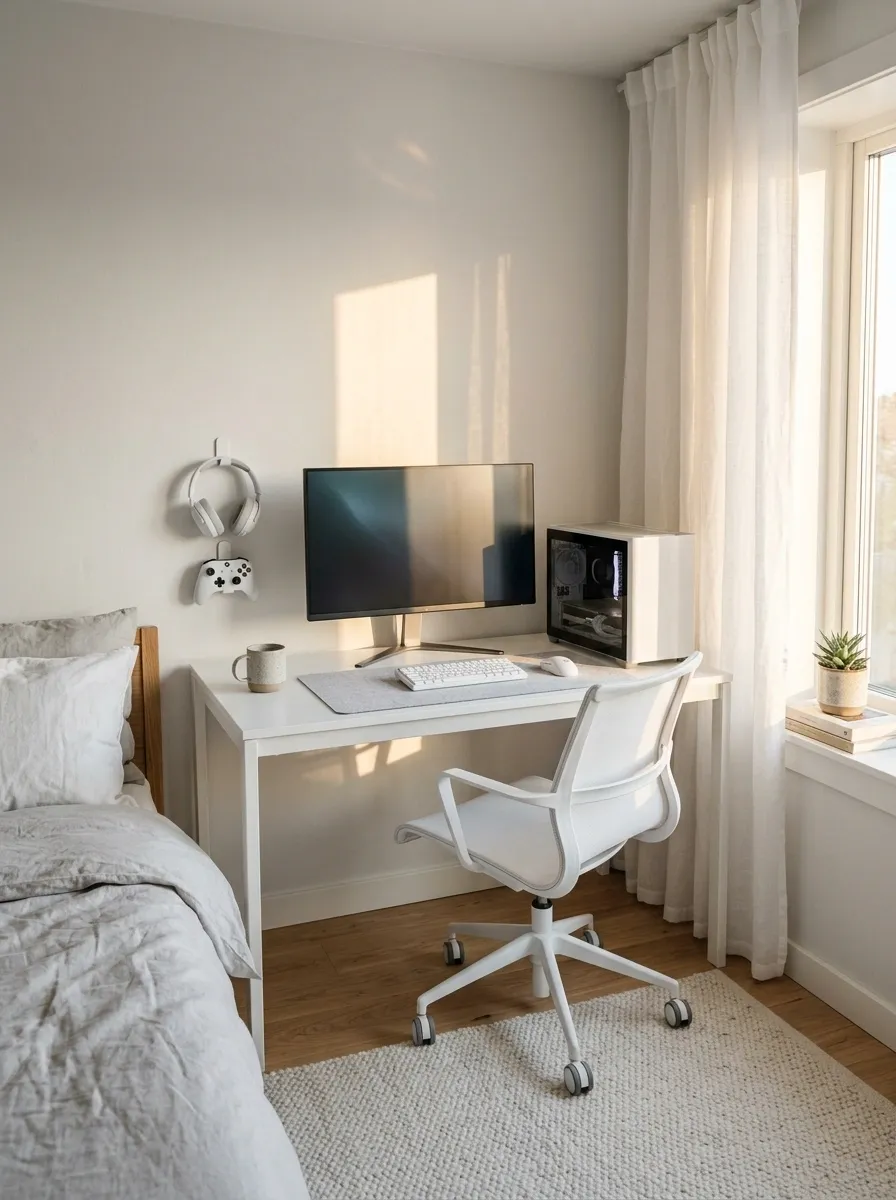
Small bedroom, limited floor space, giant gaming ambitions. The square footage is not cooperating, but the setup can still look intentional. A slim white desk beside a window creates a bright workstation without swallowing the entire room. Keep the main monitor centered, use a compact white PC tower, and choose a chair that slides fully beneath the desktop when gaming is over.
Wall-mounted accessories can take care of headphones and controllers without stealing valuable desk space. Natural daylight does most of the decorative work, so there’s no need to turn the window area into an LED light show. Just keep the monitor position comfortable, preserve access to the window, and avoid placing the computer where curtains can block its ventilation.
A small room isn’t the problem. Furniture that behaves like it pays rent by the square foot is.
Small-room floor plan
Save the floor. Keep the setup.
Slim desk
Monitor + PC
Keep this path clear
Before choosing the desk, check chair pullback, window access, door swing, and computer ventilation. A setup that fits only when nobody sits at it is just expensive wall art.
Wall-to-Wall Built-In White Gaming Station
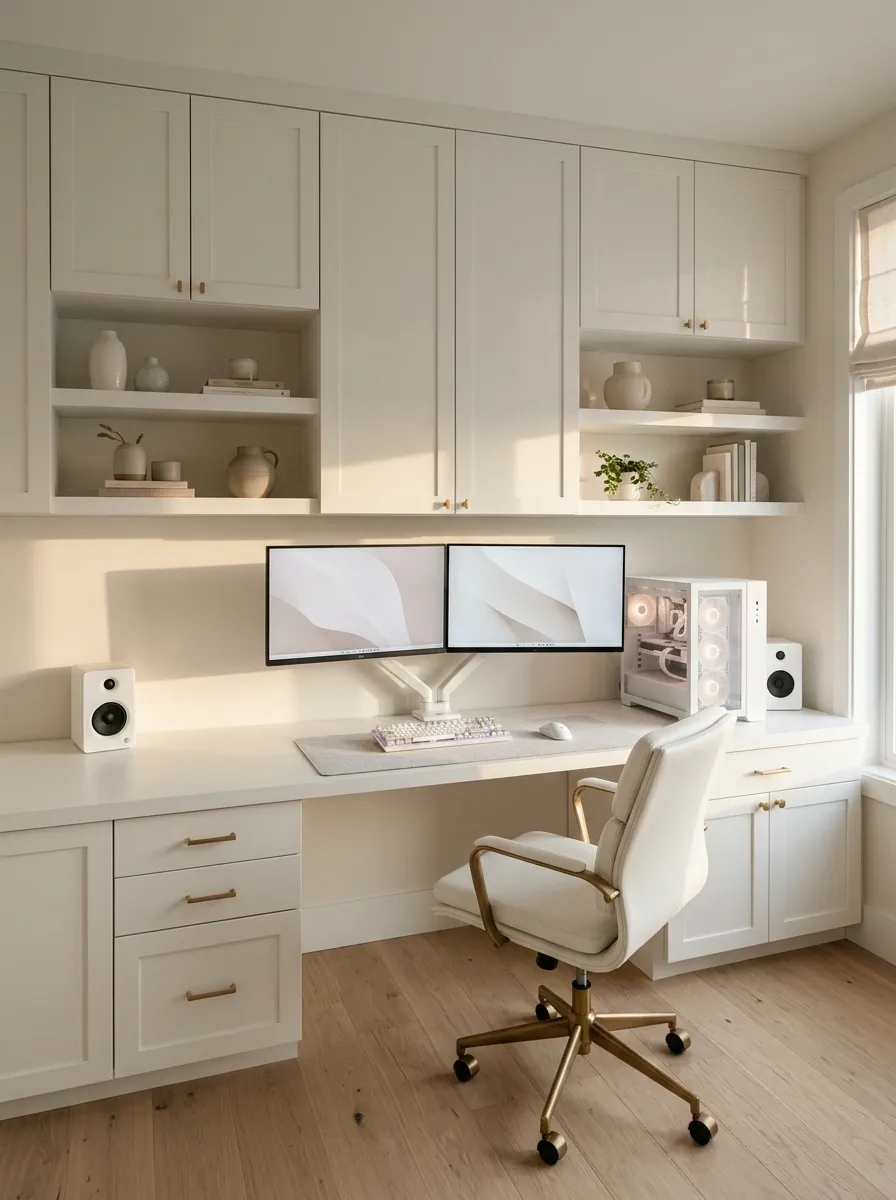
This setup looks like part of the architecture instead of a desk that got promoted to permanent furniture. A fitted white desktop runs across the wall beneath coordinated shelving or overhead cabinetry, giving the workstation a clean, continuous silhouette. Dual monitors occupy the main working zone, while closed cabinets swallow spare cables, game controllers, packaging, and the mysterious collection of adapters that every PC owner somehow accumulates.
A wood desktop insert can break up the white cabinetry, or the entire installation can stay monochromatic for a more architectural finish. Keep frequently used equipment within easy reach and reserve upper shelves for lightweight accessories and display pieces.
The only catch is that built-ins require proper planning. Power outlets, cable access, ventilation, and future equipment changes all need consideration before the cabinetry becomes a very expensive commitment to one particular desk layout.
Built-in elevation
Every zone has a job.
UPPER WALL
Display shelves
CENTRAL WORK ZONE
Monitors + peripherals
BELOW DESK
Closed storage
BEHIND
Cable access
Plan the installation around the actual equipment, including access to plugs and airflow. Closed cabinetry is great at hiding clutter. It is considerably less great at hiding a computer that has nowhere to breathe.
Daylit White Sit-Stand Gaming Workspace
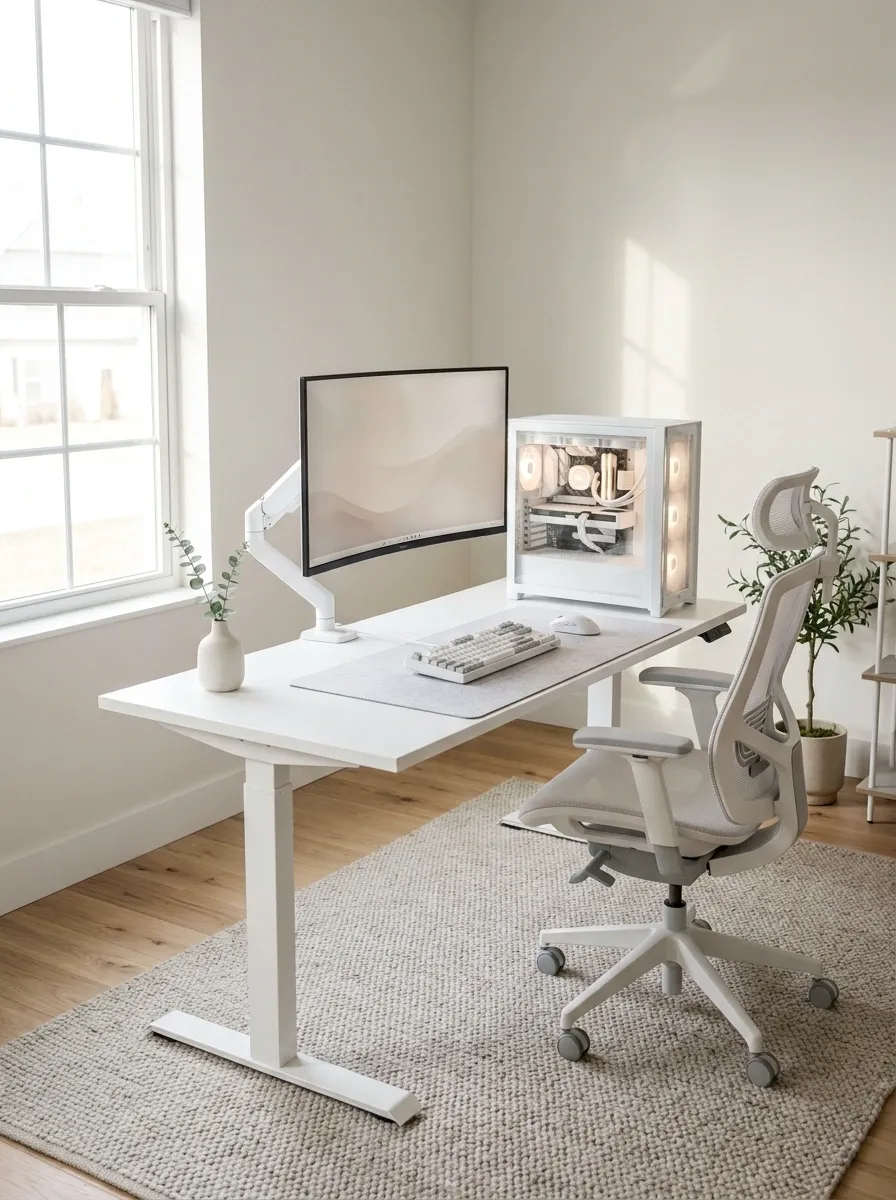
A height-adjustable white desk gives the setup a more flexible, professional appearance without sacrificing its gaming identity. Pair it with a white monitor arm, a streamlined PC case, and an ergonomic chair that works with the desktop at its seated height. Place the workstation near a window if the room allows, with pale walls reflecting daylight and keeping the furniture visually light.
The important part is planning for movement. Monitor cables, power connections, and accessories need enough slack to accommodate the desk’s adjustment range without snagging. A monitor arm also helps keep the screen positioned comfortably rather than forcing the entire desk layout around a fixed stand.
The result looks closer to a well-designed computer studio than a traditional gaming corner. And yes, the desk can move. The cable management should move with it, not perform a surprise escape attempt.
Adjustable workstation
One setup. Two working heights.
SEATED
Chair + desk
Keep feet supported and elbows comfortably positioned.
STANDING
Desk raised
Reposition the screen and check cable slack before moving.
Design detail: Keep the power strip secured, leave movement room for attached cables, and verify that accessories do not collide with shelves or windows during adjustment.
White L-Shaped Command Center
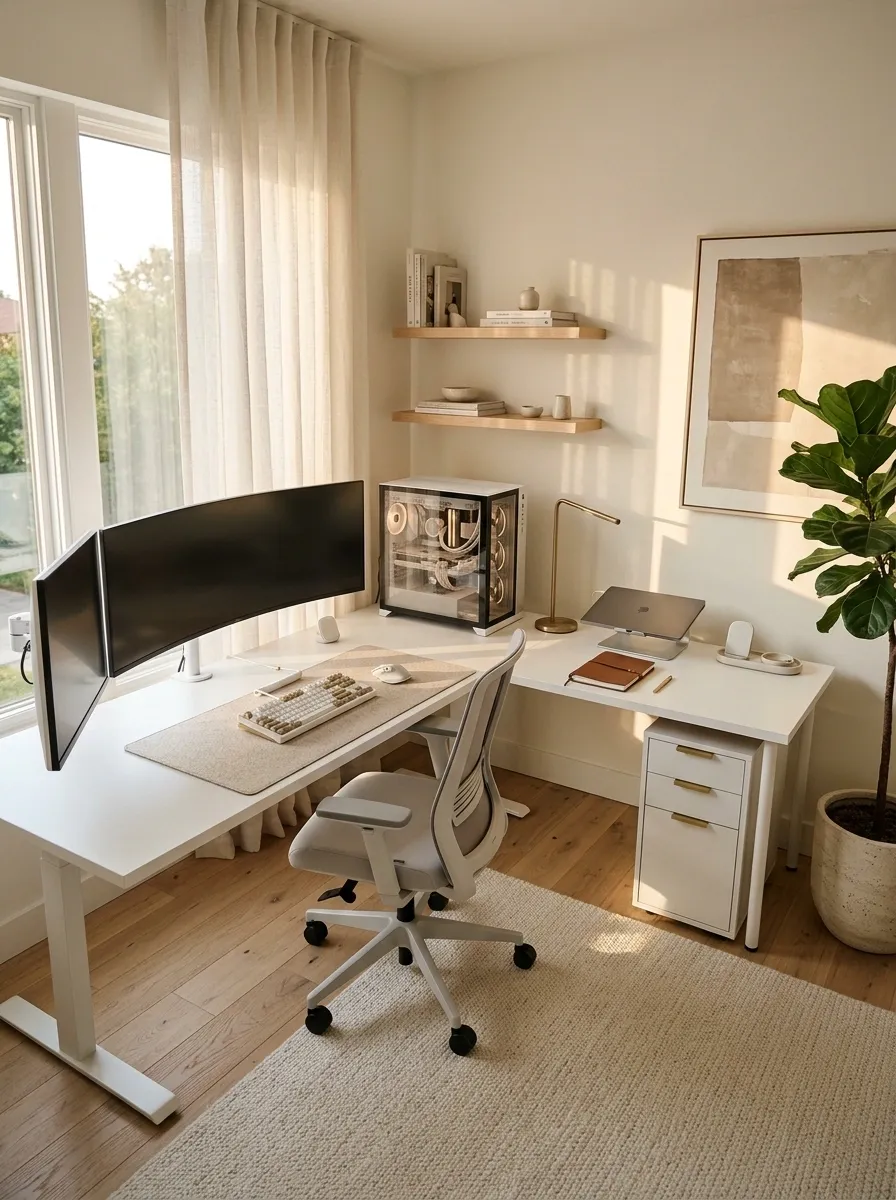
An L-shaped white desk gives gaming and productivity separate territories without forcing them into separate rooms. The longer side can hold the main gaming monitors, keyboard, mouse, and PC, while the adjacent surface accommodates a laptop, notebook, charging station, or second monitor for work and study. White finishes keep the larger footprint from feeling visually heavy, and matching drawer units provide storage without cluttering the desktop.
The layout works best when the primary display faces the seated position directly. The secondary wing should remain useful without becoming a dumping ground for everything that doesn’t fit elsewhere. A simple desk mat and restrained accessories help both areas feel connected.
This is the workstation equivalent of having two rooms without paying for two rooms. Just don’t let the secondary desk become a permanent monument to unfinished assignments.
L-shaped layout
Two work zones. No desk chaos.
PRIMARY ZONE
Gaming monitors + controls
SECONDARY ZONE
Study or creative work
STORAGE
Drawers + chargers
Keep frequently used gaming controls in the primary zone and move occasional-use items to the side. The corner should connect the two surfaces, not become a nest of tangled wires and abandoned mugs.
Floating White Gaming Desk With an Open Floor
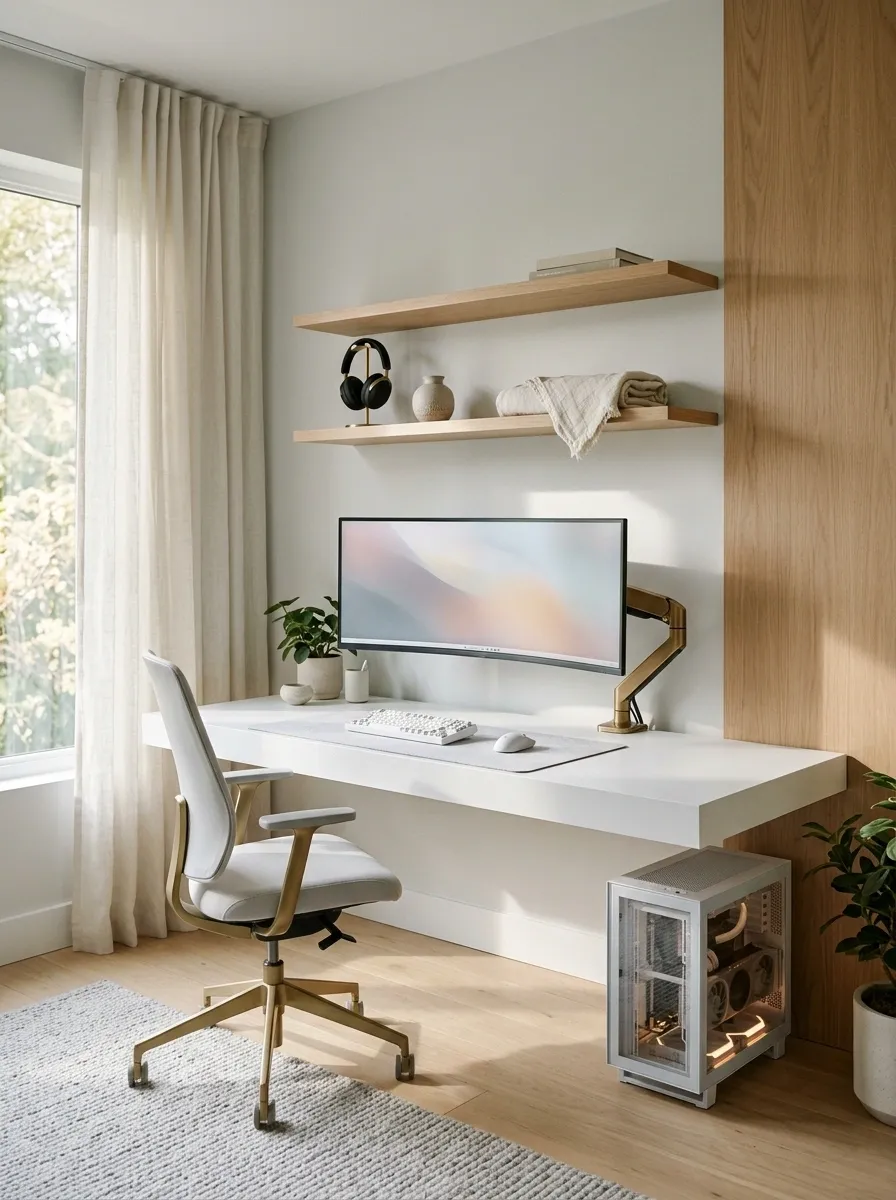
A floating white desk creates an unusually light visual footprint because the floor remains visible underneath. Mount the desktop securely to a suitable wall structure, add a monitor arm, and pair it with slim floating shelves for headphones and small accessories. A compact PC tower can sit on a ventilated stand beside the desk, leaving the workspace uncluttered without hiding the equipment in an enclosed cabinet.
This layout suits narrow rooms, minimalist bedrooms, and anyone who wants the workstation to blend into the architecture. A pale wall makes the desk almost disappear, while a muted blue-gray or warm wood accent adds a little definition. Keep cables organized along an accessible route rather than allowing them to dangle below the desktop.
The open floor looks great, but the mounting hardware still needs to support the actual load. Floating furniture is meant to look effortless, not test gravity’s customer service policy.
Installation details
Keep the desk floating. Keep the cables grounded.
Secure support
Use mounting hardware suitable for the wall and the actual equipment load.
Accessible wiring
Keep connections tidy, supported, and reachable for maintenance.
Clear underneath
Preserve chair movement and walking space rather than filling the gap with storage.
Before installation, account for the desktop, monitors, arms, and anything else the mounting system must carry. A floating desk is minimalist. A desk on the floor is a different genre.
White Gaming Setup With a Functional Pegboard Wall
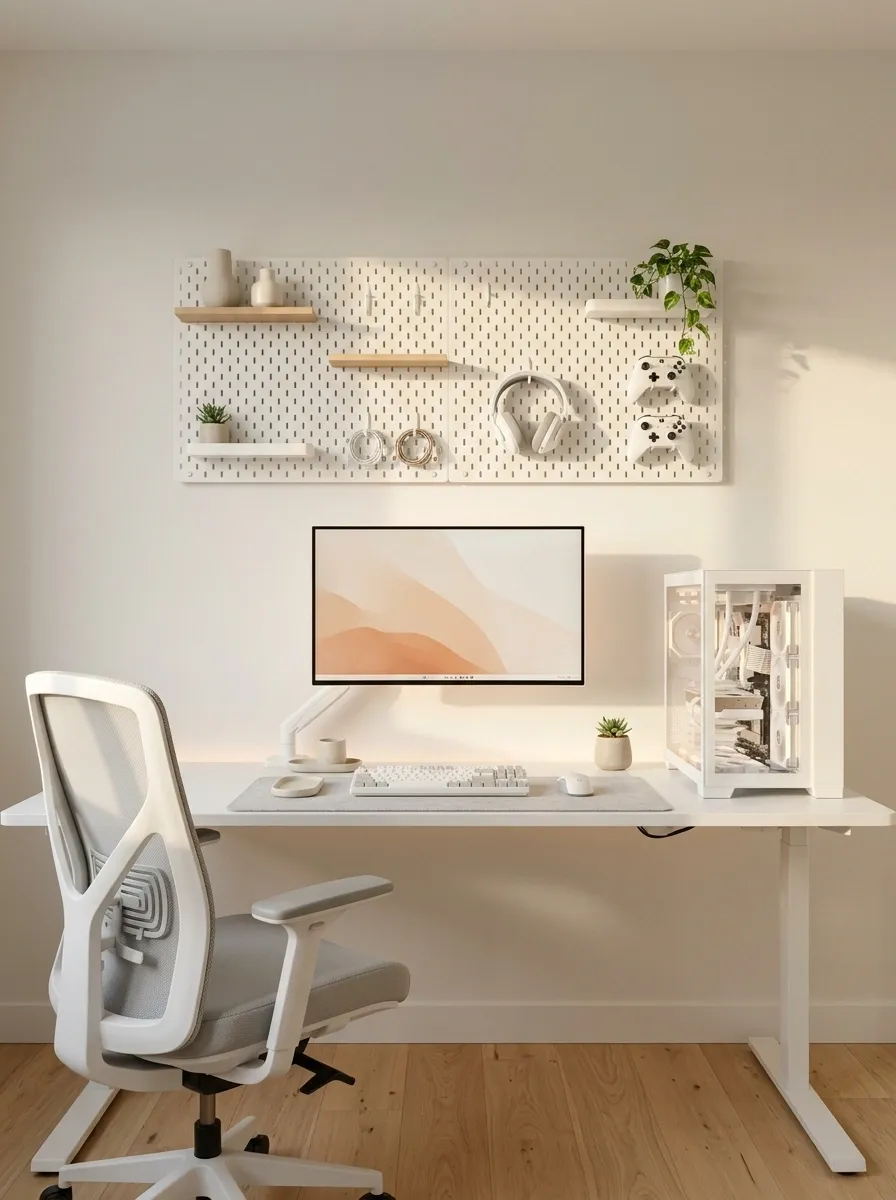
A pegboard turns that empty wall above the desk into useful storage, which is great news for anyone whose headphones currently live wherever gravity leaves them. Pair a white desktop with a coordinated pegboard, a white PC case, and a few slim shelves for controllers, headsets, and small accessories. Keep the monitor at a comfortable height and arrange the hanging gear around it rather than squeezing everything into the same visual space.
The finished wall should feel organized, not like a hardware shop displaying every product it owns. Leave some blank pegboard visible, group frequently used accessories together, and reserve higher shelves for collectibles that don’t need to be grabbed during every gaming session. A subtle wood accent can soften the white-on-white palette.
One practical detail matters: mount the board securely and check its load limits before filling it with equipment. A headset belongs on a proper hook, not in an ongoing negotiation with gravity.
Wall organization
Everything has a home. Revolutionary.
Headset
Controller
Small gear
Keep nearby
Headphones, controllers, and frequently used accessories.
Keep out of the way
Spare cables, packaging, and equipment that rarely gets used.
Luxury White Gaming Setup With Marble and Chrome
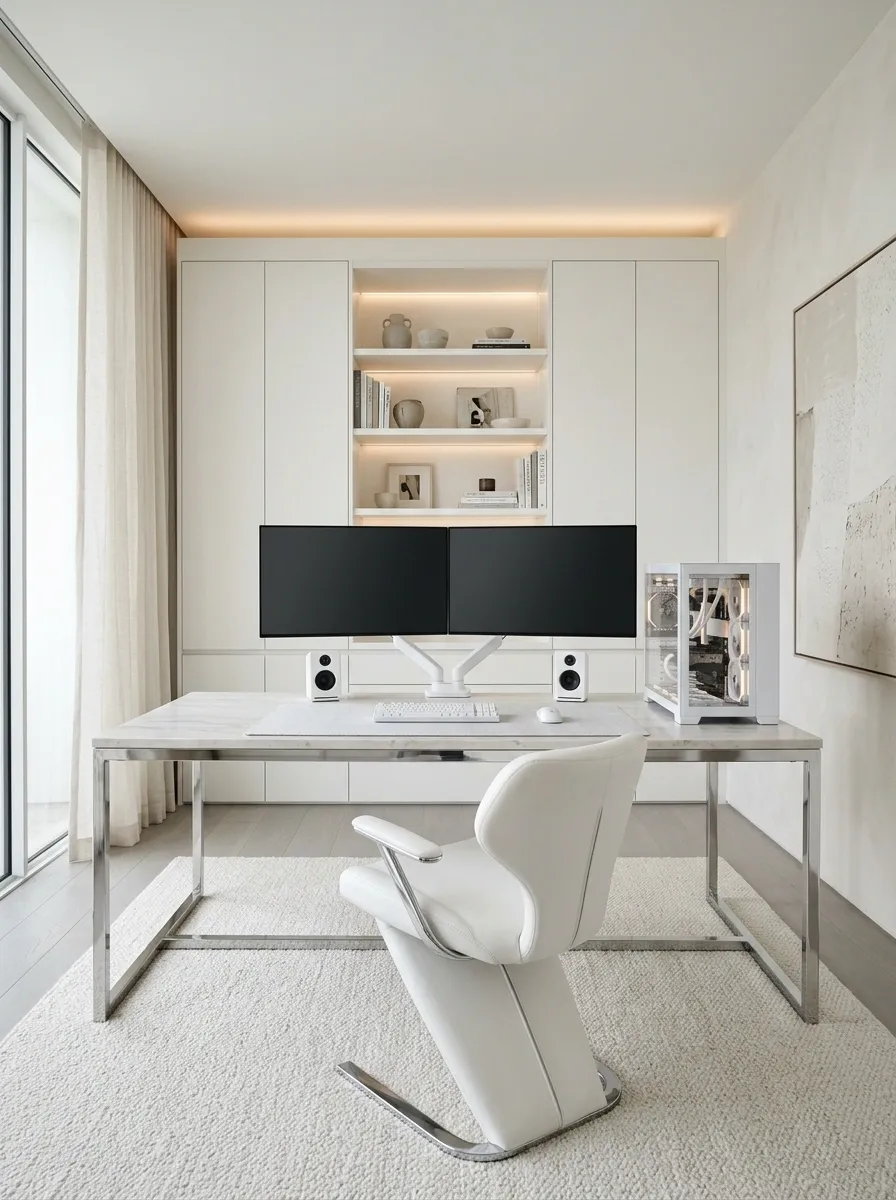
This is the polished, high-end direction for anyone who wants gaming hardware to sit comfortably beside designer-style furniture. A pale marble-look desktop, chrome or brushed-metal details, a sculptural white chair, and a clean-lined PC case establish the look. Large white surfaces keep the composition bright, while subtle stone veining and reflective metal provide enough variation to stop the entire setup from looking like one enormous plastic accessory.
Keep the monitors aligned and the peripherals restrained. A simple black screen surface adds contrast, and soft architectural lighting lets the materials do the work without turning the desk into a nightclub. The surrounding room should stay equally considered, with minimal wall art and uncluttered storage.
The important distinction is between refined and shiny-for-the-sake-of-shiny. Choose one or two reflective finishes, then let matte white surfaces balance them. Every object does not need to sparkle like it has a sponsorship deal.
Finish selection
Quiet luxury beats shiny everything.
MAIN SURFACE
Pale stone
HARDWARE
Chrome
BALANCE
Graphite
The finish rule: Stone provides texture, metal adds a controlled highlight, and graphite gives the setup visual weight. Keep the dominant surfaces matte or softly finished so reflections do not compete with the display.
White and Sage Green Biophilic Gaming Space
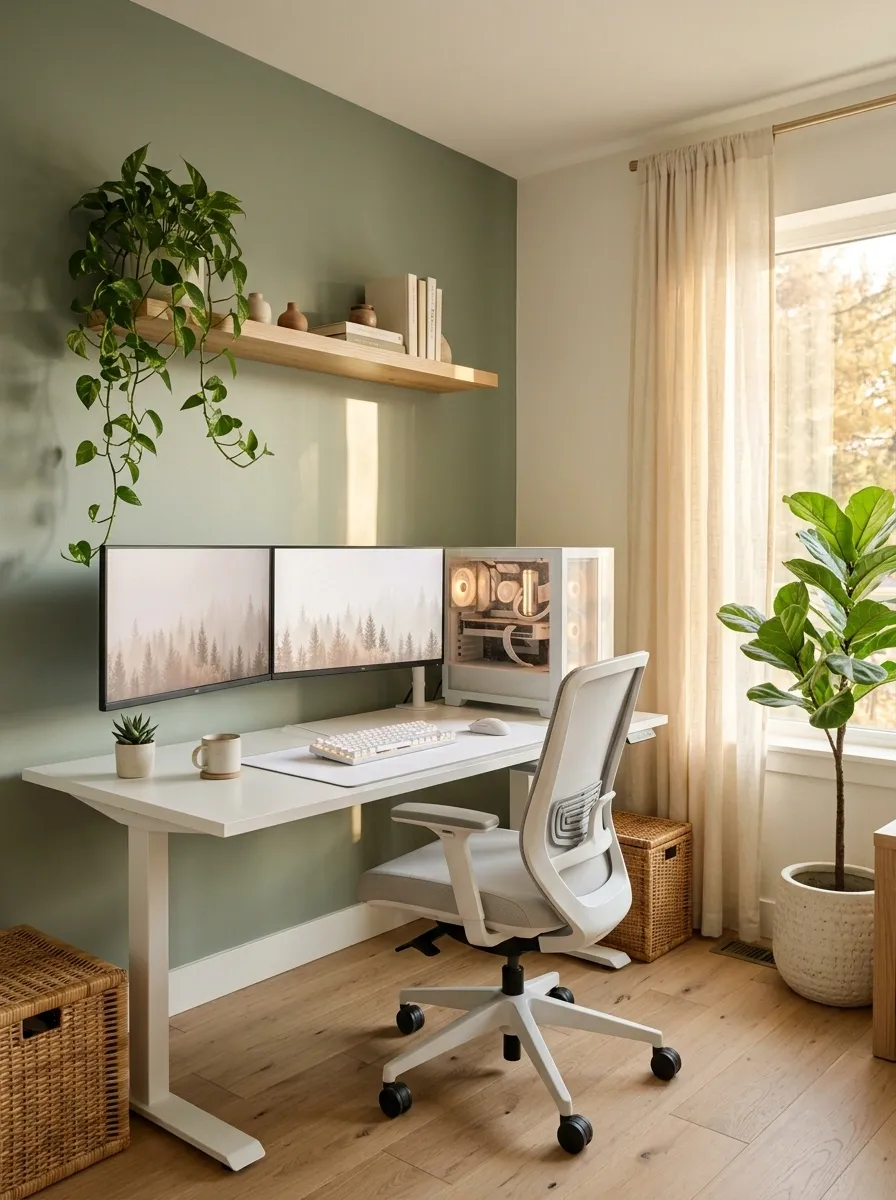
White gaming furniture and greenery are an unexpectedly good match. A white desk, a natural wood shelf, muted sage-green wall accents, and a handful of real plants turn the workstation into something that feels connected to the outdoors. The computer and monitors remain the main functional elements, while the greenery softens the hard lines of the equipment.
Keep plants around the perimeter or on separate shelving, away from computer vents, power connections, and anything vulnerable to spills. A trailing plant can soften a shelf edge, while a taller plant near a window helps connect the desk visually to the rest of the room. Pale wood and woven textures add warmth without introducing another strong color.
The secret is editing. Three thoughtfully placed plants can do more for the composition than a jungle growing around the router. The PC needs airflow, not a botanical hostage situation.
Greenery placement
Plants belong in the room. Not in the vents.
WINDOW EDGE
Window edge
Place suitable plants where their light needs can be met, without blocking access.
OPEN SHELVING
Open shelving
Use a stable tray or separate shelf for small plants and natural textures.
The no-drama zone
Keep the PC intake, exhaust vents, power connections, and desktop electronics clear of leaves, moisture, and watering spills.
White and Lavender Dream Gaming Room
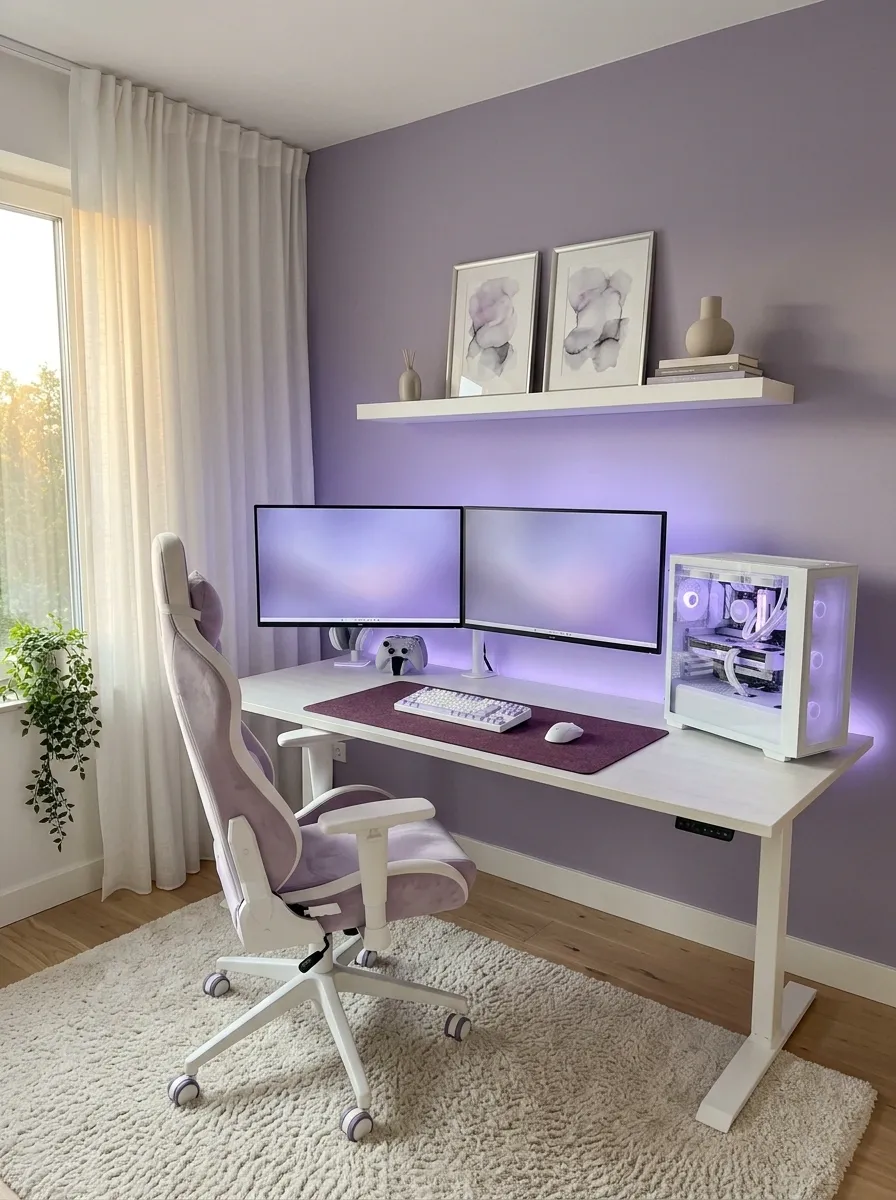
Lavender gives a white gaming setup a softer, more playful identity without leaning entirely on pink lighting. Start with a white desk, a coordinated PC case, and pale peripherals, then introduce dusty lavender through the wall color, a chair cushion, framed artwork, or a few desk accessories. A soft violet glow behind the monitors ties the different elements together without flooding the whole room with purple light.
The best version uses a limited palette. White carries the furniture, lavender provides personality, and a deeper plum or graphite accent adds enough contrast to keep the monitors from disappearing into the background. Keep the desktop open and use simple storage for headphones and controllers.
This direction can feel dreamy without becoming a toy-store display. The difference is usually one good color decision and the ability to stop adding matching accessories after the fifth purchase.
Lavender color story
Pastel, with a little backbone.
Keep the major furniture neutral, bring lavender into the room through selected surfaces, and reserve the deepest shade for a small amount of contrast. The suggested proportions are a visual starting point, not a decorating law.
Icy Blue Futuristic White Battlestation
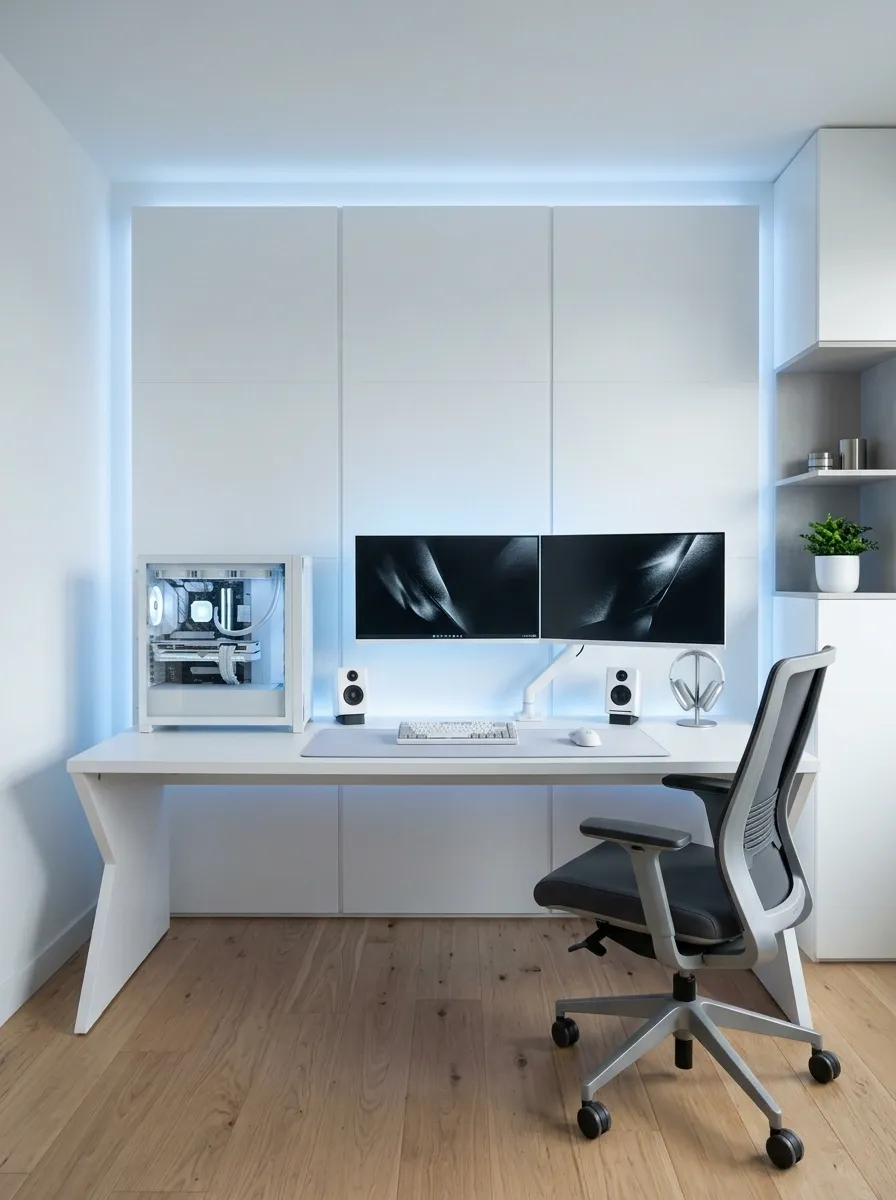
This setup takes white gaming furniture in a more technological direction. Angular desk lines, a glass-sided white PC, cool blue ambient lighting, and carefully positioned monitors create a futuristic workstation without relying on questionable science-fiction furniture. The wall behind the desk becomes part of the design, with indirect lighting emphasizing its shape instead of blasting bright LEDs straight into the room.
Keep cables concealed and select just a few metallic or graphite accents to give the white hardware definition. A darker display background also adds contrast against the cool lighting. For the strongest result, let the PC lighting and the wall illumination share a similar blue tone rather than making every device operate its own independent nightclub.
Futuristic does not have to mean complicated. Clean geometry and well-placed lighting are doing the heavy lifting here, while the accessories can finally stop auditioning for attention.
Cool-light composition
The technology does the talking.
Indirect blue light washes the wall behind the hardware.
Keep: Cool light, clean geometry, discreet cables, and a few dark surfaces.
Skip: Direct glare, competing RGB colors, and decorative objects crowding the equipment.
Warm Neutral Gaming Setup With Beige and Taupe
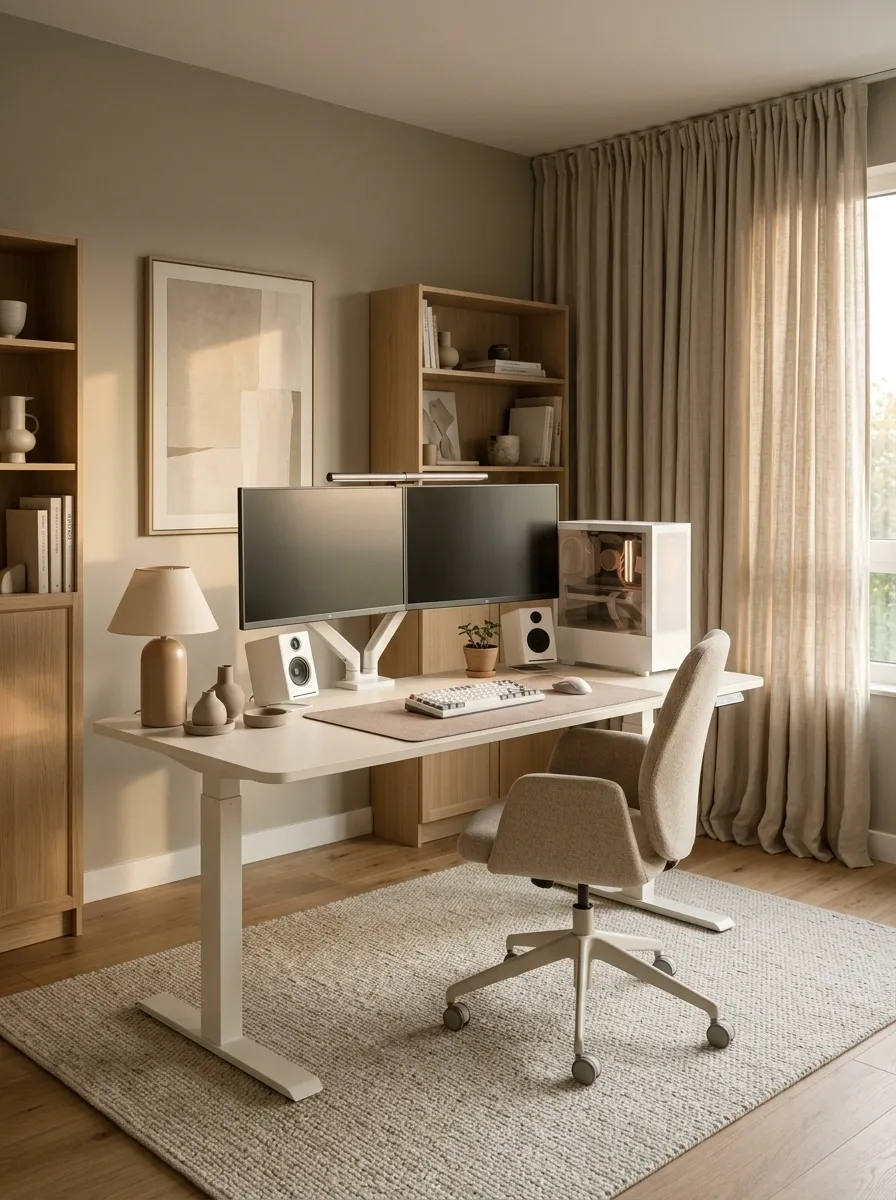
Not every white gaming setup needs to glow like a spaceship preparing for takeoff. A cream-white desk, beige upholstered chair, warm greige walls, taupe accessories, and a few light oak details create a more grown-up alternative to the usual RGB-heavy workstation. The white PC case and monitors remain the main attraction, while the surrounding neutrals make the equipment feel like part of a thoughtfully furnished room.
A warm desk lamp or soft wall light complements the palette, and textured curtains or a neutral rug help connect the workstation to the rest of the space. Keep the darkest colors concentrated around the screens and a few small accessories so the setup still has definition.
This is the gaming room for anyone who wants a peaceful interior and an absolutely unpeaceful ranked match. The room can be calm even when the teammates aren’t.
A warmer kind of white
Neutral does not mean lifeless.
Keep the furniture light, bring warmth through upholstery and wood, and use a little graphite around the screen area for contrast. Beige should complement the white, not turn the entire room into an oversized latte.
White Battlestation With Focused Red Accents
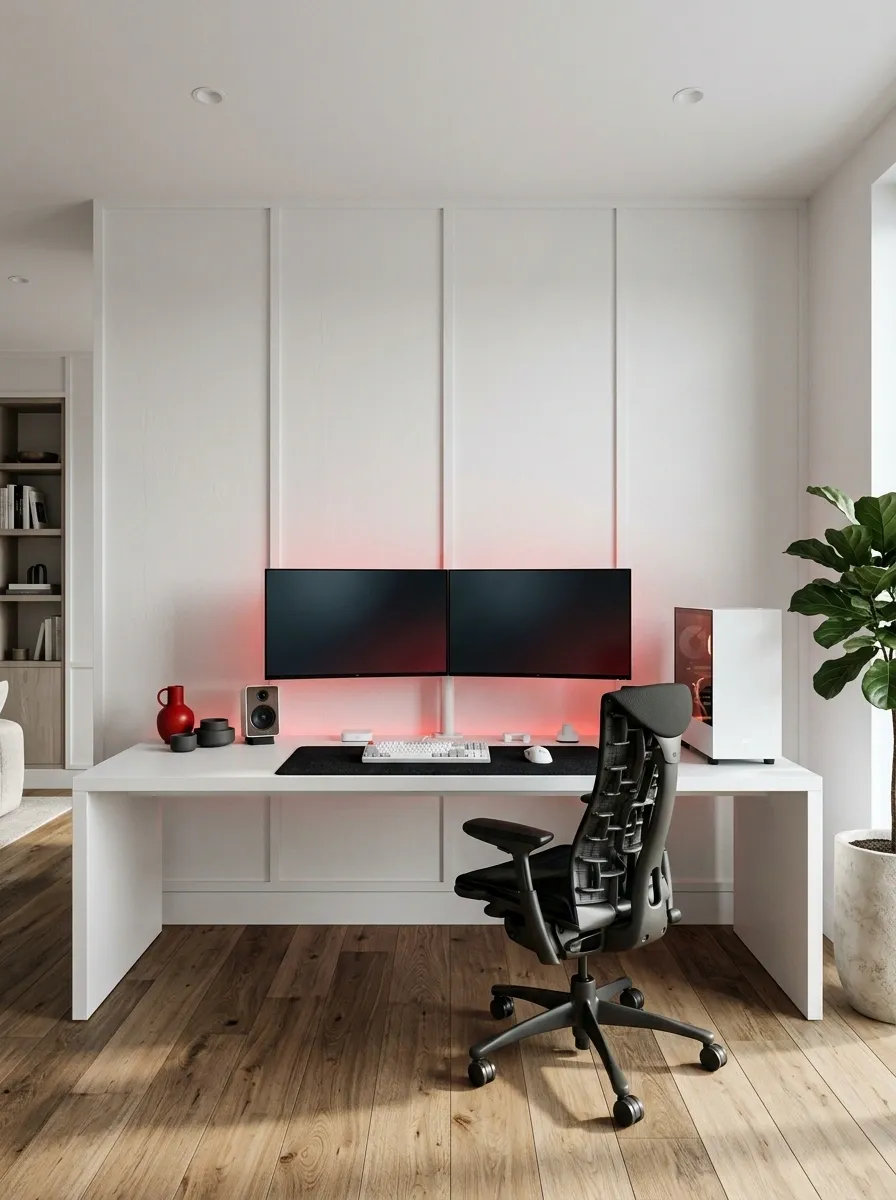
Red lighting against white gaming hardware gives the room an entirely different personality. A white desktop and white PC case provide the foundation, while a restrained red wall glow, black desk mat, dark monitor bezels, and a black ergonomic chair introduce contrast. The setup feels more competitive than pastel gaming rooms without needing an unnecessarily aggressive collection of accessories.
Keep the red illumination behind the monitors or along the rear edge of the desk. A small red accent elsewhere can connect the room, but every device does not need to glow red simultaneously. Neutral ambient lighting should remain available so the room looks good when the RGB is switched off.
The strongest version has one obvious focal point and enough white space to let it breathe. Otherwise, the workstation starts looking like a gaming rig sponsored by a fire alarm.
Accent control
Red is the accent. Not the entire electricity bill.
Use red for
Indirect wall lighting and a small coordinated accent.
Keep neutral
The largest furniture surfaces, desk accessories, and general room lighting.
Under-Stair White Gaming Workstation
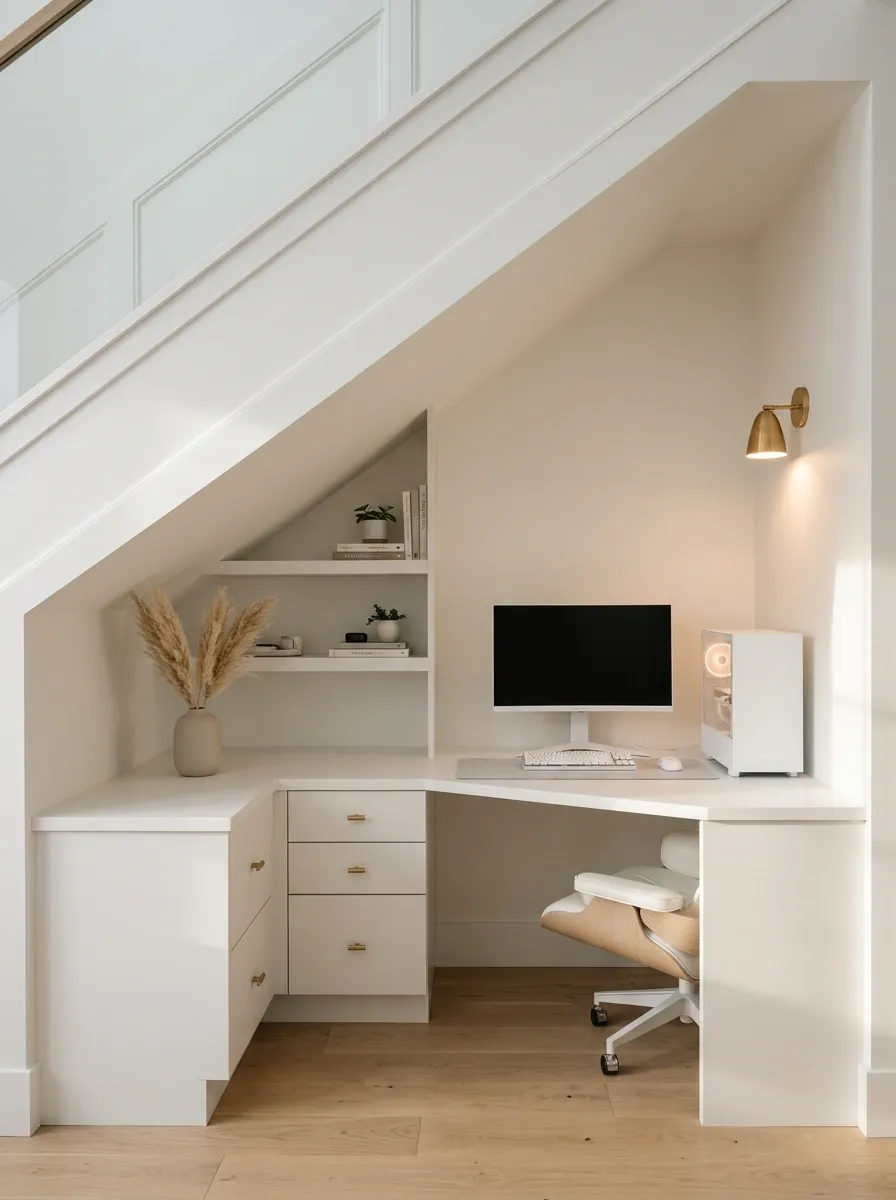
That awkward space beneath the staircase doesn’t have to become storage for abandoned boxes and things nobody remembers buying. A fitted white desk can turn it into a compact gaming nook, with the desktop following the usable width and height of the recess. A monitor sits in the highest part of the opening, while shallow shelving and drawers use the lower areas without making the workstation feel cramped.
A white finish helps the desk blend into the surrounding architecture. Pale wood, a small wall light, and a compact PC tower can give the nook some character without consuming the limited working area. Measure the slope carefully before choosing monitor height, shelf depth, or chair placement. Headroom matters, especially where the ceiling descends toward the edge of the desk.
The result feels custom-built and intentional. Just make sure the space is actually comfortable to sit in before commissioning cabinetry, because a gaming chair should not require advanced origami.
Architectural fit
Make the awkward corner earn its keep.
Conceptual illustration, not a measured architectural drawing.
Measure before building
Check seated headroom, comfortable screen height, chair movement, socket access, and the PC’s ventilation. Use the lower part of the slope for shallow storage only where it will not interfere with the workstation.
White Console Gaming and Projector Lounge
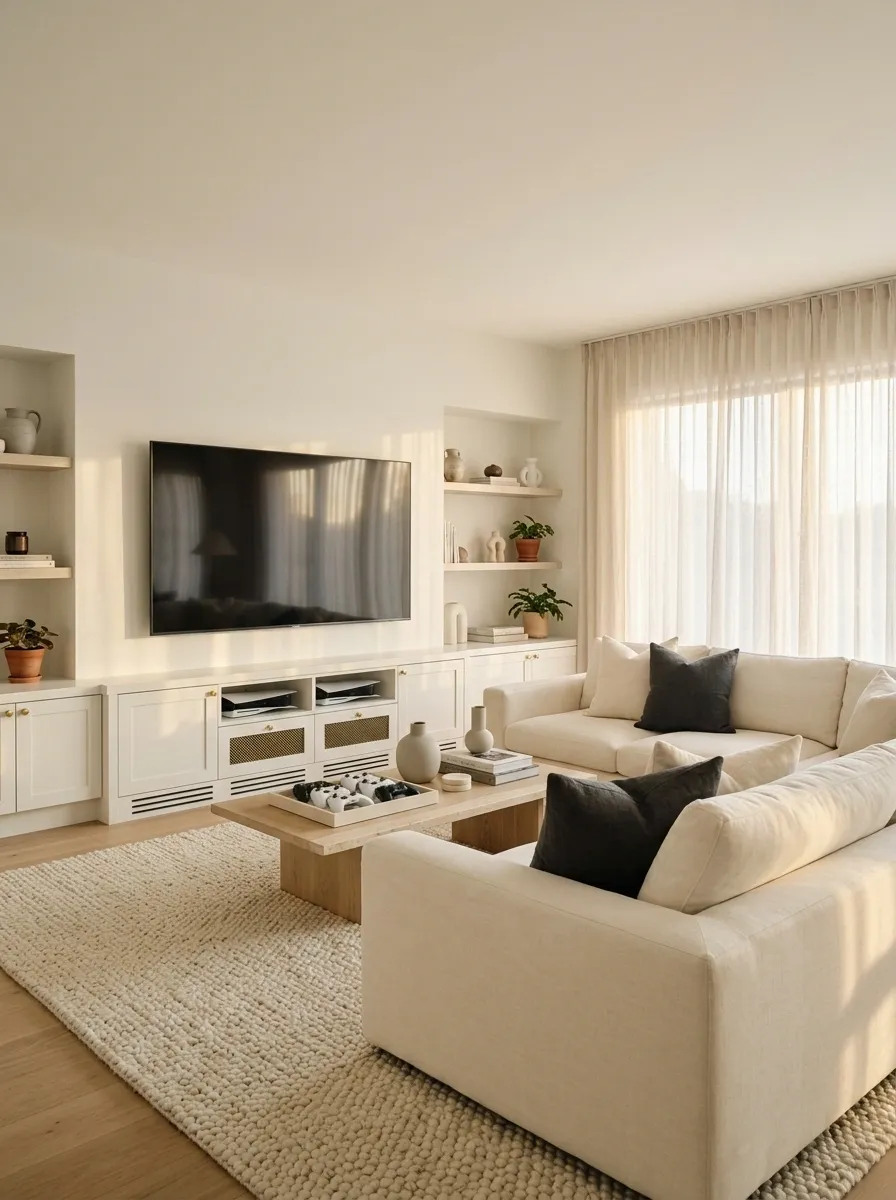
Not everyone needs a three-monitor command center. A white console gaming lounge takes a more relaxed approach, with a large projected image or television, low white media cabinetry, a comfortable sofa, and neatly stored controllers. Pale walls keep the room bright, while a textured rug and a couple of darker cushions bring depth to the white furniture.
A projector can make the space feel like a home cinema, provided there is a suitable projection surface and enough room for the equipment. If the room receives substantial daylight, a television may be the more practical choice. Either way, the console needs ventilation, accessible connections, and storage that doesn’t bury the controller charging cables in a drawer of mystery.
This design is especially appealing when gaming is a shared activity rather than a solo desk session. More sofa, less chair-based suffering. Finally, a gaming setup that acknowledges the existence of other human beings.
Choose the viewing setup
Big-screen gaming without desk duty.
PROJECTOR
Cinema feel
A large viewing experience when room light and projection space are suitable.
TELEVISION
Straightforward setup
Useful when daylight, compact placement, and easy installation matter.
Whichever display wins, center the seating around it and keep the console, ventilation space, and cable access easy to reach. The screen deserves the starring role. Nobody came over to admire a tangled HDMI cable.
Bright White Gaming Setup Under a Sloped Ceiling
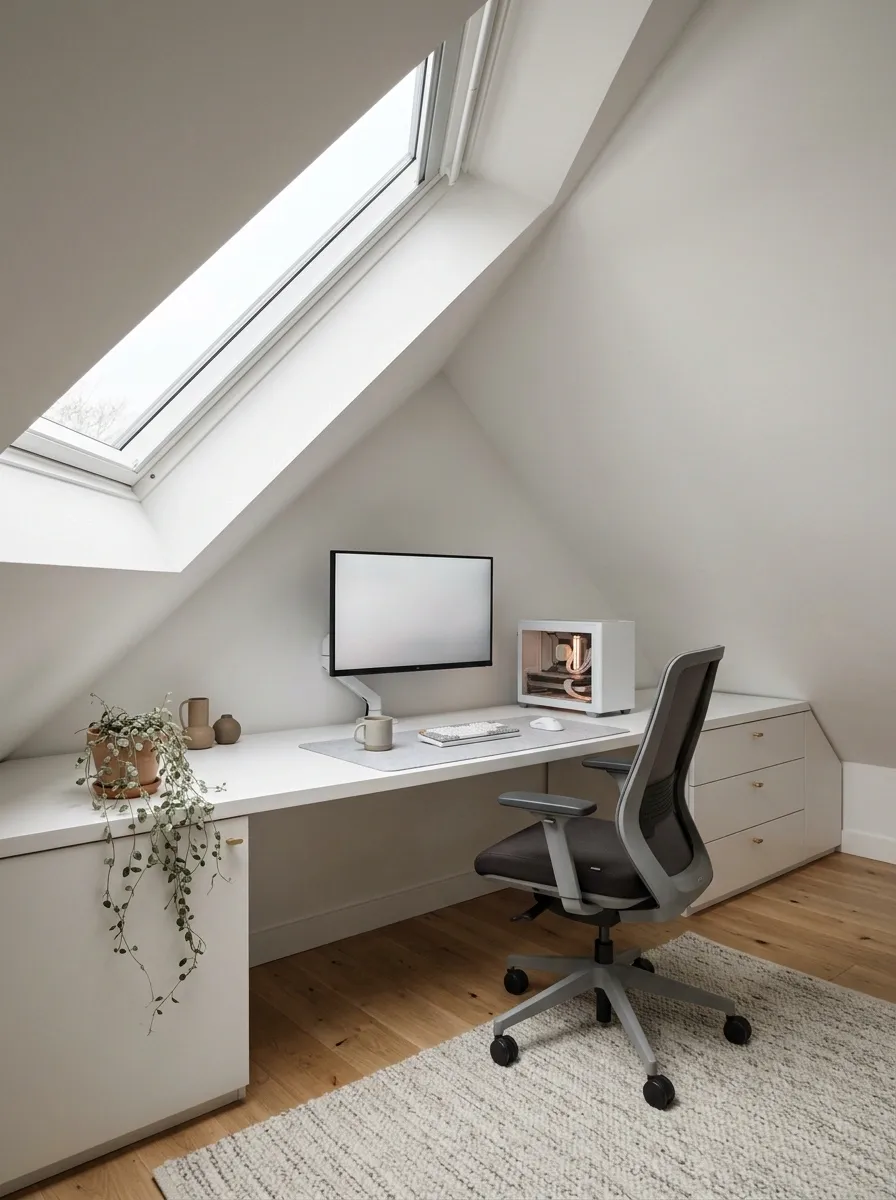
An attic gaming setup can look fantastic when the furniture works with the roofline instead of fighting it. A low white desk follows the usable part of the wall, while the main monitor sits beneath the highest section of the ceiling. A skylight or roof window brings natural light into the room, and pale flooring helps the irregular architecture feel open rather than cramped.
Keep drawers and shallow storage beneath the lower slope, where full-height shelving would be impractical. The chair needs adequate headroom when occupied, and the monitor should remain at a comfortable viewing height rather than being pushed into an awkward position simply to fit the furniture. A white PC case and restrained accessories complete the look without competing with the roofline.
Sloped ceilings create interesting rooms, but they also expose every measurement mistake. Check the actual usable dimensions before buying the desk. The ceiling may be charming, but it will not negotiate with a monitor stand.
Attic layout study
Put the equipment where the ceiling allows.
Low-slope area
Shallow storage
HIGHER CLEARANCE
Chair + desk
Three measurements matter
Check seated headroom, screen height, and the space needed to move the chair. Confirm window access and account for the actual roof angle before planning built-in storage.
Conceptual layout only. Actual furniture placement depends on the attic’s dimensions and roof geometry.
White Triple-Monitor Gaming and Creator Studio
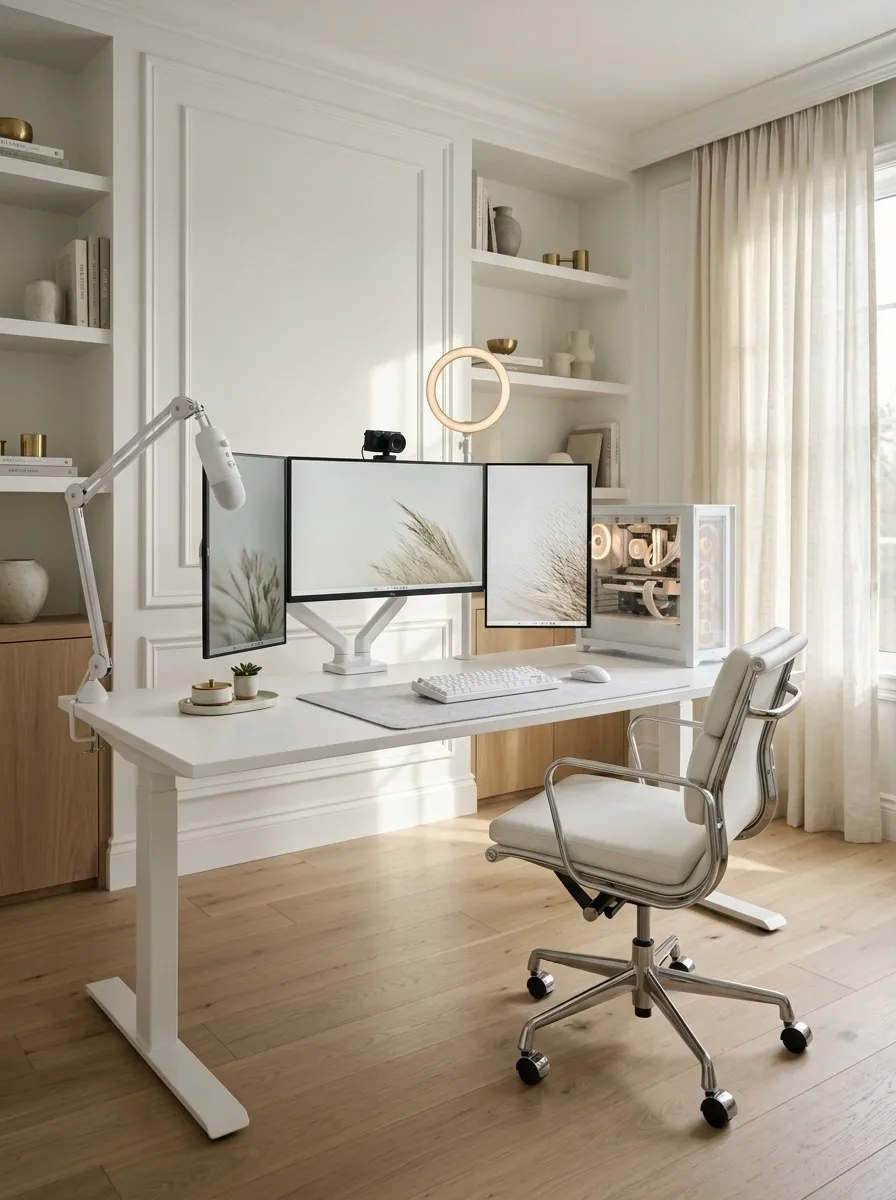
Three monitors can make a workstation feel like a command center, provided the desk is wide enough to handle the ambition. A white desktop, matching PC case, coordinated monitor arms, and an ergonomic chair establish the foundation. The central screen stays directly in front of the seated position, while the side displays angle inward for gaming, streaming controls, editing timelines, or whatever currently has seventeen tabs open.
A white microphone arm, discreet camera, and carefully positioned recording light can turn the same workstation into a creator studio. Keep the accessories grouped around their actual purpose instead of scattering them across the desktop. Cable routing matters even more with multiple displays, so use accessible cable channels and leave enough slack for monitor arm movement.
The result should feel like an organized production space rather than air traffic control during a particularly stressful Tuesday. Three monitors are useful. Three monitors surrounded by cable spaghetti are a cry for help.
Multi-screen workspace
Every screen earns its desk space.
Central screen
Primary viewing position.
Side screens
Secondary tasks and references.
Desk edge
Reserve room for controls.
Check the desk width, viewing distance, arm clearance, and camera position before committing to multiple displays. The setup should support the workflow, not force the chair into a permanent neck workout.
Rental-Friendly White Gaming Setup
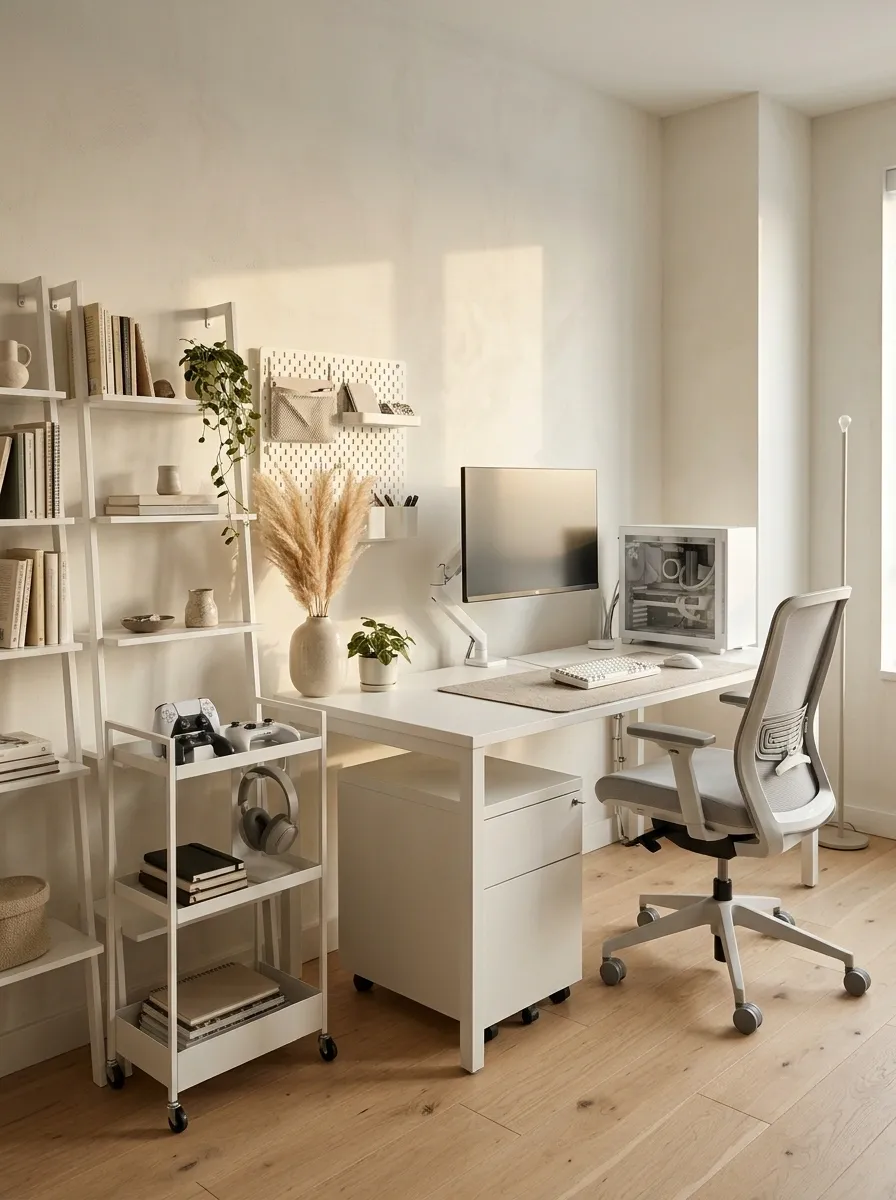
A rental room doesn’t need permanent cabinetry, drilled feature walls, or a complete furniture renovation to look good. A freestanding white desk, movable drawer unit, compact PC case, and lightweight shelving create a workstation that can move when the lease ends. White furniture keeps the composition bright, while removable wall organizers and a neutral desk mat add character without demanding a security-deposit sacrifice.
Choose accessories that can serve another purpose elsewhere. A small storage trolley can hold controllers and headphones, while a simple floor lamp gives the workstation a defined area without permanent installation. Keep cables routed through removable organizers, and check the property’s rules before attaching anything to the walls.
The best part is that this setup can evolve. A new monitor or different chair doesn’t require rebuilding half the room. Apparently, a gaming space can have commitment issues without being poorly designed.
Rental-friendly planning
Good design. No renovation drama.
FURNITURE
Freestanding
Desk, drawer unit, and movable shelves.
WALLS
Removable
Approved hooks and portable organizers.
WIRING
Reversible
Accessible, removable cable organizers.
Prioritize furniture that disassembles easily and accessories that can be reused. Check wall attachment rules, keep power connections accessible, and avoid running cables where the chair wheels can crush them.
White Streaming Setup With Acoustic Wall Panels
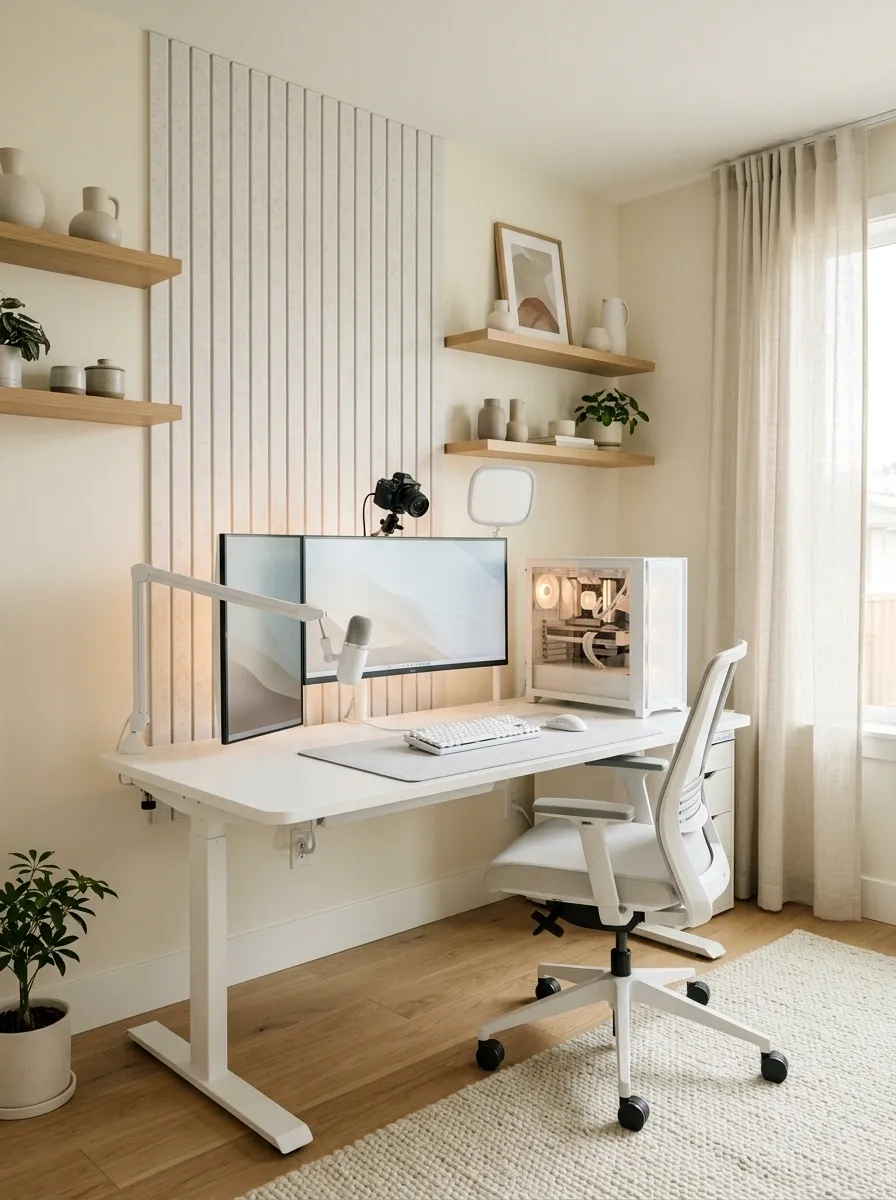
A white streaming station needs to look good from the camera’s point of view, not just from the doorway. A white desk, coordinated PC case, microphone boom, camera, and soft recording lights provide the equipment foundation. Behind the workstation, pale acoustic panels create a more deliberate backdrop, while a few carefully selected shelves or framed prints keep the room from looking like a blank video-call background.
Position the camera so the main monitor and microphone arm don’t dominate the entire frame. Soft lighting on the face, balanced with ambient room light, produces a more considered look than a single bright lamp aimed directly forward. Keep the microphone close enough for practical use without obscuring the display or interfering with movement.
The backdrop should communicate personality without becoming a shrine to every collectible ever purchased. Viewers need to see the streamer, not conduct an archaeological excavation of the shelving.
On-camera composition
The room is the background. Act accordingly.
CAMERA FRAME
Camera subject
Clear face and upper body
Desk edge and microphone kept below the main frame where practical.
Light the subject
Use soft, controlled light that doesn’t produce distracting screen reflections.
Keep the backdrop edited
Coordinate wall panels, shelves, and decor instead of displaying the entire collection.
White Gaming Station Integrated Into a Bedroom
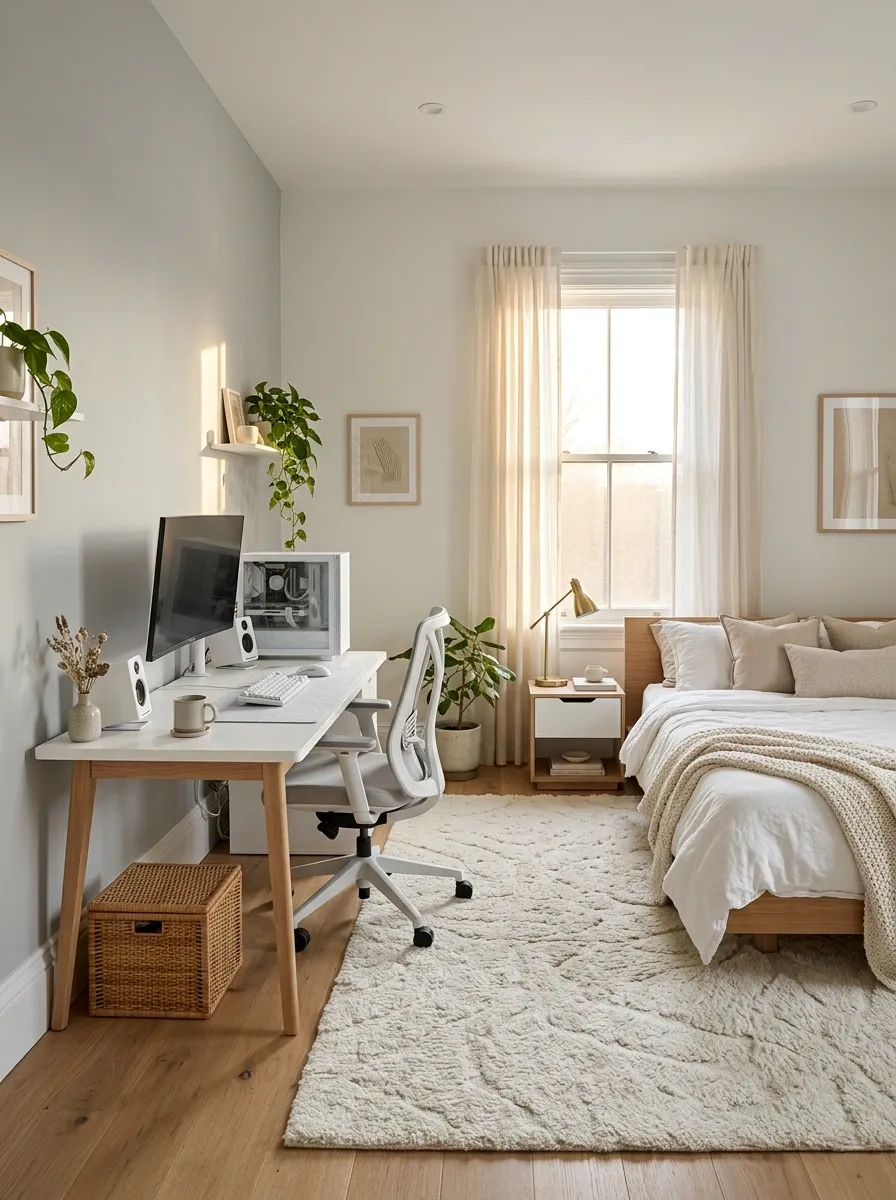
When a bedroom needs to handle both sleep and gaming, the workstation should feel like a natural part of the furniture arrangement. A white desk beside a window or along an unused wall pairs neatly with white storage, neutral bedding, and a compact computer tower. A desk lamp and matching bedside accents help link the gaming area to the sleeping area, while a rug can visually anchor the workstation without introducing a hard boundary.
Keep the chair’s movement clear of the bed and preserve easy access to drawers, wardrobes, and doors. The monitor should face away from direct window glare when practical, and the equipment should be easy to switch off without leaving a maze of illuminated devices beside the pillow.
The room doesn’t need to choose between looking like a bedroom and looking like a gaming setup. It simply needs two functional zones that can coexist without fighting over every square inch.
Bedroom zoning
Two purposes. One cohesive room.
WORK + PLAY
White desk
PC, screen, storage
REST
Bed zone
Clear access and softer light
Keep a comfortable path between the door, bed, and desk. Coordinate the main furniture finishes, manage screen glare, and make it easy to switch off the workstation when the gaming session ends.
Retro Gaming Collection on a White Display Wall
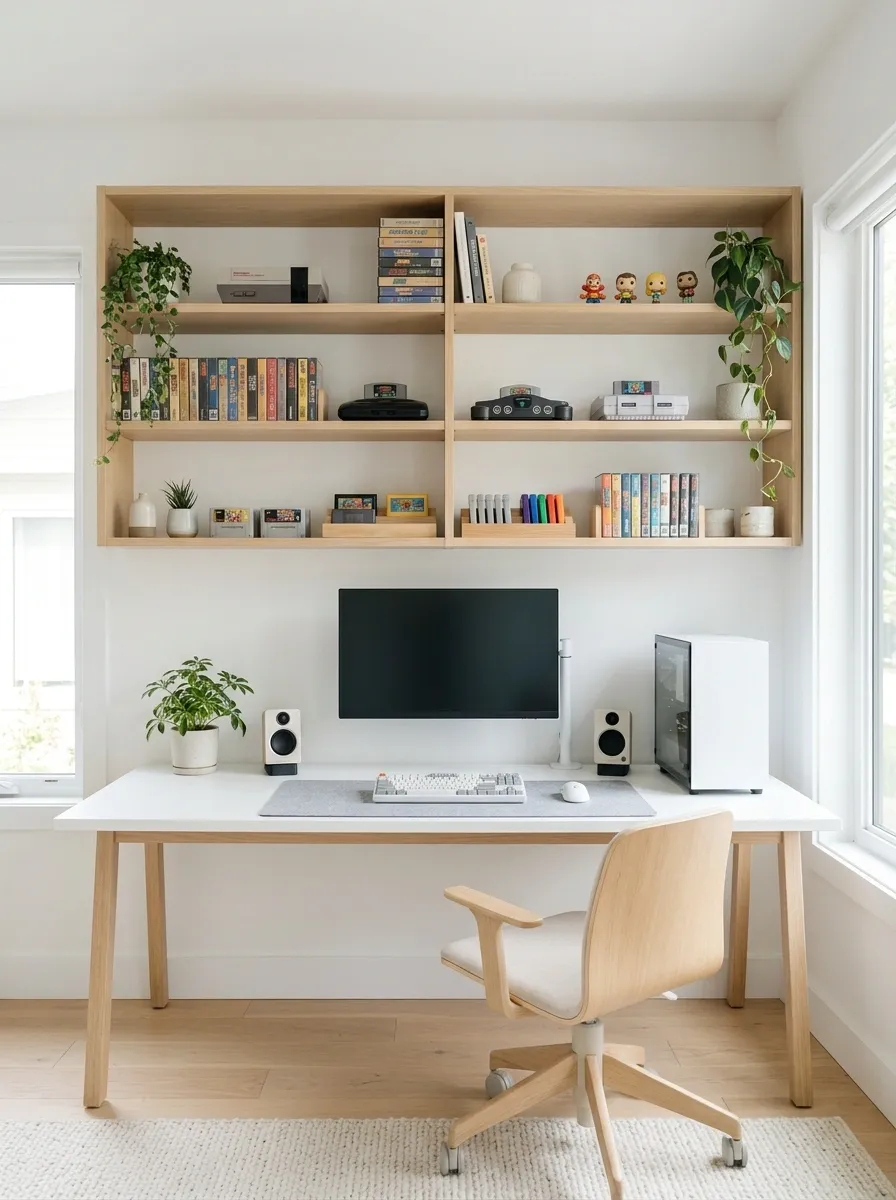
A retro gaming setup has more personality than a wall of identical RGB accessories, and a white backdrop gives the collection room to breathe. A clean white desk holds the main gaming system, while open shelving displays older consoles, boxed games, cartridges, and selected memorabilia. Pale wood shelves can warm up the arrangement, while a darker monitor or display adds contrast against the light furniture.
The most important choice is deciding what deserves to be displayed. Keep frequently played consoles within easy reach and place fragile collectibles higher up or in suitable protective cabinets. Controllers and cables need proper storage too, otherwise the nostalgic collection becomes a tangle of mystery connectors that nobody wants to untangle on a Sunday afternoon.
A retro setup should feel like a personal collection, not a clearance aisle. Give the objects space, group them thoughtfully, and let the most interesting pieces provide the decoration.
Collection display
Show the good stuff. Store the chaos.
MAIN DESK
Daily gaming system
Easy-access gear
Display a limited selection at each level, reserve the desk for active equipment, and keep spare controllers and cables together in closed storage. A little empty shelf space makes the collection look intentional. Yes, even when the urge to display everything is powerful.
White Sim-Racing Corner With a Dedicated Cockpit
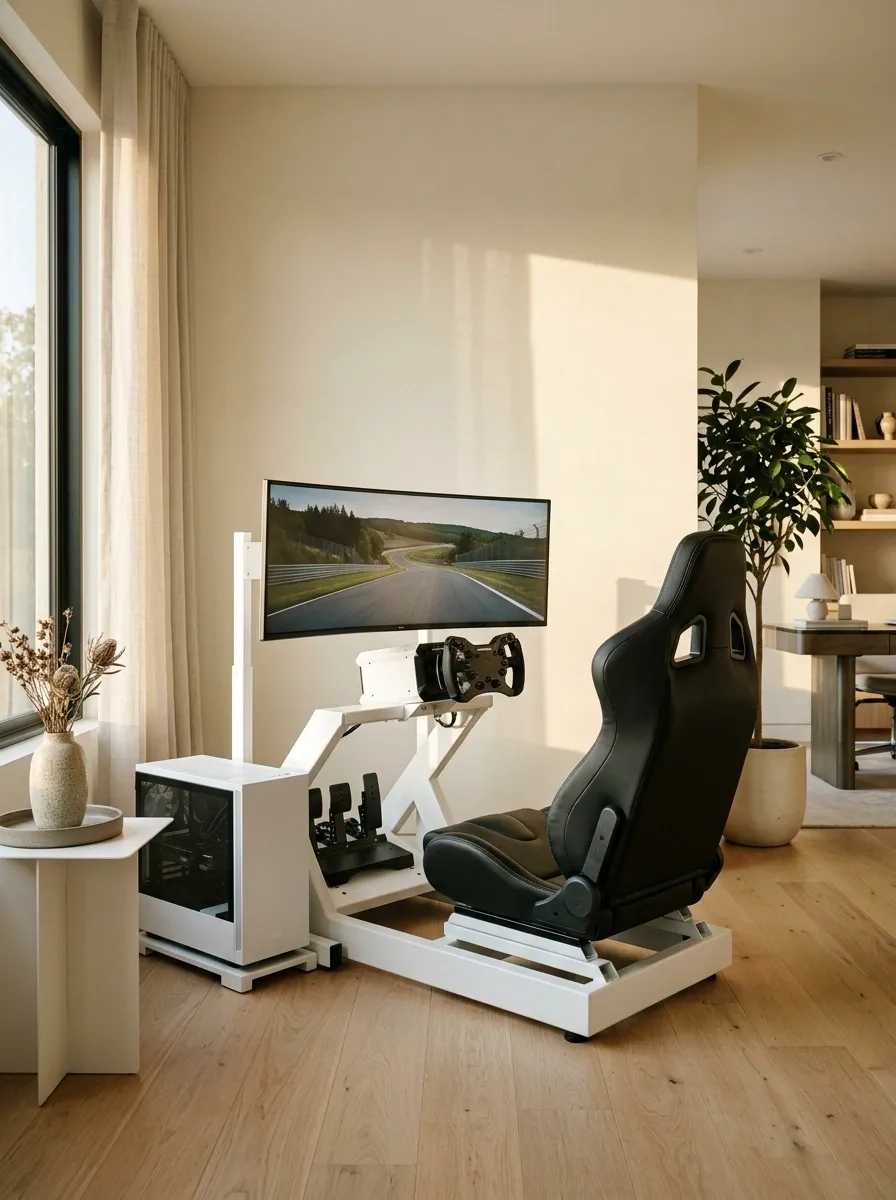
A regular gaming desk can handle a racing wheel, but a dedicated sim-racing setup has a very different footprint. A white racing frame, a properly positioned bucket seat, an ultrawide monitor, and a coordinated white PC tower create a workstation that looks purpose-built rather than improvised five minutes before a race. Keep the wheel and pedals aligned with the seat, and give the rig enough room that getting in and out doesn’t become its own obstacle course.
A pale wall and simple flooring keep the room visually light, while black seat upholstery and darker wheel controls provide contrast. If the rig includes a separate monitor stand, align it with the driver’s seating position rather than the nearest available wall. Cable routing matters here too, since pedals and moving equipment should never have to share space with loose wiring.
The design has one obvious priority: comfort and positioning come before decorative accessories. A beautiful racing setup is wonderful. A beautiful racing setup that sends the pedal assembly across the room during braking is considerably less wonderful.
Cockpit planning
Seat first. Everything else follows.
FRONT
Monitor
Centered on the driver.
MIDDLE
Wheel + seat
Comfortable reach and posture.
FLOOR
Pedals + wiring
Secure and unobstructed.
Check wheel reach, pedal position, screen height, and entry clearance before arranging the decorative details. Keep cables away from moving mechanisms and feet. Racing is already stressful enough without the furniture joining the competition.
Shared White Gaming Station for Two Players
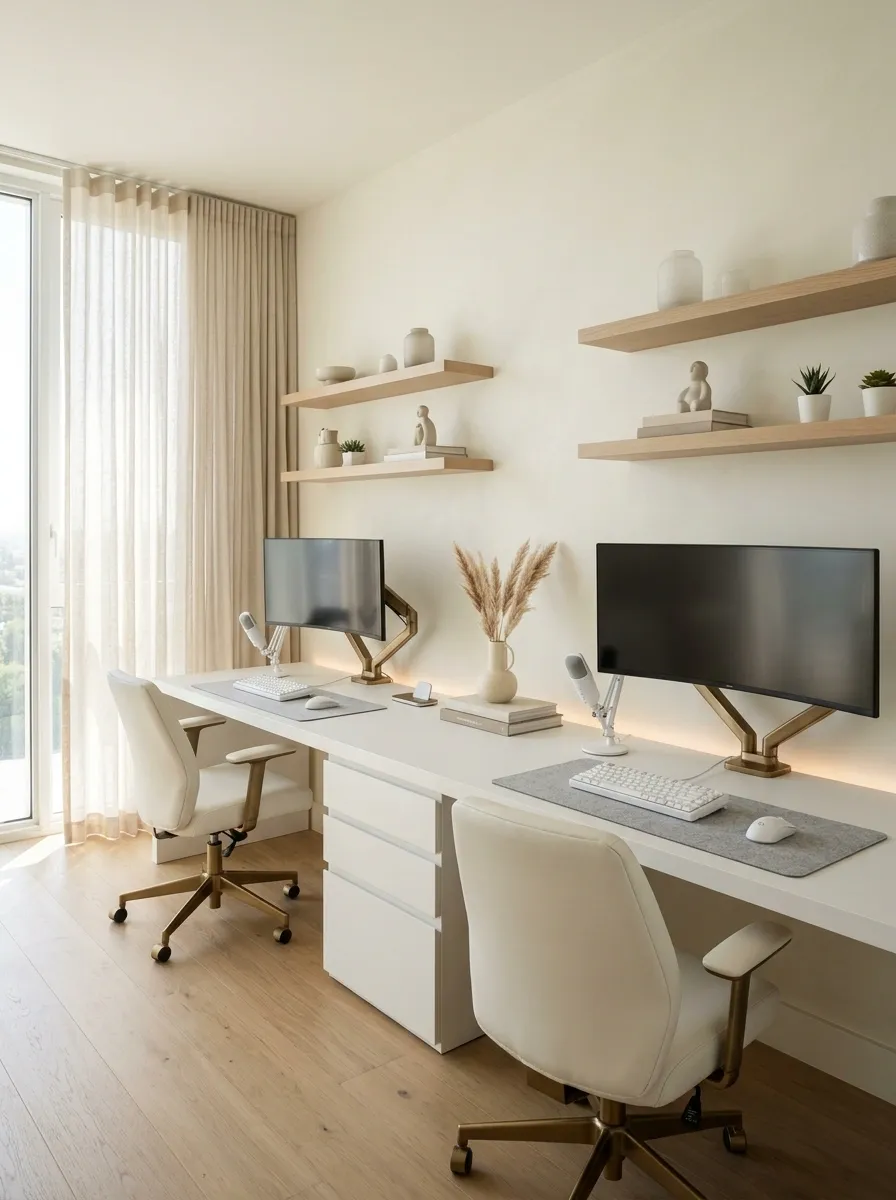
Two gaming setups can share one room without looking like two unrelated desks were pushed together during a furniture emergency. A long white desktop, two matching monitors, separate peripherals, and coordinated chairs establish a cohesive composition. Each player gets an independent working zone, while a shared shelving unit or central drawer cabinet provides storage and connects the two halves visually.
The important detail is giving both workstations enough elbow room. Controllers, mouse pads, microphone arms, and charging cables all occupy real space, even when the Pinterest photograph pretends otherwise. Keep the monitors positioned for their respective chairs, and route each station’s wiring along the rear of the desk so the central area stays tidy.
A shared setup also benefits from a balanced backdrop. Matching accessories create visual unity, but personal touches on each side prevent the room from looking like a computer lab where individuality was banned by management.
Two-player layout
Shared furniture. Separate territory.
PLAYER A
Gaming zone
Own monitor, mouse area, and headset storage.
PLAYER B
Gaming zone
Separate controls, comfortable reach, and personal accessories.
SHARED CENTER
Storage, charging, and coordinated decor
Give each player a clearly defined area and plan for both chairs to move comfortably. Keep shared storage accessible without placing it where elbows, mouse movements, or monitor arms constantly collide. The only thing competing here should be the players.
Ultra-Clean White Setup With Concealed Cable Management
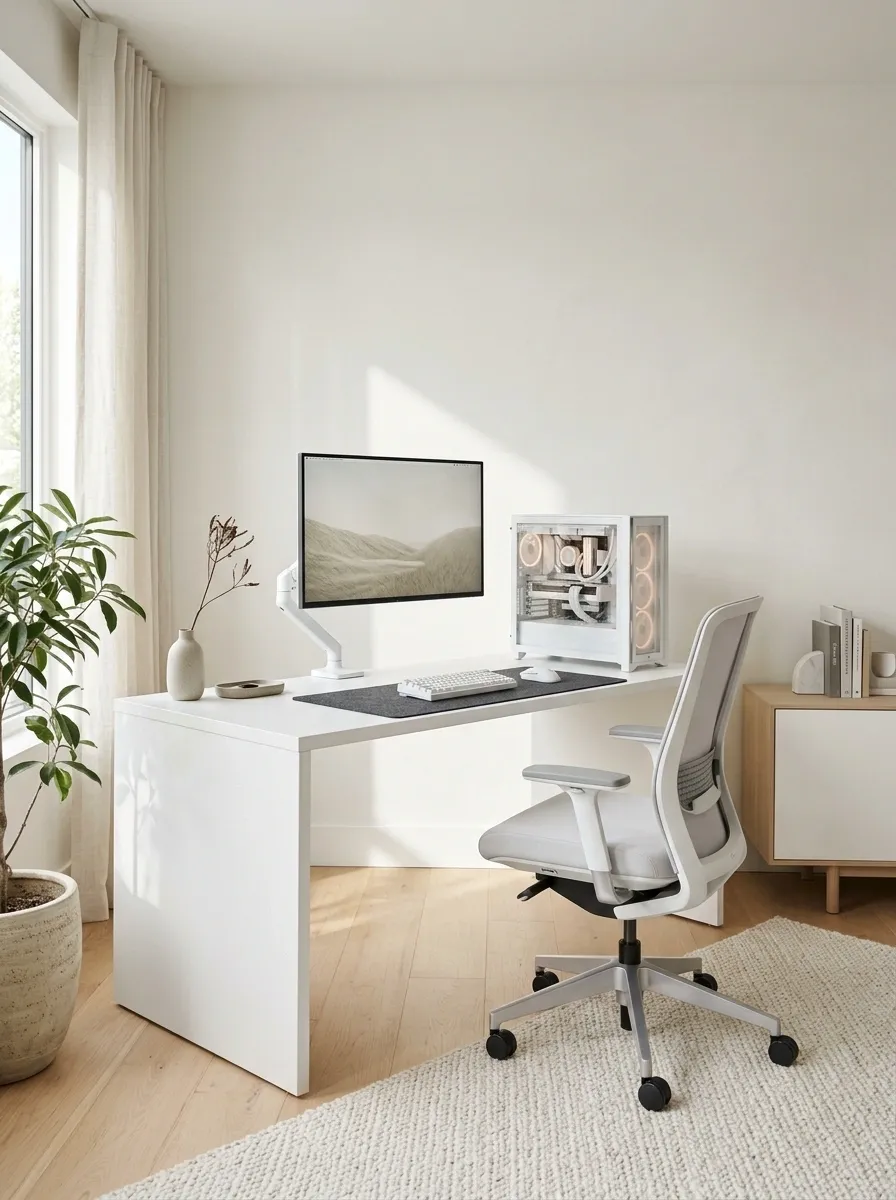
A minimalist white gaming setup looks dramatically different when the cables disappear from view. A clean-lined desk, monitor arms, a matching white PC case, and a simple black or gray desk mat create the visible composition. Underneath, a cable tray carries the power strip and excess wiring, while discreet clips guide the monitor and peripheral cables along the rear edge. The computer remains accessible and ventilated instead of being shoved into an enclosed cabinet for the sake of one tidy photograph.
This concept is especially effective in bright rooms because stray black wires stand out against white furniture. Keeping the cables together also makes it easier to trace a connection when something needs changing. Leave service loops where monitor arms move, and don’t bundle power connections so tightly that access becomes difficult.
The visual payoff is an uninterrupted desktop and a much calmer room. Cable management is not the glamorous part of a gaming setup, but neither is troubleshooting a mystery wire five minutes before a match.
Behind the clean look
The cables didn’t disappear. They got organized.
ABOVE THE DESK
Clear work surface
UNDER THE DESK
Cable tray + secured power strip
Keep excess wiring supported, connections reachable, and cables away from moving chair parts.
AT THE EQUIPMENT
Accessible PC connections
Maintain ventilation and leave enough slack for equipment movement and servicing.
Secure cables without crushing them, keep electrical connections accessible, and avoid tightly bundling heat-producing adapters. The goal is tidy wiring that stays easy to maintain, not wiring that has been sentenced to permanent isolation.
White Gaming Desk Against a Dark Feature Wall
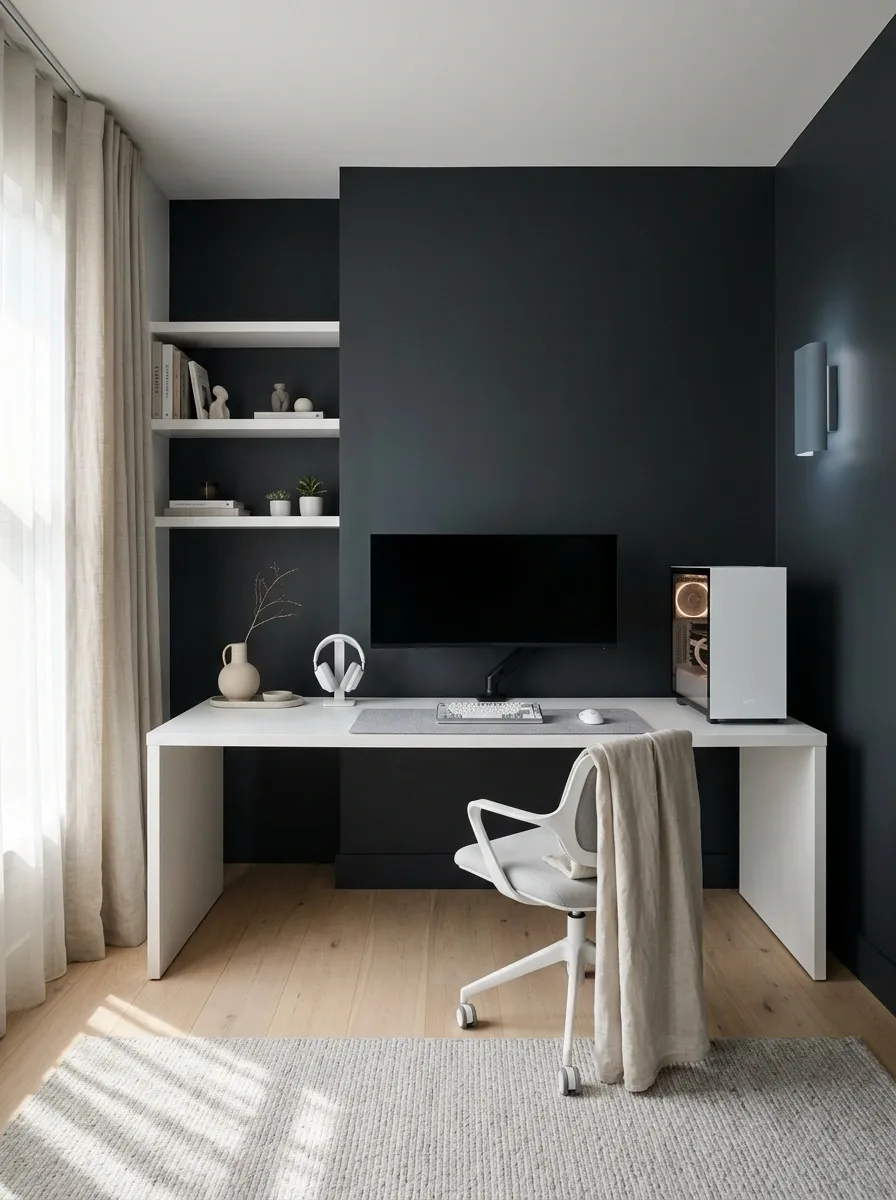
White furniture against a deep charcoal wall creates a stronger architectural look than an entirely pale room. The desk and PC case stand out immediately, while black monitor bezels visually connect the equipment to the wall behind it. A soft wall light or a restrained blue-gray accent can add depth without covering every surface in glowing LEDs.
Keep the rest of the room relatively quiet. A pale floor, simple shelving, and coordinated desk accessories stop the dark background from making the entire room feel heavy. The white desk should remain the main furniture feature, while the wall acts as a frame rather than becoming another display shelf for random decorations.
This is a useful direction for anyone who likes white hardware but wants more drama than a bright minimalist room can provide. The contrast does most of the work, which is convenient because paint is generally better at creating atmosphere than another impulse purchase.
Wall and furniture relationship
Dark background. Bright workstation.
CHARCOAL FEATURE WALL
Keep light: The desktop, nearby floor area, and key furniture surfaces.
Keep restrained: Wall lighting, artwork, and secondary accents.
Test the wall color under both daylight and evening lighting. A charcoal shade that looks rich in one setting can feel much heavier in another, and the monitor still needs to remain the practical focal point.
Curved Ultrawide White Gaming Station
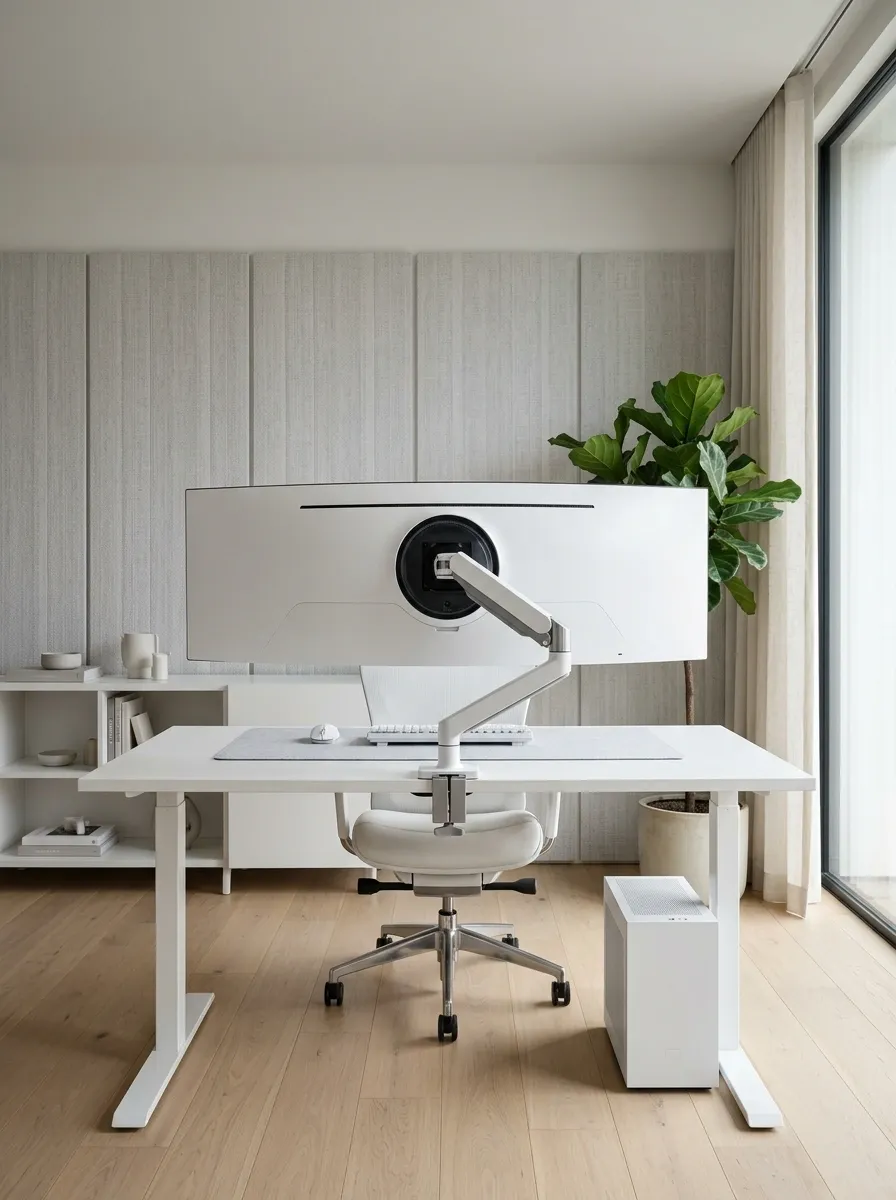
A curved ultrawide monitor changes the silhouette of a white gaming desk. Instead of several separate screens competing for attention, one broad display becomes the centerpiece above a clean white desktop. A white PC case, a matching keyboard, a simple desk mat, and a supportive chair complete the arrangement. The monitor’s width gives the setup a more immersive appearance, while the restrained accessories stop the large screen from making the entire workstation feel crowded.
This concept benefits from careful desk-depth planning. The monitor needs a comfortable viewing distance, and the keyboard and mouse should remain close enough for relaxed use without pushing the player to the very edge of the desktop. A monitor arm can free up surface space, provided it supports the display’s size and weight.
The visual appeal comes from the single sweeping screen and the uncluttered furniture around it. Just because the display is wide enough to show several things simultaneously doesn’t mean the desk needs separate piles of accessories to match.
Ultrawide workstation
One wide focal point. Plenty of breathing room.
Ultrawide display
One central screen zone
Before buying
Check screen width, viewing distance, stand depth, and monitor-arm compatibility.
While arranging
Keep the keyboard centered and preserve comfortable space for mouse movement.
Let the display’s wide shape do the visual work. A clean desktop, coordinated peripherals, and a correctly positioned chair are more convincing than surrounding the monitor with enough accessories to start a small electronics shop.
White Gaming Setup With a Room-Dividing Shelf
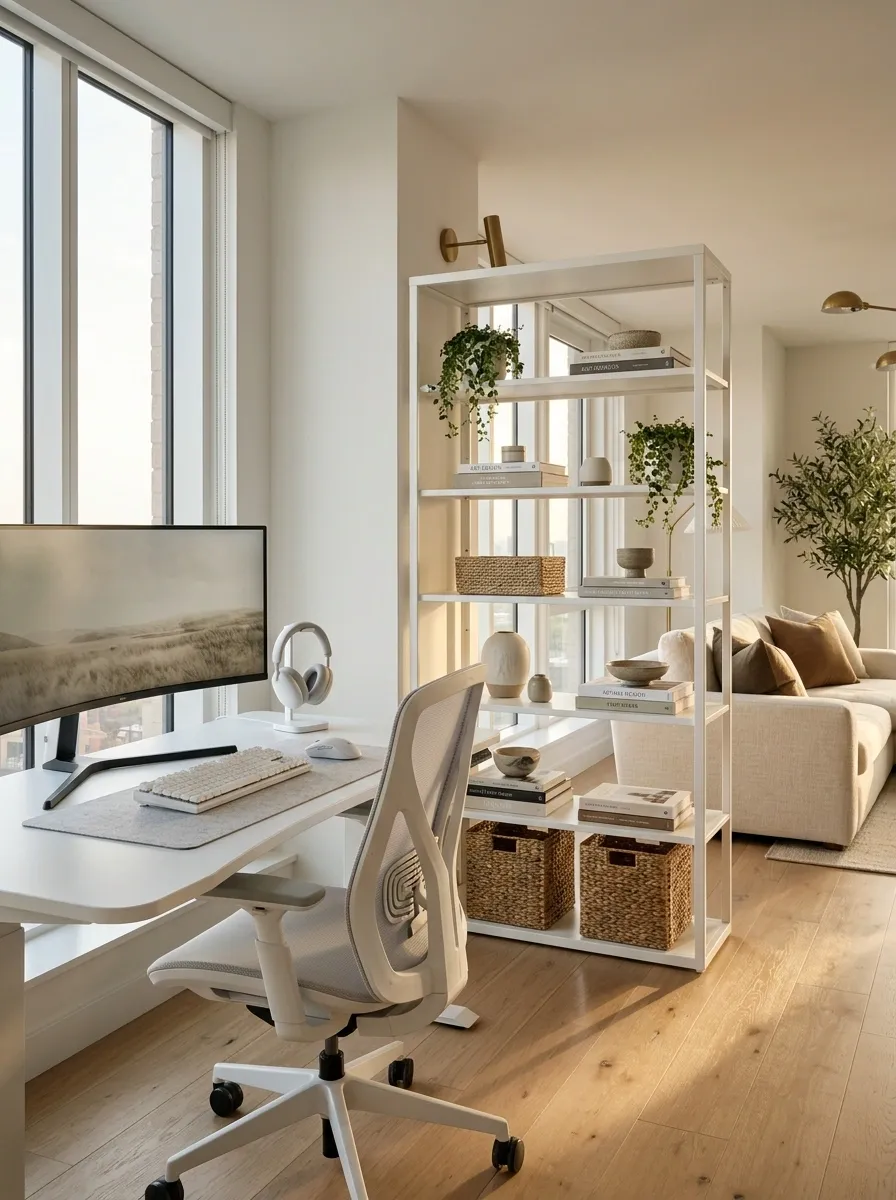
An open shelving unit can give a gaming corner its own identity without turning a shared room into a collection of awkward partitions. Place a white workstation beside a freestanding divider, then use the shelves for books, storage baskets, a few display pieces, and carefully chosen accessories. The open construction allows light to pass through, while the white finish keeps the furniture connected to the rest of the room.
This arrangement is particularly useful in apartments where the desk shares space with a living area. Position the monitor so the player has a comfortable viewing angle, and leave enough room behind the chair to move freely. The divider should separate activities visually without blocking windows, doors, or the main walking route.
The shelves can provide storage and make the workstation feel intentional, but they need editing. If every shelf contains five unrelated objects, the divider becomes a clutter wall with excellent intentions.
Shared-room layout
Create a boundary without building a wall.
GAMING AREA
Desk + chair
Dedicated work surface and clear seating space.
SHARED ROOM
Living zone
Open shelving connects both sides without blocking light.
Choose a stable shelf that allows light and sightlines through the room. Leave a clear route between furniture and avoid overloading the display side. The goal is two useful zones, not a complicated obstacle course.
White Gaming Setup With a Dedicated Display Gallery
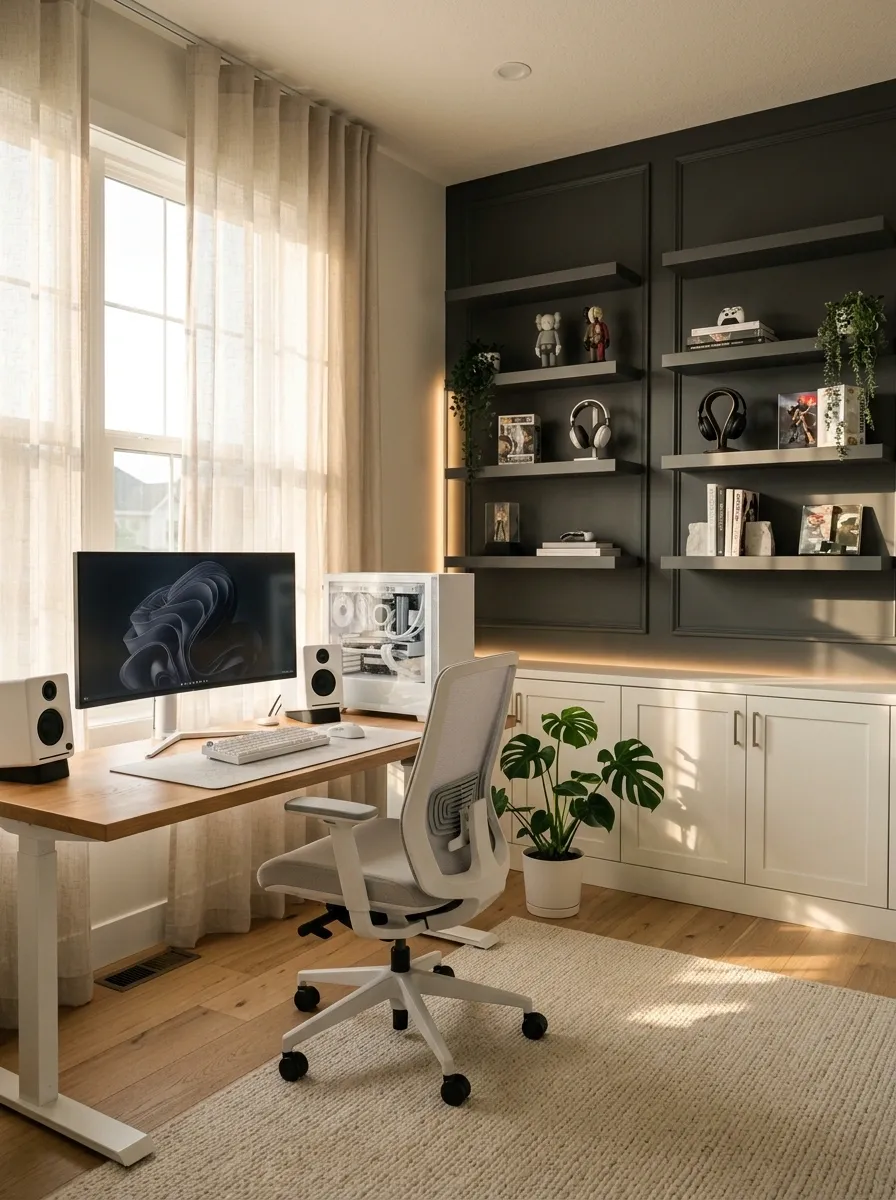
A white gaming desk and PC can share the room with collectibles without turning every surface into a storage area. Coordinated shelves display selected figures, headphones, gaming memorabilia, or limited-edition accessories, while the main workstation stays free for actual gaming. A consistent white backdrop makes the collection easier to read, and small areas of darker color give individual objects enough contrast to stand out.
The key is deciding which pieces deserve the spotlight. Group smaller collectibles, leave gaps between visually busy objects, and keep frequently used equipment within easy reach. Closed storage can take care of spare cables, controller packaging, and accessories that don’t need to appear in every photograph.
This setup works particularly well when gaming is also a hobby worth displaying. The collection becomes part of the room’s personality, not an ongoing attempt to achieve maximum shelf occupancy.
Collection styling
A display is not a storage competition.
MAIN FOCUS
Featured pieces
A clear visual focal point.
SUPPORTING DISPLAY
Small collections
Grouped rather than scattered.
OUT OF SIGHT
Spare gear + packaging
Keep the most interesting pieces at eye level and allow some shelf space to remain empty. Frequently used accessories belong near the desk, while spare items can live in closed storage. The collection will look more intentional when every object isn’t fighting for attention.
Making a White Gaming Setup Work in Real Life
The best white gaming room isn’t necessarily the one with the most expensive components, the biggest monitor, or the most aggressive lighting. It’s the one where furniture, equipment, materials, and storage work together. A warm wood desktop can make white hardware feel more relaxed, a dark wall can give it architectural contrast, and a thoughtfully planned compact desk can make a small room feel considerably less crowded.
Start with the actual room rather than a shopping cart. Check desk dimensions, monitor placement, chair movement, power access, and equipment ventilation before buying accessories. Then introduce color, lighting, or decorative pieces where they support the overall composition instead of competing for attention.
A gaming setup can look immaculate without resembling a showroom that has never encountered a human being. Leave room for the things actually used, keep the cables under control, and choose finishes that still look good when the LEDs are switched off.
Save the designs that genuinely fit the room, then use them as references before the next desk upgrade turns into another unnecessary shopping spree.